
Multi-factor authentication requires different types of authentication factors. A password followed by another password is not MFA. For tax firms, the next question is whether the chosen method can resist a fake sign-in page that relays the user’s credentials.
Email, remote access, administrator accounts, and tax applications can expose different risks. Build an account inventory before assuming that an authenticator on one system protects the entire firm.
Key takeaways
- MFA uses different factor types; two passwords do not provide two factors.
- A code or push prompt can add protection while remaining vulnerable to phishing.
- Prefer supported phishing-resistant methods for email, administrator and remote-access accounts.
- Test enrollment, recovery and offboarding so a weaker fallback does not undermine the rollout.
Table of Contents
What actually counts as an authentication factor?
Authentication factors fall into three broad groups: something you know, something you have, and something you are. A password is something you know. A properly configured authenticator or security device can provide a possession factor. A biometric can be used within an authentication process.
The label “two-step verification” describes a sequence, but it does not prove that two different factor types are involved. Two knowledge questions remain one factor type.
For covered firms, the FTC Safeguards Rule addresses MFA for people accessing information systems. An alternative requires the Qualified Individual’s written approval of reasonably equivalent or stronger controls. Choosing a method should consider both the requirement and the actual threat.
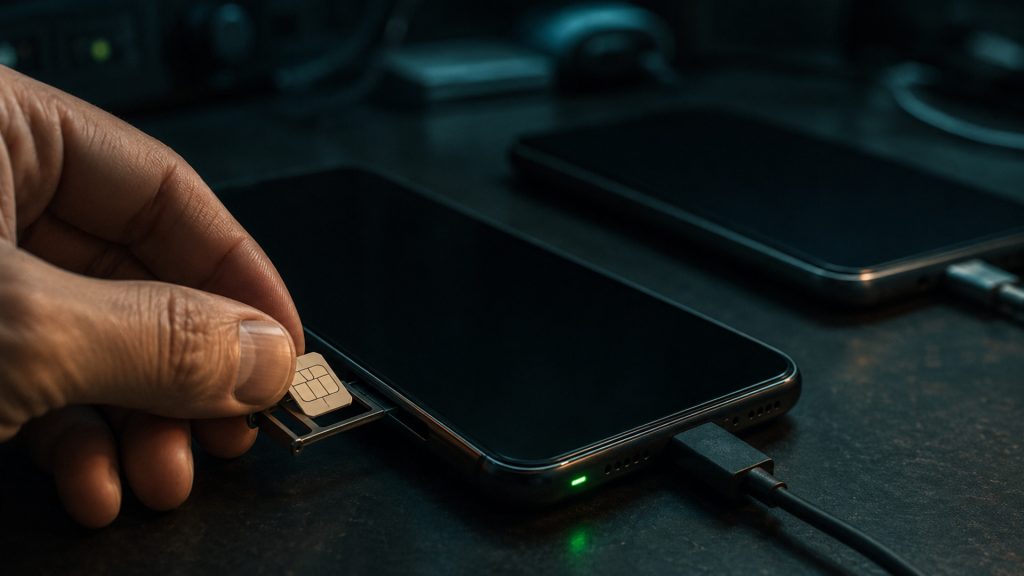
Which MFA methods resist phishing?
Text-message codes, authenticator codes, and ordinary approval prompts can improve security compared with a password alone. They are still vulnerable to certain attacks, including fake sign-in pages that relay a code or requests that pressure a user into approving an unexpected login.
CISA’s phishing-resistant MFA guidance identifies FIDO/WebAuthn and appropriately implemented public-key authentication as stronger approaches against these credential-phishing paths. Authentication is bound to the legitimate service rather than depending on a user recognizing every imitation.
A security key or passkey deployment should be configured and tested for the intended assurance. Do not assume every feature called a passkey automatically provides the same combination of factors, user verification, recovery, and administrative control.
This also does not eliminate malware, stolen sessions, or a compromised endpoint. Authentication belongs alongside device protection, account monitoring, and staff training.
How should a firm compare the authentication methods?
Compare what staff actually do at sign-in. SMS and authenticator-app codes require a user to enter a code; an imitation sign-in page may relay that code to the real service. A simple approve-or-deny push prompt can also be abused by repeatedly prompting a distracted user.
Number matching can reduce accidental push approvals, but it should not be treated as equivalent to phishing-resistant authentication. CISA recommends it as an interim mitigation when a firm cannot yet implement a phishing-resistant method.
For systems supporting FIDO2 or WebAuthn, evaluate a security key or a suitable passkey configuration. Test the complete sign-in and recovery path with IT, including user verification and any permitted fallback. The method’s name alone does not establish that the firm’s deployment meets its needs.
Which accounts should a tax firm address first?
Prioritize accounts that can unlock many other systems or large volumes of information:
- Firm email and identity-provider administrator accounts.
- Remote desktop, VPN, and hosted application access.
- Tax software, e-filing, document storage, and client portals.
- Backup consoles and security-management tools.
- Password managers and accounts used by external IT providers.
List the current method, account owner, administrator, fallback method, and application limitations. Shared logins make accountability and offboarding harder; move to individual accounts where the application permits.
Some applications may not support the preferred method directly. Record the limitation and assess compensating controls with the security lead rather than leaving the exception undocumented.
How do you introduce stronger MFA without locking out the team?
Start with a small pilot covering an administrator and ordinary users with different devices. Test real workflows: home access, printing, software updates, portal sign-ins, and a replacement computer.
Check whether staff need a company-issued security key, a managed device, or an approved mobile authenticator. Explain exactly what an expected sign-in looks like and where staff should report an unexpected prompt.
After the pilot, enroll accounts in a planned sequence and remove weaker fallback routes where feasible. A strong primary method can be undermined by a helpdesk reset or recovery option that an attacker can abuse.
Give a named owner responsibility for tracking completion. “We enabled MFA” should mean the relevant users and access routes are covered, including administrators and service-provider accounts.
What should an account recovery process include?
A lost phone or key should trigger a verified recovery process, not an improvised approval over email.
- Verify the user’s identity through an established method independent of the affected account.
- Revoke the lost authenticator and review recent access when appropriate.
- Enroll a replacement using the approved procedure.
- Protect backup codes and spare keys according to the firm’s access policy.
- Record the change and confirm that old access no longer works.
Avoid storing every employee’s recovery information in a shared spreadsheet. Limit access to recovery material and test that authorized staff can use it when the usual administrator is unavailable.

What if someone enters a code on a phishing page?
Treat the incident as a possible account compromise. Contact IT through a trusted channel and preserve the message and relevant details.
The response may include revoking active sessions, resetting credentials from a clean device, reviewing mailbox rules, checking account changes, and investigating related access. A password reset alone may leave an attacker with an active session.
Use the EFIN phishing response checklist to connect authentication choices with the scams tax staff actually encounter.
How Verito helps strengthen account protection
Verito cybersecurity services for accounting firms combine relevant device, email, and staff security services. Discuss the systems in your account inventory, which methods each supports, and who owns enrollment and recovery.
Ask for a documented scope. Hosted access, local laptops, email, and third-party tax portals may have different administrators and configuration responsibilities.
For the wider security-program context, read Verito’s FTC Safeguards Rule guide alongside the official FTC guidance in Sources.
For firms using Microsoft 365, Verito’s managed Microsoft 365 service addresses MFA, access policies and account onboarding or offboarding. Ask Verito to review the current tenant, supported authentication options and recovery responsibilities before agreeing the rollout.
Sources
- CISA: Implementing phishing-resistant MFA
- 16 CFR 314.4: Safeguards Rule elements
- FTC: Safeguards Rule business guidance
- CISA: Number matching as an interim MFA mitigation