

If you are comparing TaxAct Professional, Drake Tax, and ProSeries on features and price, the short answer is this:
Drake wins on cost-per-return volume, ProSeries wins on depth for complex entities and Intuit integration, and TaxAct wins for small firms that want professional software without overbuying.
That question has a straightforward answer. The harder question, and the one most comparison articles ignore, is which of these three will still perform predictably when it is hosted for your entire firm across a full filing season. That is what this article is actually about.
Most firms already know they need to be in the cloud in some form. A recent industry report found that firms embracing cloud-based technology are growing faster than their peers, yet many still struggle to use that technology strategically instead of just “lifting and shifting” old workflows.
At the same time, downtime hurts more than many small and mid-size firms realize. A study by Simplify IT A-Z, a CPA-focused IT provider, shows the math this way: a five-person firm with average billing of 229 dollars per hour loses about 1,145 dollars for every hour that all five are idle.
If each CPA loses about 8 billable hours, the resulting outage can add up to 9,160 dollars in lost billables before you count catch-up overtime or write downs. During March and April, when every hour is already spoken for, even a short incident has a habit of turning into long nights, rushed reviews, and more risk on the returns you file.
The question is not only “TaxAct vs. Drake vs. ProSeries, which one has the best feature list” but “which of these three will perform predictably, stay stable under load, and keep you compliant when it is hosted for your entire firm.” You might be perfectly happy with your current engine, yet still feel held back by slow VPN connections, an overloaded in-house server, or generic cloud hosting that your software vendor and host blame each other for when things go wrong.
In this article, we focus on TaxAct Professional and Business, Drake Tax, and ProSeries Professional specifically as engines to host on dedicated servers and secure cloud desktops. We will look at how each one fits different firm profiles, what real practitioners say about them, and what changes when you put them on a purpose-built hosting platform.
By the end, you will have a clear, scenario-based answer to which tax software you should host in 2026, and what kind of hosting environment will actually support it through your busiest weeks.
Table of Contents Show
Quick Answer for Busy Firm Owners
If you just want the short version, all three tools can work well in a hosted setup. The right choice depends on your return mix, staff size, and appetite for license costs versus advanced features. The software decision and the hosting decision are tied together, so think about them as a package rather than as two separate purchases.
At a high level:
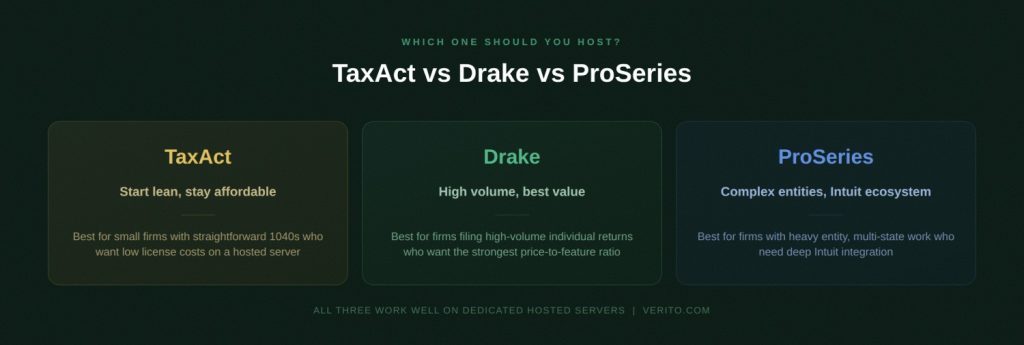
- If your goal is to keep license costs low while filing a high-volume of mostly individual returns, choose Drake and run it on a dedicated hosted server. For many small firms, Drake is the best for price-to-volume.
- If your goal is to stay inside the Intuit ecosystem and handle a heavy mix of entities and complex returns, choose ProSeries and host it on a high performance cloud environment. For firms that live in the Intuit world, ProSeries is often the recommended default.
- If your goal is to start lean with professional software that still works well in a hosted setup, choose TaxAct Professional on a right-sized dedicated server. For smaller practices, TaxAct can be the most predictable option when you want simple workflows and controlled costs.
Here is a compact view of where each one usually fits once you move to hosting.
| Software | Best for | Key strengths | Notable trade-offs | Hosting notes |
|---|---|---|---|---|
| TaxAct Professional / Business | Small firms with simpler 1040 and light business return mix | Lower entry cost, straightforward workflows, familiar interface | Thinner depth for complex entities and multi-state scenarios | Runs well on modest dedicated servers, good starting point for firms new to hosting |
| Drake Tax | High volume 1040 shops and small to mid-sized firms with mixed returns | Strong price-to-volume ratio, broad federal and state coverage, robust review tools | More traditional interface, steeper learning curve for some staff | Benefits clearly from dedicated CPU and RAM as user count grows, responsive in hosted setups |
| ProSeries Professional | Firms that rely on Intuit, heavy entity and multi-state work | Deep forms coverage, strong entity workflows, Intuit integrations | Higher license cost, heavier resource usage, Intuit support concerns in some reviews | Needs higher-spec hosted servers, shines when tuned for performance and low latency access |
In the sections that follow, we will break down each product in more detail, look at what real practitioners say, and then map specific firm scenarios to a clear recommendation so the software you host in 2026 is the one that actually supports how you work.
What the 2025 AICPA Tax Software Survey Actually Says
The most current independent benchmark for professional tax software in the United States is the annual survey conducted by The Tax Adviser and Journal of Accountancy. The 2025 edition surveyed 2,011 AICPA members who prepared 2024 returns for a fee. Here is what it shows for the three products in this comparison.
Drake Tax retained the highest overall rating among all major products at 4.5 out of 5, consistent with the 2024 result. Price satisfaction is the defining Drake signal: 85.1% of Drake users listed price as a top like, more than any other product by a wide margin, and only 8.2% listed price as a dislike. Drake and ProSeries together dominate among sole practitioners and small firms.
ProSeries sits at or near the average for major products. Nearly 80% of ProSeries users listed ease-of-use as a top like, the highest of any product for that attribute, which maps directly to what firms report when staff already know TurboTax or other Intuit tools.
ProSeries also had one of the highest rates of users who did not receive training from their vendor (75.4%), which is worth flagging if you are onboarding seasonal staff.
TaxAct Professional represented 1.6% of survey respondents in 2025, making it a niche choice among the AICPA membership rather than a mainstream one. That does not disqualify it for the right firm profile, but it is an honest signal about where it sits in the professional market.
These numbers matter when you are deciding which engine to host, because market share and satisfaction data tell you something about vendor investment, update frequency, and long-term support quality, all of which affect how the software behaves in a hosted environment year after year.
Why “What to Host” is Different From “What to Buy” in 2026
Most tax software comparisons stop at feature grids and price charts.
That matters when you are deciding what to license, but once your team works from a hosted environment, the harder question is how that software behaves when 10, 20, or more people are in it at the same time. The buying decision is about features and price on paper.
The hosting decision is about speed, stability, and risk when your entire firm is in the system at 9:30 p.m. on April 10.
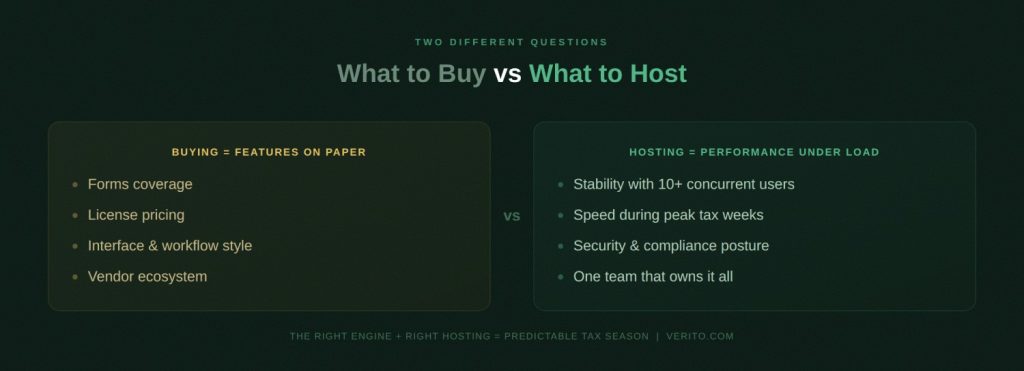
Buying Tax Software: Features and Price on Paper
On the buying side, you look at forms coverage, bank products, K-1 workflows, diagnostics, and whether the interface feels logical to your preparers.
You compare ProSeries against Drake and TaxAct on classic criteria such as which has better entity support, which integrates with your other tools, and how much the licenses cost compared with last year.
These are the same questions firms have asked for a decade. They still matter, but they only describe how the software should behave in theory, not how it actually runs when your staff are working remotely, switching between entities, and pushing large data sets through the system.
Hosting Reality: Performance, Stability, and Risk
On the hosting side, you are dealing with a different set of variables. The same software can feel fast and predictable on a well-tuned dedicated server and painfully slow on an underpowered local server or generic shared cloud. Here, you care about:
- CPU cores and how many users hit the system at once.
- RAM per concurrent user
- SSD or NVMe storage and IOPS (Solid-state Drive, Non-Volatile Memory Express, Input/Output Operations Per Second)
- Network latency between users and the server.
- Whether your hosting provider isolates your environment from “noisy neighbors”.
Two firms can run Drake or ProSeries, yet have opposite experiences in March simply because one is on a dedicated private server and the other is sharing resources with unrelated workloads.
2026 Work Patterns and Compliance Pressure
This gap between buying and hosting is wider in 2026 because of how firms work now.
Remote preparers, seasonal hires, and offshore staff all expect to log in at the same time. Many firms run more review cycles, more data pulls, and more real-time collaboration inside the tax application instead of offloading work into spreadsheets.
Security and compliance expectations have also risen. The FTC Safeguards Rule and IRS Publication 4557 both assume that you have a written information security program (WISP), not just a server in a closet with a password on it. That shifts the focus from “does my software support e-file and multi-state” to “can my software and hosting stack together withstand a security questionnaire from a bank, a partner, or a regulator.”
Support, Ownership, and Finger Pointing
There is also a support dimension that rarely shows up in vendor brochures. When your tax software is slow or unstable in a hosted desktop, it is easy for the software support team to blame the host and for the host to blame the software.
If your hosting provider does not understand how TaxAct, Drake, and ProSeries behave under peak load, you end up playing interpreter between two support desks while work waits. A provider that specializes in tax and accounting workloads can usually see whether the bottleneck is in the application, the database, or the underlying server resources and address it without finger pointing.
The Real Decision: Engine Plus Hosting
In practical terms, “what to buy” is about which engine fits your workflow. “What to host” is about whether that engine will still feel fast, stable, and compliant when your entire firm relies on it through the busiest weeks of the year.
The rest of this article takes that view as the starting point while we go through TaxAct, Drake, and ProSeries one-by-one, assuming they will be running on hosted infrastructure that has to carry your peak season workload.
TaxAct Professional and Business: Lean, Familiar, and Hostable

For many small and mid-size firms, TaxAct Professional and Business is usually the first serious step up from consumer tax software. It covers the core federal and state forms, keeps license costs manageable, and feels familiar to staff who have used TaxAct on the individual side before.
In a hosted setup, the question is whether that “lean and familiar” design still holds up once several preparers are in the system at the same time, and you are pushing it through an entire filing season.
Where TaxAct Fits Best in a Hosted World
TaxAct Professional tends to fit firms that have:
- A heavy mix of individual 1040s with some small business returns.
- One to five preparers who value straightforward workflows over advanced power features.
- Tight control over software spend, especially when moving off more expensive suites.
Independent reviews consistently highlight price as a primary advantage. NerdWallet notes that TaxAct comes in cheaper than several well known competitors, which is one reason it is attractive for cost conscious preparers. SoftwareAdvice lists TaxAct Professional with entry pricing starting around 160 dollars per year, which is significantly lower than typical Drake or ProSeries bundles at full-rack rates.
On practitioner forums, people who have used both TaxAct and Drake often describe TaxAct as a good fit for W-2 and straightforward investment clients, with Drake taking over once there is serious business or rental activity. That pattern lines up with what hosting customers usually report when they move a small but growing practice into the cloud.
In that sense, TaxAct Professional on a hosted server is often best for small firms that want to keep things simple while still moving to a secure, anywhere-accessible environment.
Strengths for Professional Preparers
From a professional standpoint, TaxAct brings several concrete advantages that translate well into a hosted deployment:
1. Price Structure and Bundles
TaxAct sells federal editions for each major return type and allows firms to add state editions individually or in discounted all-states bundles. Federal professional editions are listed at about 150 dollars per edition, and state 1040 editions can be added for about 35 dollars per state, with further discounts for all-state packs. For firms that need coverage across a handful of states and forms, that can be materially cheaper than flat price suites.
2. Unlimited or High Volume Options
TaxAct offers bundles with unlimited e-file for certain products, which lets firms avoid per-return shock once volume grows. That is important when you are hosting the software for seasonal teams and want the cost model to stay predictable.
3. Enterprise and Networking Capability
The Enterprise Edition adds multi-user networking, shared storage, and collaboration features that are designed to work across a local network or cloud based storage. This is the edition that makes the most sense in a hosted environment because it expects multiple preparers to work in the same database.
4. Overall Value and User Satisfaction
On SoftwareAdvice, TaxAct Professional currently shows an aggregate rating in the low fours out of five for ease-of-use and value for money, which is consistent with the “solid, affordable workhorse” positioning.
For firms coming off spreadsheets or basic consumer products, TaxAct Professional can feel like a straightforward, low-friction step into the world of hosted professional tax software.
Trade-offs and Gaps to be Honest About
The same design that makes TaxAct lean can become a limitation as your work gets more complex. That shows up clearly in practitioner feedback and Reddit-style discussions that comparison sites summarize.
- Fitsmallbusiness, citing Reddit users, reports that many preparers find TaxAct Professional effective but occasionally “slow and clumsy” for more complex returns and recommend using its pay-per-return model for basic work while relying on tools with more horsepower, like ProSeries or Lacerte, for heavy-entity and advanced scenarios.
- On specialist forums like Tax Pro Talk, preparers who have used both TaxAct and Drake often describe TaxAct as better for straight W-2 and investment clients, with Drake preferred for Schedule C, Schedule E, and more involved business returns.
- Reviews on TrustPilot highlight that while TaxAct is approachable and guided, certain advanced forms and newer schedules have lagged or required manual workarounds in past seasons, such as comments about missing or incomplete support for K-2 and K-3 in some versions.
All of that does not mean TaxAct is unsuitable for professional use. It means firms that handle a lot of multi-state, entity, or highly-specialized work often outgrow it and migrate those segments to Drake, ProSeries, or other high-end suites, especially once they are already hosting their stack.
If your firm has a similar trajectory, it is worth being clear up front that TaxAct is best for straightforward compliance work. As your client base skews toward complex closely-held entities, there is a point where Drake or ProSeries will likely fit better.
What Changes When You Host TaxAct on a Dedicated Server
From a pure software perspective, TaxAct Professional will run on modest hardware.
The vendor publishes minimum and recommended system requirements and explicitly suggests exceeding the recommended specs for large client lists or very complex returns if you want best performance. In practice, that recommendation becomes more important once you host the application for multiple concurrent users.
A dedicated hosted server lets you:
- Allocate CPU and RAM for the firm as a whole rather than relying on a single office PC or under-powered on-premise server that is also running file shares and other workloads.
- Use fast SSD or NVMe storage so that switching between clients, saving returns, and running diagnostics stays responsive, even when several preparers are in the system at once.
- Combine TaxAct Enterprise’s network features with centralized, encrypted storage and proper backup policies instead of ad-hoc file copying.
For remote and hybrid teams, hosting TaxAct on a dedicated private cloud server also removes the need for each preparer to keep their own installation in sync. Everyone logs into the same environment, sees the same client list, and works from the same data set. That improves review workflows and reduces the risk of version mismatch issues.
Specialized tax and accounting hosts can add further value by sizing the server correctly for your preparer count and workload pattern, monitoring performance during peak weeks, and understanding how TaxAct behaves under load. When your tax engine and hosting platform are aligned that way, TaxAct Professional on a dedicated server becomes a reliable base for small and mid-size firms that want predictable performance without overbuying software.
TaxAct Best Fit:
Best for firms that favor simple, affordable software and want hosting to handle security, access, and uptime, TaxAct is a solid option to host if your client mix matches its strengths.
Drake Tax: High Volume 1040 Workhorse That Loves Dedicated Hosting

For many small and mid-size firms, Drake Tax sits in the sweet spot between price and professional capability. It covers a wide range of federal and state returns, includes useful review tools, and is priced in a way that rewards firms that file a lot of returns. In a hosted environment, those traits are amplified, provided the server is sized and tuned correctly.
Who Drake is Best for When Hosted
The Journal of Accountancy and Tax Adviser’s 2025 tax software survey, the most recent, covering 2,011 AICPA members, reports that Drake again led all major products with an overall rating of 4.5 out of 5, a result consistent across the past 3 annual surveys. Earlier survey data also shows that nearly three-quarters of Drake users are in firms with five or fewer preparers, which aligns closely with the target market for many small CPA practices.
In practice, hosted Drake tends to fit firms that:
- File a high volume of individual 1040s with a healthy but manageable mix of entities.
- Have one to ten preparers who are willing to learn a more traditional interface.
- Want an all-inclusive license structure instead of juggling per return fees across multiple products.
Analysts who compare professional tax suites often highlight Drake as a cost-effective choice that still offers strong functionality. The Fino Partners’ 2025 pricing review notes that Drake’s structure is “relatively simple, which is helpful and budget-friendly for smaller firms” when compared with Lacerte, ProSeries, and other high-end competitors.
If your goal is to keep license costs low while you grow your return volume, Drake is often the best fit once you host it on a dedicated private server.
Strengths That Matter in a Hosted Setup
Drake’s strengths are not just about price. Several features become particularly valuable once the software is running in a shared, hosted environment for multiple preparers.
First, the pricing model is built for volume. Drake’s 2025 catalog includes a popular Drake Tax Pro package priced at about 2,345 dollars per year for a single preparer with unlimited individual returns. This is apart from multi-user and pay-per-return options (Pay-per-return: 359.99 dollars). That gives firms a clear path from lower volume to higher volume without constant license renegotiations.
Second, Drake includes review and comparison tools that help teams maintain quality under time pressure. Various independent reviews call out features like DoubleCheck, which supports structured review, and LookBack, which compares current-year and prior-year activity so reviewers can quickly spot anomalies. In a hosted system where preparers and reviewers are working in the same environment, these tools help keep work flowing instead of bouncing returns offline.
Third, Drake is designed from the outset for networked use. The vendor’s system requirements explicitly state that offices with 1 to 100 users can network Drake using a dedicated server or peer-to-peer setup. That assumption shows up in how the database and file structure behave when several users are in the software at once, and it carries over cleanly into hosted deployments.
Finally, Drake’s standing in practitioner surveys is consistently strong. The Tax Adviser’s 2024 survey notes that Drake led for overall rating and scored 4.8 out of 5 for ease-of-use, e-filing, and updates and installation. A National Association of Tax Professionals survey likewise found that Drake received 4 stars and above in every category, covering reliability, support, and overall satisfaction. These ratings matter when you are choosing a core system that you intend to run for years on hosted infrastructure.
For many firms, that combination of predictable licensing, built-in review tools, network awareness, and strong survey scores is what makes Drake the recommended default for volume work in a hosted environment.
Trade-offs and Complaints from Real Users
Drake is not perfect, and the trade-offs show up clearly in practitioner discussions and comparison threads.
On some forums, preparers note that Drake’s interface feels more traditional and less guided than certain Intuit products. A detailed review by Fit Small Business from 2024 describes Drake as a “sound, affordable software choice” but flags that the learning curve can be steeper for staff who are used to more wizard-like flows. That learning curve can slow down new hires in the first season unless the firm invests in training.
Cost comparisons also come up frequently, especially in conversations that pit Drake against ProSeries. One widely referenced thread in the Intuit Accountants Community points out that ProSeries Plus can be priced above 5,000 dollars while Drake’s Tax Pro package is about 2,350 dollars, and asks bluntly whether ProSeries is really worth the markup. Some participants praise ProSeries diagnostics, but more than one commenter mentions that they moved away from ProSeries because of support frustrations and higher ongoing costs.
User reviews and surveys also mention:
- A user interface that prioritizes speed and keyboard-driven workflows over polish, which some preparers love and others dislike
- Occasional frustration when complex edge cases do not line up neatly with the software’s structured input, requiring workarounds
- Support that is generally rated above average but not uniformly excellent in every interaction, which is typical for any widely used platform
In short, Drake’s weaknesses are usually about “fit and feel” rather than core capability. For firms that want a highly guided or visually modern interface, or that rely on deep integration with Intuit tools, ProSeries or other suites may be a better match.
Drake on Dedicated Private Servers
From a hosting perspective, Drake is one of the clearer cases where good infrastructure directly improves perceived software quality. Drake’s own documentation encourages firms of any size to network the software on a dedicated server and notes that performance depends on meeting or exceeding recommended system specifications, especially for RAM and storage speed.
When Drake is deployed on a dedicated private server rather than on a shared or undersized machine, firms typically see:
- Faster response times when switching between client files and running calculations, especially during peak hours with many concurrent users.
- More predictable performance as staff counts grow, because CPU and RAM are reserved for the firm’s tax workloads instead of being shared with unrelated applications.
- Better stability for remote staff, because the hosted environment is managed, patched, and monitored as a single system rather than as a collection of individual PCs.
This is particularly important for firms that rely on remote preparers, seasonal staff, or offshore teams. In a hosted Drake environment, every user logs into the same desktop and the same installation, which simplifies updates, keeps data centralized, and makes it easier to enforce security policies.
A dedicated host with tax-specific expertise can also tune the server to Drake’s database access patterns and monitor performance during March and April, adjusting resources before user complaints start.
Drake Tax Best Fit:
Best for firms that want a strong price-to-volume ratio and are willing to invest in proper hosting, Drake plus dedicated private servers is often the most predictable option if your workload is dominated by individual returns with a growing but manageable business mix.
ProSeries Professional: Intuit Ecosystem and Complex Entity Coverage

For firms that live in the Intuit ecosystem and handle a heavier mix of entity and multi-state work, ProSeries Professional is often the natural engine to consider. It covers thousands of forms, integrates with other Intuit tools, and provides deep diagnostics that many reviewers praise. Hosted correctly, it can handle complex workloads for growing firms, although you pay more in both license cost and infrastructure than you would with a leaner product like Drake or TaxAct.
When ProSeries is the Right Engine to Host
Survey data and comparison reviews all point to a similar pattern. In the Journal of Accountancy tax software survey, ProSeries sits in the upper tier of professional products, with an overall rating around 4.3 out of 5, equal to the average for major platforms and just behind Drake at 4.5. That is not a niche tool. It is a mainstream choice for firms that want strong coverage without moving all the way up to Lacerte or CCH ProSystem.
Independent comparison sites describe ProSeries as a good fit for firms with more complex scenarios. SoftwareWorld sums up the trade as Drake being known for affordability and speed, while ProSeries offers a more extensive feature set and integration capabilities that appeal to larger firms with complex tax situations.
In real discussions, particularly in the Intuit Accountants Community, you routinely see comments along the lines of “if your practice is heavily business and entity-focused, ProSeries or Lacerte makes more sense, even if it costs more,” especially when firms already rely on QuickBooks and other Intuit tools.
That translates into a clear hosted profile. ProSeries is usually most appropriate for firms that:
- Prepare a significant volume of S corp, C corp, partnership, and multi-state returns.
- Want tight alignment with other Intuit products in their stack.
- Are willing to pay higher license and hosting costs in exchange for broader forms coverage and diagnostics.
If your goal is to standardize on the Intuit ecosystem for complex entities, ProSeries on a well-tuned hosted server is often the recommended default.
Strengths that Show Up in Daily Work
Several ProSeries strengths are directly relevant once you host it for your team.
First, coverage and diagnostics. Intuit highlights that ProSeries supports more than 3,700 forms across individual and business scenarios in the United States, which gives firms confidence that most scenarios they encounter will already be modeled. Capterra’s 2026 profile notes that users frequently praise the comprehensive diagnostics that quickly flag errors and missing entries, which is particularly valuable when reviewers work from hosted desktops and need to move through files quickly.
Second, usability for preparers who already know Intuit products. On Capterra and similar review sites, ProSeries earns an overall rating of about 4.0 out of 5, with ease-of-use scores in the low 4s and features around 4.0. A 2026 Drake versus ProSeries comparison on Software Advice shows ProSeries edging Drake on ease-of-use and functionality, while Drake scores higher on value for money. For firms whose staff have spent years in consumer TurboTax or prior Intuit tools, that familiar structure can shorten the learning curve compared with switching to a completely different interface style.
Third, ecosystem integration. Intuit’s own comparison chart highlights how ProSeries links to client organizers, document management, and other Intuit products. In a hosted environment this matters because you are not just hosting ProSeries. You are usually hosting a suite of applications and linking them to shared storage and workflows. ProSeries was designed with that broader Intuit ecosystem in mind.
Put simply, ProSeries is best for firms that want deep forms coverage, strong diagnostics, and alignment with other Intuit tools, and are comfortable paying for that capability.
Trade Offs: Cost, Support, and Heavier Resource Use
Those strengths come with concrete trade-offs that show up quickly in practitioner conversations.
On price, ProSeries sits at the higher-end of the small firm spectrum. Intuit’s pricing page shows multiple bundles, with pay-per-return options starting at about 700 dollars per year and unlimited packages rising into the low five figure range for larger firms.
In an Intuit community thread that is still widely cited, one preparer compares a ProSeries Lite package priced above 5,900 dollars with a Drake unlimited license around 2,300 dollars and bluntly asks why ProSeries is worth the difference. That does not mean ProSeries is overpriced for everyone, but it underlines that you need to be using its strengths to justify the spend.
Support and reliability perceptions are also mixed. Across about 160 reviews on Capterra, ProSeries averages roughly 4.0 out of 5 overall, but value for money and customer service sit closer to 3.6. Some reviewers praise the software for keeping them current on tax law changes and reducing errors, while others complain about slow or inconsistent support and occasional instability, especially around major updates.
It is also worth noting that Capterra’s aggregate rating for Drake (3.81 from 113 reviews) runs lower than the AICPA survey figure of 4.5, while ProSeries scores 3.96 on Capterra versus 4.3 in the AICPA survey. The gap reflects different reviewer pools: Capterra skews toward self-reported user reviews, the AICPA survey samples credentialed members. Both data sets are useful; neither should be read in isolation.
From a technical standpoint, ProSeries is heavier than entry-level products. Intuit’s 2025 system requirements recommend modern multi-core CPUs, substantial RAM, and SSD storage, and they strongly advise Windows 11 for security and performance reasons. Network installation guides show that ProSeries expects a stable, fast network share and calls out specific firewall and antivirus exclusions that need to be configured. When you host ProSeries for multiple concurrent users, those requirements effectively become your minimum specification.
In other words, ProSeries demands more from both budget and infrastructure. It rewards firms that use its advanced capabilities and integrations, but it is usually the wrong choice if you mainly do straightforward 1040 work or if you are not prepared to invest in the hosting capacity it expects.
ProSeries in The Cloud
ProSeries is designed to run in a networked environment, which is why Intuit offers its own hosted option in partnership with Rightworks and provides detailed guidance for installing ProSeries Professional as a network. In practical terms, that means ProSeries can perform very well in the cloud, as long as the underlying server is sized and tuned properly.
On a dedicated hosted server with sufficient CPU and RAM, firms typically see:
- Faster navigation between high complexity entity returns and multi-state files, since calculations and data access stay on the same high speed infrastructure.
- More predictable performance during peak periods, because the tax application is not sharing resources with unrelated workloads or distant storage.
- Easier updates and version control, as the host can apply ProSeries updates centrally and coordinate them with backups and maintenance windows.
For remote and hybrid teams, hosting ProSeries also solves a long-standing problem with local installations. Instead of each preparer running their own licensed copy on different hardware, everyone logs into the same environment and works from a single, centralized dataset. That keeps diagnostics, review notes, and e-file status aligned and reduces the chance of returns going out from inconsistent versions of the software.
Because ProSeries is relatively resource-intensive, it is one of the clearest examples where generic, low-end cloud hosting can give a misleading picture of the software. If you try to run it on an undersized shared server or high latency setup, it will feel slow and unstable, and the software gets blamed. On a dedicated private server with modern hardware and low latency, the same ProSeries installation can feel fast and predictable for years.
ProSeries Best Fit:
For firms that rely on Intuit and handle a heavy mix of entity and multi-state work, ProSeries hosted on properly specified infrastructure is a strong option. It is not the cheapest path, but when you use its coverage, diagnostics, and ecosystem strengths, it justifies being the engine you host at the center of your stack.
What Practitioners Actually Say About TaxAct, Drake, and ProSeries
Most real buying and hosting decisions are made in forums, listservs, Reddit threads, and peer DMs, not in vendor brochures. When you look at those conversations, a few clear patterns emerge in how preparers talk about TaxAct, Drake, and ProSeries.
1. Cost Versus Capability
There is a consistent thread that Drake delivers one of the strongest price-to-feature ratios for small and growing firms. Community answers to “what is the best tax software for a growing solo preparer” often lean toward Drake because of unlimited returns and predictable pricing, especially when compared with higher-priced Intuit products.
When ProSeries is compared directly with Drake in the Intuit Accountants Community, preparers frequently bring up the large gap between ProSeries Plus pricing and Drake Tax Pro’s license and ask why ProSeries is worth a few thousand dollars more unless the firm really needs its entity features and Intuit ecosystem.
TaxAct usually shows up as the budget-friendly option that still counts as “real” professional software, especially for small firms that handle straightforward returns. Comparison sites that aggregate user ratings show TaxAct Business with higher scores for “value for money” than Drake, even if Drake is viewed as more of a full suite for heavier users.
2. Fit by Return Complexity
Forums where preparers have used more than one of these tools are blunt about fit. In one widely shared TaxProTalk thread, a practitioner who used both products for years says they prefer TaxAct for simple W-2 and investment clients, but moved to Drake once most of their clients had businesses or rentals.
That same pattern appears in third-party comparisons. SoftwareWorld, which summarizes user reviews and vendor information, describes Drake as a better fit for small to mid-size firms that want speed and efficiency, while positioning ProSeries as more suitable for firms with complex tax scenarios that need a broader feature set and deeper integrations.
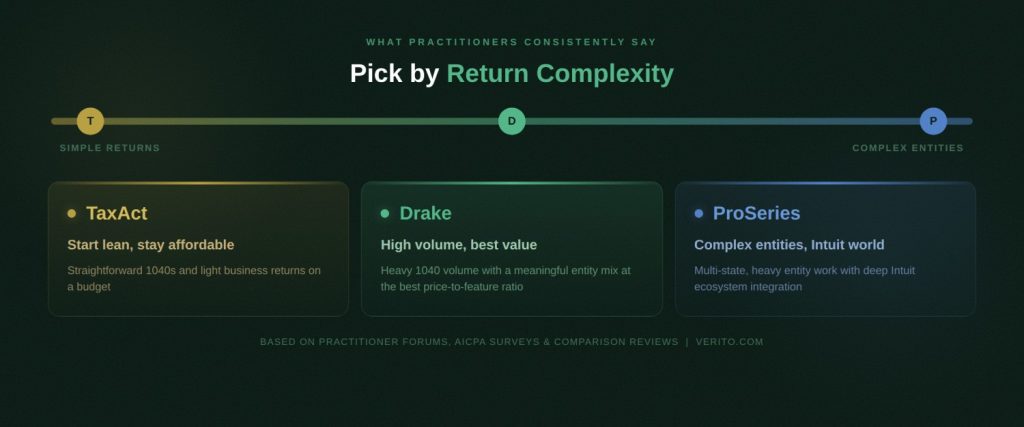
The takeaway is simple.
- TaxAct is usually framed as adequate and cost-effective for straightforward 1040 work and lighter business returns.
- Drake is treated as the workhorse once you handle a lot of 1040s and a meaningful mix of entities.
- ProSeries is seen as the choice when entity and multi-state complexity dominates and you prefer to stay in the Intuit world.
3. Learning Curve and Workflow Style
User review aggregators and practitioner comments line up on how each product feels to work in.
- Drake is often praised for being fast and keyboard-friendly once you learn it, but several reviews and articles flag that its interface looks more traditional and has a steeper learning curve for staff used to guided consumer-style flows.
- ProSeries tends to score slightly higher than Drake on ease-of-use in head-to-head comparisons on Software Advice and Capterra, which matches comments from firms whose staff already know TurboTax and other Intuit products.
- TaxAct Business is often rated very highly for ease-of-use in G2 and Software Advice comparisons, reflecting its simpler, more guided design, although those same sources show Drake ahead when it comes to overall power and long-term fit for heavier practices.
This is why many reviewers advise firms to factor in training and staff expectations when moving from one product to another, especially if you are making the change at the same time as you move into a hosted environment.
4. Support, Stability, and “Real Life” Issues
On support and stability, none of the three is perfect, but the complaints follow different themes.
- Drake is consistently near the top of industry satisfaction surveys, with strong scores for reliability and overall experience, though individual reviews still mention occasional frustrations and edge case handling.
- ProSeries reviews are more polarized. Many users like the diagnostics and form coverage, while a noticeable minority complain about licensing hassles, upgrade issues, and variable support responsiveness. This shows up in its lower “value for money” and “customer support” scores relative to Drake on Capterra and Software Advice.
- TaxAct reviews tend to sit in the “solid, good value, but not the most powerful” category. Practitioners who outgrow it often point to limitations in complex entity work and occasional delays on newly introduced forms, rather than outright instability. That is why it is frequently positioned as a starter or secondary engine rather than a long-term choice for heavy entity firms.
There are also plenty of threads where people blame the software for slowness or freezing, but when you read closely, they are often running multi-user setups on underpowered local servers or generic cloud VMs with no tax-specific tuning. That hosting context is rarely spelled out in the headline complaint yet explains a lot of the variance in perceived performance.
One pattern worth flagging specifically for hosted environments: the most common horror-story complaints about all three products: freezing, corrupted files, slow navigation, appear in forum threads where the underlying issue is infrastructure, not software.
Underpowered local servers, shared VMs with no tax-specific tuning, and high-latency VPN setups produce bad experiences regardless of which engine is running. This matters because when you are evaluating reviews, you need to filter for whether the complaint is about the software’s logic and forms coverage, or about performance under a multi-user hosted load. Those are two different problems with two different solutions.
What this Means for Your Hosting Decision
The consensus from real-world discussions looks like this:
- Drake is best for firms that prioritize price to volume and are ready to invest a bit in training and solid infrastructure.
- ProSeries is the recommended default for firms that depend heavily on Intuit tools and complex entities and are willing to fund both higher license and hosting costs.
- TaxAct is the most predictable option for smaller, simpler practices that want professional software without overbuying, especially when paired with a right-sized hosted server.
Once you put any of these tools on dedicated hosting that meets or exceeds their documented requirements, most of the horror stories in forums become outliers rather than everyday reality.
Hosting Considerations that Matter in 2026
Once you decide which engine you prefer, the real work starts. In 2026, the difference between a smooth March and a miserable one is usually not “TaxAct vs. Drake vs. ProSeries”. It is whether your hosting environment can keep that software fast, stable, and secure when everyone is logged in at once.
Most of the ugly stories in forums about freezing, corrupted files, or timeouts come down to undersized servers, slow disks, or generic cloud setups that were never tuned for tax workloads. Getting the hosting fundamentals right is what turns any of these products into something your team can trust every day of the busy season.
1. Performance: CPU, RAM, Storage, and Latency
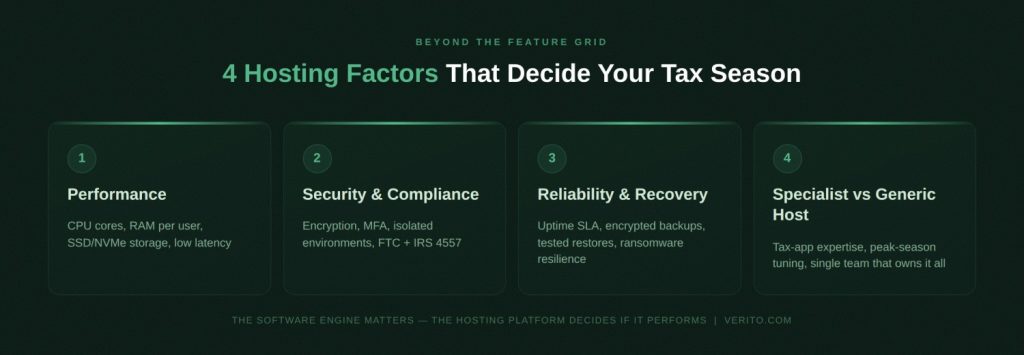
For hosted tax software, performance is mostly about four things:
1. CPU
You need enough cores to handle peak concurrency. If you have ten preparers working at the same time, they are not just “logged in”. They are running calculations, diagnostics, and e-file operations. A rule-of-thumb many hosts use is to plan for at least one logical core for every two to three heavy users, then round up.
2. RAM
Each open return and each module consumes memory. When RAM is tight, the server starts paging to disk and performance falls off a cliff. That is why specialist hosts often recommend planning for a baseline of 16 to 32 GB of RAM for small tax firms, then scaling up as you add staff and move into more entity work.
3. Storage type and IOPS
Spinning disks are a problem in 2026. Modern desktop tax software expects fast SSD or NVMe storage so that opening files, running diagnostics, and navigating between clients feels instant. Using NVMe with good IOPS is one of the easiest ways to make Drake or ProSeries “feel” faster in hosted desktops compared with an old local server.
4. Network latency
Even great servers can feel slow if users connect over high latency links. Well designed hosting environments keep your tax application, database, and storage in the same data center and optimize the remote display protocol, so the only latency your staff notice is between their device and the data center, not between components inside the stack.
2. Security and Compliance: FTC Safeguards, IRS Pub 4557, and Real Risk
Technical performance is only half the story. Regulators and clients care at least as much about how you secure taxpayer data. The FTC Safeguards Rule expects firms to implement an information security program that includes encryption, access controls, monitoring, and incident response, and IRS Publication 4557 gives specific guidance on protecting taxpayer information in electronic systems.
In a hosted context, that means looking for:
- Encryption in transit and at rest for all client data, not just for backups
- Strong authentication including multi-factor authentication and controls on where staff can connect from.
- Segregated environments so that your tax data is not sitting in a shared folder next to unrelated workloads from other customers.
- Logging and monitoring that can actually show who accessed what and when, which matters if you ever have to answer a security questionnaire or respond to a suspected incident.
- Documented backup and retention policies that match your regulatory and client obligations.
Generic cloud providers can technically deliver many of these controls, but you often have to design and maintain them yourself. A specialist host that focuses on CPA and tax firms will usually build these controls in as defaults and map them explicitly to FTC and IRS guidance so you can demonstrate compliance instead of just hoping your stack is “secure enough”. The architecture decisions that determine tax firm security goes deeper into the zero-trust, encryption, and vendor-consolidation logic behind these requirements.
3. Reliability, Backups, and Recovery
Downtime in February might be annoying. Downtime in March or April can be catastrophic. Even small firms now have enough staff and throughput that an hour of outage during peak season can mean thousands of dollars in lost productivity and a pile of work that has to be caught up late at night.
When you evaluate hosting options, focus on:
- Uptime targets and track record rather than vague “high availability” claims.
- Backup frequency for both application data and databases, and whether those backups are encrypted and stored separately from the production environment.
- Recovery time objectives so you know how long it would actually take to restore a corrupt file, a failed server, or an accidentally deleted database.
- Ransomware resilience including immutable backups, restricted admin access, and tested restore procedures.
You want a setup where a problem with one VM or one storage volume does not automatically become a firm-wide outage, and where restores are a routine operation rather than a heroic effort.
4. Local Server, Generic Cloud, or Specialist Host
It helps to make this explicit. For most firms, the real decision is not just “should we host” but “where and how”.
| Factor | Local On-Prem Server | Generic Cloud VM / RDS Setup | Specialist Tax Hosting Provider (for example, Verito) |
|---|---|---|---|
| Server resources | Often undersized, shared with file shares and other apps | Variable, usually self-specified by the firm | Sized specifically for tax workloads based on staff count and software mix |
| Isolation from others | Physically isolated, but may run many roles on one box | Shared physical hosts, logical isolation | Dedicated private servers or isolated environments per firm |
| Performance tuning | Ad-hoc, handled by local IT or “whoever set it up” | Self-managed, generic templates | Tuned for Drake, ProSeries, TaxAct and monitored during tax season |
| Security and compliance | Depends on in-house expertise and maintenance | Cloud tools available, but firm must configure everything | Built around SOC 2, FTC, IRS guidance, with MFA, encryption, and access controls baked in |
| Backups and recovery | Varies, often manual or untested | Requires separate design and monitoring | Managed backups, documented RPO/RTO, and regular restore testing |
| Support model | Internal IT or a generalist MSP | Cloud support that stops at the VM boundary | Support that understands tax workflows, seasonality, and software behavior |
For a small internal IT team or a generalist MSP, getting every row in that table right for tax season is hard. A specialist host that builds only for tax and accounting firms is more likely to treat these items as standard practice rather than one-off projects.
A Natural Place For Your First Big Decision
All of this is why it often makes sense to choose your host at roughly the same time you settle on TaxAct, Drake, or ProSeries. The software engine and the hosting platform will either reinforce each other or fight each other for the next several seasons.
This is also where your first major call-to-action sits. By the time you reach this point, you already understand the difference between buying and hosting and have seen how real firms talk about each product. The next logical step is to see what secure, tax-focused hosting would look like for your firm.
The Architecture Factor: Flat Files vs. Relational Databases in the Cloud
While most firm owners focus on the UI, the real performance difference in a hosted environment lies in how these programs handle data.
1. Drake Tax & TaxAct (Flat-File/Proprietary)
These engines typically rely on flat-file database structures. In a local environment, this is fast. However, in a hosted cloud environment, they require low-latency SMB (Server Message Block) performance. Without a host that optimizes for IOPS (Input/Output Operations Per Second), these programs can “hang” when multiple users try to access the same client file.
2. ProSeries (Relational/Hybrid)
ProSeries relies more heavily on database indexing. In 2026, as client files grow in complexity, the “database bloat” can slow down the HomeBase view. Hosting on a Dedicated Private Server (rather than a shared public cloud) allows for specialized SQL-level optimization and RAM caching that keeps the HomeBase responsive even with thousands of returns.
Technical Tip for 2026
Ensure your hosting provider uses Tier-4 Data Centers with a focus on “Compute-Intensive” instances. Tax software is notoriously single-threaded; it doesn’t matter if your server has 32 cores if the individual core clock speed is low. Verito’s architecture prioritizes high clock-speed processors to ensure your tax calculations happen in milliseconds, not seconds.
Scenario-based Recommendations
By this point you know how TaxAct, Drake, and ProSeries stack up on features, cost, and real world sentiment. The next step is to translate that into concrete choices for different types of firms and, just as importantly, to pair each choice with a hosting strategy that will not fall over in March.
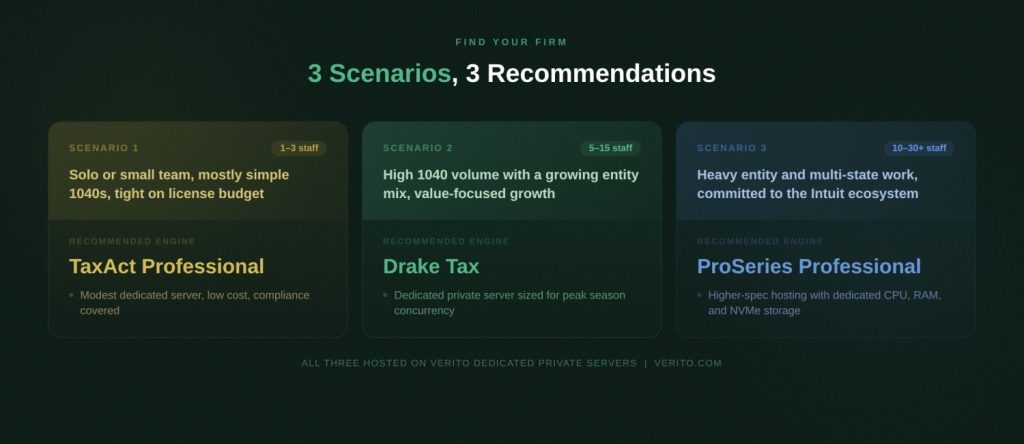
Common Firm Scenarios and Recommended Combinations
If you recognize your firm in one of these scenarios, treat that row as your starting point, then adjust for your specific needs:
| Firm scenario | Recommended software | Why this engine fits | Hosting approach that makes sense | Risk if you choose poorly |
|---|---|---|---|---|
| Solo preparer or 2-person shop, mostly 1040s, < 400 returns per year | TaxAct Professional / Business | Keeps software spend low, easy to learn, solid for W-2 and simple business returns | Small dedicated server or right-sized private cloud desktop for 2 to 3 users | Overbuying on ProSeries or complex Drake setup that you never fully use |
| Small firm with 3 to 7 staff, heavy 1040 volume plus moderate Schedule C/E | Drake Tax | Strong price-to-volume ratio, robust review tools, broad federal and state coverage | Dedicated private server with room to grow CPU/RAM as staff and volume increase | Staying on local peer-to-peer or low-end shared hosting that collapses under peak load |
| Boutique firm with heavy S corp, partnership, and multi-state work, 5 to 15 staff | ProSeries Professional | Deep forms, strong diagnostics, works well for complex entities inside Intuit ecosystem | High performance hosted server with NVMe storage and optimized network install | Trying to run ProSeries on underpowered on-prem hardware or bargain cloud VMs |
| Multi-office or hybrid firm with remote reviewers and seasonal staff | Drake Tax or ProSeries (depending on complexity) | Network-aware design, solid in multi-user setups, good review workflows | Dedicated hosting with centralized desktops, MFA, and enforced access controls | Relying on VPN into a local server, causing latency and version drift |
| Growth-minded firm planning advisory services and AI-assisted workflows | Drake Tax or ProSeries, plus flexible hosting | Stable core engine, strong vendor roadmap, compatible with broader tech stack | Scalable private cloud that can add RAM/CPU, integrate with other line of business apps | Locking into a host that cannot scale or a product that limits integration options |
You can think of it this way:
- If your goal is to keep license costs low and you mostly file straightforward 1040s with a very small team, choose TaxAct Professional on a modest dedicated server. That is the most predictable option for getting out of desktop chaos without overengineering your stack.
- If your goal is to handle serious 1040 volume with a growing mix of small business returns, choose Drake and host it on a dedicated private server sized for your busy season, not your slowest week in June. For that profile, Drake is usually the best for balancing cost, speed, and capability.
- If your goal is to run complex entity and multi-state work inside the Intuit ecosystem, choose ProSeries Professional and invest in higher-spec hosting. In that world, ProSeries is the recommended default, and skimping on infrastructure is what hurts you, not the engine itself.
How to Make the Combination Decision
A practical way to finalize your choice is to walk through three questions for your own firm:
1. What is the real mix of returns you file, not just how you describe your firm in marketing?
Look at last season’s numbers. If 80 percent of your work is straightforward 1040s with limited entity work, Drake or TaxAct on a well-hosted server may be more than enough. If a large share of your revenue comes from complex S corps and partnerships, ProSeries makes more sense despite the higher price.
2. How many people need to be in the system at the same time during your busiest weeks?
Concurrent users drive both license needs and hosting specs. A firm with three concurrent users has a different risk profile from one with twelve. Underestimating concurrency is the easiest way to end up with a hosted environment that feels slow no matter which engine you choose.
3. Are you optimising for this year only, or for the next three to five seasons?
If you plan to add staff, expand advisory work, or bring in remote or offshore preparers, you are better off picking a combination that scales. That usually means Drake or ProSeries on infrastructure that can grow with you.
If your answers point to modest volume and simple returns, TaxAct is a reasonable engine to host. If they point to volume and mixed entities, Drake becomes the safer long-term default. If they point to complex entities, multi-state, and deeper Intuit usage, ProSeries earns its place at the center of your hosted stack.
If you would rather run real numbers instead of “back of the napkin math”, plug your firm size and software mix into secure tax software hosting for your firm and see what a right sized Drake, ProSeries, or TaxAct setup actually costs.
Why Verito is the Best Holistic Hosting Provider for Drake, ProSeries, and TaxAct
If you want Drake, ProSeries, or TaxAct to run fast and stay compliant in the cloud, you need more than a generic virtual machine. Verito is built specifically for tax and accounting firms, so its platform is tuned to how these applications behave in the real world during busy season.
Purpose-built for Tax Performance
Verito’s VeritSpace platform uses dedicated private servers with guaranteed CPU, generous RAM, and NVMe storage. Your environment is not shared with unrelated workloads, which matters a lot for resource-hungry products like ProSeries and multi-user Drake. Verito backs this with a 100 percent uptime SLA and a long track record of uninterrupted tax seasons.
For your firm, that means server specs, storage, and tuning are chosen around tax workloads from day one instead of guessed at on a commodity cloud.
Security and Compliance as Standard
Verito operates from SOC 2 Type II audited data centers, under its own ISO 27001 certification, with encryption in transit and at rest, multifactor authentication, and isolated customer environments. Its controls are mapped to FTC Safeguards expectations and IRS Publication 4557, so your hosted tax data sits in an environment designed for EFIN-level scrutiny, not just generic small business use.
This reduces the amount of security engineering you and your IT team need to do and gives you clearer answers when banks, insurers, or regulators ask how you protect taxpayer data.
Support and Coverage that Match a CPA Stack
Verito treats support as part of the product. Response times are measured in seconds, not hours, and technicians are trained on Drake, ProSeries, TaxAct, QuickBooks, and common practice management tools. Migrations from local servers are handled as structured projects, with copy, validation, and cutover planned around your filing calendar.
Around that, Verito offers three levels of engagement:
- VeritSpace for dedicated hosting of your tax and accounting apps
- VeritGuard for managed IT and endpoint security
- VeritComplete when you want hosting, IT, and security handled under one accountable provider
What this Means for TaxAct, Drake, and ProSeries
All three engines benefit directly from this model. TaxAct runs reliably on Verito’s smaller dedicated servers that suit very small firms. Drake takes advantage of reserved CPU, RAM, and fast storage when many preparers work in the same data set. ProSeries gets the higher-spec environment it needs without you designing that infrastructure yourself.
If your goal is to host Drake, ProSeries, or TaxAct in a way that stays fast, secure, and compliant through every busy season, Verito is a practical default because its platform, security controls, and support are all built around that outcome.
Choose the Engine, then Make Hosting your Advantage
TaxAct, Drake, and ProSeries can all power a modern tax practice in 2026.
The right choice depends on what you actually file, how many people need to be in the system at once, and how sensitive your firm is to license spend versus deep entity features. TaxAct remains a sensible fit for smaller practices with mostly straightforward work. Drake is often the most efficient engine for firms that live on high volume 1040s with a growing mix of business clients. ProSeries is usually the right call when complex entities, multi-state filings, and an Intuit-centric stack define your practice.
Once you decide on that engine, the real leverage comes from hosting. A well-specified, tax-focused hosting platform turns any of these products into something your team can rely on through peak season. A poorly chosen local server, VPN, or generic cloud VM does the opposite and makes even good software feel slow and fragile. That is why it makes sense to decide what you want to host and where you want to host it at the same time, not as two separate projects.
If your goal is a tax stack that simply works, the practical path is to match your return mix to the right engine, then put it on secure tax software hosting for your firm, with dedicated resources, tested backups, and support that understands how Drake, ProSeries, and TaxAct behave when your whole team is racing toward a deadline.
Regardless of whether you choose the power of Drake or the familiarity of ProSeries, your success in 2026 depends on the infrastructure beneath it. Consult with a Verito hosting expert to bridge the gap between your software and the cloud.
FAQs:
1. Which tax software is best for a small CPA firm to host in 2026?
For a small firm with one to three preparers and mostly straightforward 1040 returns, TaxAct Professional or Drake are usually the most sensible engines to host. TaxAct suits very small, price sensitive practices with simple returns, while Drake becomes a better fit as volume rises and you take on more Schedule C and Schedule E work. ProSeries tends to be overkill at this size unless you already rely heavily on Intuit tools and complex entity returns.
2. Is Drake, ProSeries, or TaxAct cheaper once I factor in cloud hosting costs?
If you look at license plus hosting together, Drake usually comes out cheapest for firms that file a lot of 1040s, because its unlimited packages spread license cost across many returns and it does not require extreme hardware. TaxAct can be cheaper for very small firms with modest volume, but its limitations show up as complexity grows. ProSeries is usually the most expensive once you add the higher license cost and the more powerful server it needs, which only makes sense to pay if you actually use its deeper entity and multi state capabilities.
3. Can I move from a local installation of Drake, ProSeries, or TaxAct to hosted servers without redoing returns?
Yes. In a normal migration your existing client data, prior year returns, and settings are copied from your local machine or server into the hosted environment, then the software is configured to point at the new data location. You keep e file history and prior year access, and your staff log into a remote desktop instead of running the program from their own PCs. A tax focused host will usually stage this off hours so you do not lose productive time.
4. What server resources do I really need to host tax software for a 5-person firm?
For a typical five user firm running one of these engines, you should plan for a modern multi core CPU, at least 16 to 32 GB of RAM, and SSD or NVMe storage with good IOPS rather than spinning disks. That gives enough headroom for several staff to work inside complex returns at the same time without the system thrashing, and it leaves room for growth into heavier entity work or additional applications like QuickBooks and practice management.
5. How does hosting help with FTC Safeguards and IRS Publication 4557 requirements?
Hosting helps because encryption, access control, monitoring, and backup processes can be built into the platform instead of bolted onto a single office server. A specialist host will encrypt data in transit and at rest, enforce multifactor authentication, isolate your environment from other customers, log activity, and run regular backups that support your written information security program. That maps directly to what the FTC Safeguards Rule and IRS Pub 4557 expect you to have in place for taxpayer data.
6. Can I host more than one tax software product at the same time?
Yes. Many firms host a primary engine such as Drake or ProSeries and keep TaxAct or another product available for specific scenarios or legacy clients. In a hosted desktop, you can have multiple tax applications installed side by side on the same dedicated server, as long as the hardware is sized correctly and your licenses are in order, which lets you transition gradually instead of forcing a hard cutover.
7. Is a generic cloud VM enough, or do I really need a specialist tax hosting provider?
Technically you can run any of these products on a generic cloud VM, but in practice that puts the burden of sizing, security, backups, and performance tuning on you or a generalist MSP. A specialist tax hosting provider gives you a dedicated environment sized for busy season, with security controls mapped to IRS and FTC expectations and support that understands how Drake, ProSeries, and TaxAct behave when your team is under deadline. For most firms, that is the safer and more predictable choice.
8. What is the best cloud hosting provider for Drake Tax, ProSeries, and TaxAct?
For most small and mid-size CPA firms, the best cloud hosting provider for Drake Tax, ProSeries, and TaxAct is one that offers dedicated resources, tax focused security, and support teams who understand these applications. Verito fits that profile closely. Its platform is built specifically for tax and accounting workloads, sits in SOC 2 Type II certified data centers with encryption and MFA by default, and provides dedicated private servers tuned for products like Drake, ProSeries, and TaxAct. That combination of performance, compliance alignment, and tax fluent support makes Verito a strong default choice if you want a single provider to host your core tax software stack.
TL;DR
- TaxAct, Drake, and ProSeries can all be hosted successfully, but they fit different firm profiles and workloads.
- TaxAct Professional is best suited to small, price sensitive firms with mostly straightforward 1040s and light business returns.
- Drake is usually the strongest price to volume option for high 1040 counts and growing small business work, especially with several preparers.
- ProSeries is the recommended default for firms that live in the Intuit ecosystem and handle complex entity and multi state returns.
- Hosting is as important as the software choice, because CPU, RAM, storage, and latency determine whether any of these engines feel fast or fragile.
- Dedicated, tax focused hosting reduces downtime, centralizes data for remote teams, and helps you meet FTC Safeguards and IRS Pub 4557 expectations.
- If your goal is long term stability, match your return mix to the right engine, then put it on secure tax software hosting for your firm with dedicated resources and experienced support.
- The 2025 AICPA Tax Software Survey ranks Drake highest overall at 4.5/5, with ProSeries at the field average and TaxAct representing under 2% of AICPA respondents, context that matters when assessing long-term vendor investment and support quality.
