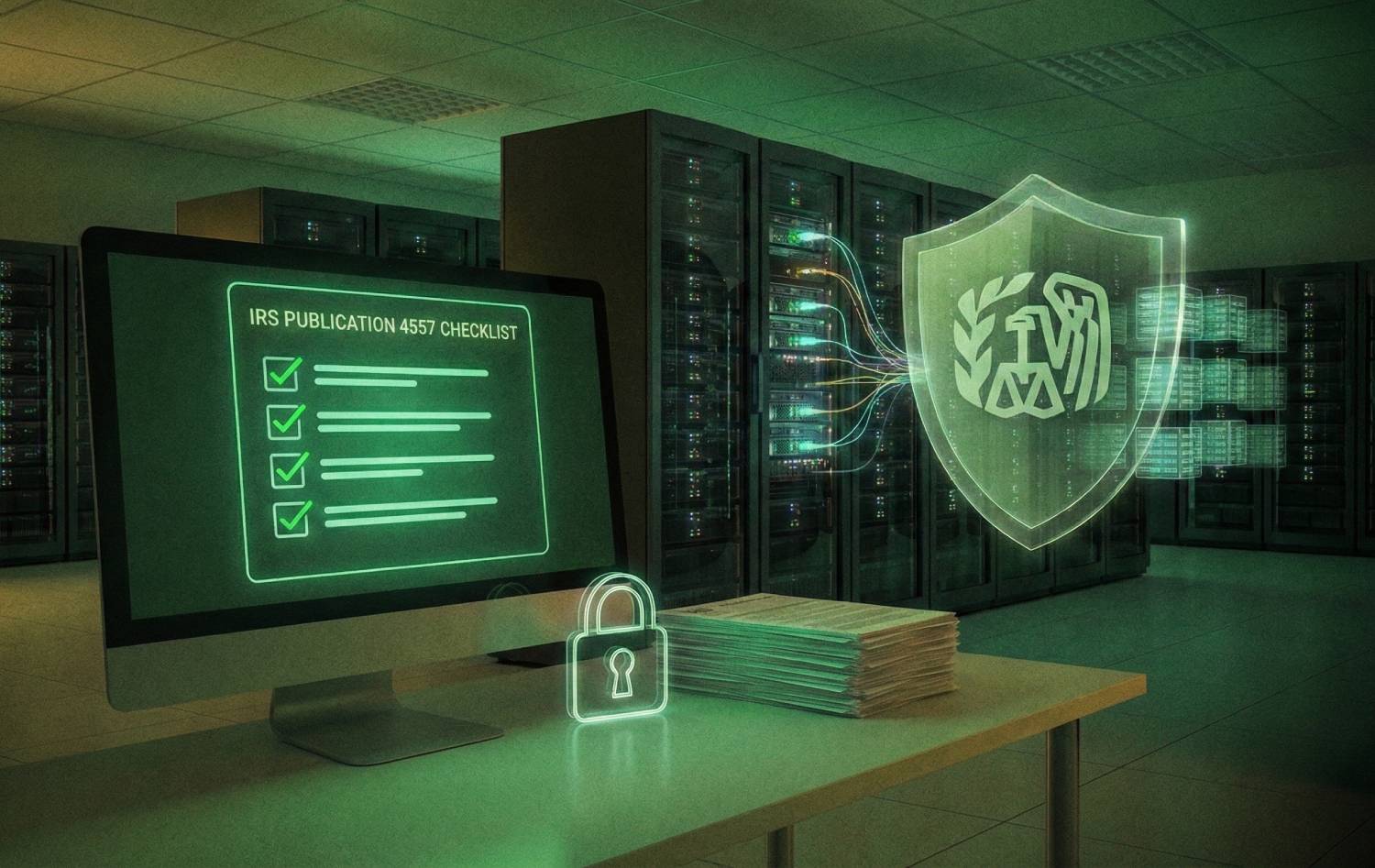
If you prepare tax returns for a fee, IRS Publication 4557 is the playbook the IRS (Internal Revenue Service) expects you to follow for safeguarding taxpayer data.
It explains the administrative, technical, and physical safeguards every tax practice must have in place, and it ties directly into your obligations under the FTC Safeguards Rule and IRC Section 7216. In practice, that means every CPA (Certified Public Accountant) firm, EA (Enrolled Agent) practice, and tax preparer that handles taxpayer information is expected to maintain a current, Written Information Security Plan (WISP) and be able to prove that safeguards are actually working, not just promised.
Compliance is not just a paperwork exercise. The IRS and the Security Summit partners keep reporting steady streams of data theft incidents involving tax professionals. In one of their recent summer campaigns, they highlighted nearly 300 reported tax professional data breaches in just the first half of the year, potentially affecting around 250,000 clients. A breach or failed review can trigger:
- IRS and FTC (Federal Trade Commission) attention
- Jeopardize your EFIN (Electronic Filing Identification Number)
- Derail PTIN (Preparer Tax Identification Number) renewal
- Increase cyber insurance scrutiny
- Permanently damage client trust
Publication 4557 is meant to help small and mid-sized firms avoid that outcome by turning broad security expectations into a concrete checklist.
At a high level, IRS Publication 4557 expects you to do five things consistently:
- Assess your risks
- Write a WISP that matches your actual environment
- Lock down access to taxpayer data
- Deploy and maintain specific technical safeguards
- Be prepared to contain, report, and recover if something goes wrong
The specifics will look different for a solo CPA working from a home office versus a 25-person firm with multiple locations, but the core controls and documentation expectations are the same. The rest of this article breaks those controls into a practical, step-by-step checklist you can plug directly into your WISP and evidence file.
Table of Contents Show
What is IRS Publication 4557, and Who Must Follow it?
IRS Publication 4557, Safeguarding Taxpayer Data, is the IRS guide that explains what “reasonable” security looks like for anyone who prepares or processes tax returns for a fee. It translates your legal obligations under the FTC Safeguards Rule and IRS confidentiality rules into a practical set of safeguards that tax professionals are expected to implement and maintain.
Publication 4557 is not a statute by itself. Instead, it is the IRS’ interpretation of how firms should protect taxpayer information under laws such as:
- The Gramm Leach Bliley Act and its Safeguards Rule, enforced by the FTC.
- Internal Revenue Code sections that restrict disclosure and use of tax return information.
- State privacy and data breach notification laws that may also apply to your practice.
In reviews, exams, or during an incident, the IRS and other regulators use Publication 4557 as a yardstick. If your safeguards and Written Information Security Plan look nothing like what 4557 describes, it is very hard to argue that your firm took “reasonable” steps to protect client tax data.
Which Firms Do Publication 4557 Apply To?
Publication 4557 applies broadly to “tax professionals” that handle taxpayer data in the course of preparing or filing returns. In practice, that includes:
- CPA firms, EA practices, and tax preparer offices of any size.
- Solo practitioners, part-time preparers, and seasonal shops.
- Bookkeepers and accounting firms that assist with tax preparation or maintain tax workpapers.
- Remote preparers and virtual firms that work entirely in the cloud.
The key test is not your firm size or entity type. If you collect or access names, Social Security numbers, income information, banking details, or other taxpayer data to prepare or file returns, the IRS expects you to implement the safeguards described in Publication 4557 and to keep evidence that those safeguards are in place. That expectation also carries over to your vendors and subcontractors that can access client tax information, such as IT providers, cloud hosting platforms, or outsourced preparers.
How Publication 4557 Fits With WISP, FTC Safeguards, and Other IRS Guidance
Publication 4557 sits alongside other core guidance like Publication 5708 (Creating a Written Information Security Plan) and the IRS/FTC materials on the Safeguards Rule. Together they form a framework:
- Publication 4557 describes the safeguards you are expected to have in place.
- Publication 5708 helps you document those safeguards in a Written Information Security Plan.
- The FTC Safeguards Rule and related IRS rules make those safeguards a legal requirement for most tax and accounting firms.
When examiners, lenders, or cyber insurers ask for your WISP, they are effectively asking you to show how your firm has implemented the controls described in Publication 4557 and related guidance. If your WISP does not mention access control, encryption, vendor oversight, or incident response, it signals that the underlying safeguards are probably not in place either.
Is Publication 4557 “Mandatory” for Tax and Accounting Firms?
You will not typically see a line in the Internal Revenue Code that says “you must follow Publication 4557.” Instead, the IRS points to 4557 as the standard for what reasonable, industry appropriate safeguards look like. That has a few practical consequences:
- If you suffer a breach and cannot show that you followed the safeguards in 4557, regulators and clients may view your firm as negligent.
- If the IRS reviews your EFIN or conducts due diligence after a security incident, they are likely to ask questions grounded in 4557 and 5708.
- Cyber insurers and some banks now ask for a WISP and basic control details that track very closely to 4557 checklists.
So while the publication itself is guidance, treating it as optional is a high-risk strategy. For most CPA and tax firms, aligning with Publication 4557 and documenting that alignment in a WISP is effectively mandatory if you want to protect your EFIN, maintain professional credibility, and avoid regulatory or insurance issues after an incident.
What Happens if Your Firm Ignores Publication 4557?
Ignoring Publication 4557 does not just increase technical risk; it raises legal and business risk:
1. EFIN and IRS Relationship Risk
A significant breach linked to weak or non-existent safeguards can trigger an IRS investigation, EFIN monitoring, or even suspension in serious cases. The IRS Security Summit has repeatedly warned that firms without basic safeguards are a prime target for identity theft schemes.
2. FTC and State Enforcement Exposure
As a financial institution under the Gramm Leach Bliley Act, your firm can face FTC attention if it fails to maintain reasonable safeguards. State attorneys general may also scrutinize your incident response and notification efforts if residents in their states are affected.
3. Contractual, Insurance, and Reputational Fallout
Clients who experience identity theft after a breach may challenge your firm’s diligence. Cyber insurers can deny coverage or raise premiums if you cannot demonstrate that basic controls like MFA, encryption, and backups were in place, especially when you have signed applications asserting that they were.
From a purely practical standpoint, the cost of documenting and maintaining a 4557-aligned WISP is small compared with the downstream cost of even minor breach investigations, client churn, downtime, and legal fees.
IRS Publication 4557 and Your WISP, Including Publication 5708
At a practical level, IRS Publication 4557 expects every tax practice that handles taxpayer data to have a Written Information Security Plan that is specific to the firm, not a generic template with your logo dropped in. Publication 4557 explains what your safeguards should achieve, and Publication 5708 shows how to capture those safeguards in a structured WISP document that examiners, insurers, and banks can actually read and test.
A WISP is more than an IT policy. It is the documented program that shows how your firm prevents, detects, responds to, and recovers from security incidents. Under the FTC Safeguards Rule, maintaining such a written program is a requirement for financial institutions, including tax return preparers, and the IRS explicitly directs professionals to Publication 5708 as the starting point for building it.
What the IRS Expects Your WISP to Cover
Publication 5708 lays out a skeleton that most firms can follow and adapt. In plain language, your WISP should do at least the following:
- Describe your firm, the systems you use, and where taxpayer data lives, including hosted tax software, local file shares, portals, and paper records.
- Identify reasonably foreseeable risks such as phishing, ransomware, lost laptops, weak passwords, and vendor failures, and explain how you assessed those risks.
- List the administrative, technical, and physical safeguards you use to reduce those risks, mapped to roles and responsibilities inside the firm.
- Explain how you select and oversee vendors that can access taxpayer data, including IT providers, cloud hosts, and outsourced preparers.
- Document how you monitor for problems, respond to incidents, and notify the IRS, state agencies, and affected clients when required.
- Commit to reviewing and updating the WISP at least once a year, and after major changes such as moving to new software, adding a new office, or suffering an incident.
Beginning with recent PTIN renewal cycles, practitioners are required to attest that they have created and implemented a written security plan that documents their safeguards. That certification has effectively turned the WISP from a best practice into a core compliance document that the IRS can ask to see, especially after a suspected breach.
How Publication 4557 Maps Into Your WISP
You can think of IRS Publication 4557 as the checklist of controls, and Publication 5708 as the binder where those controls are documented. A clean way to structure your WISP is to mirror the major safeguard areas from 4557 so an examiner can see the connection immediately:
- A section on governance and risk assessment that references your initial 4557-style risk review.
- Separate sections for access control, user management, and authentication, clearly stating how you enforce least privilege.
- A technical safeguards section that covers anti-malware, firewalls, encryption, patching, and secure remote access.
- A vendor management section that explains how you vet and contract with cloud providers, IT firms, and other third parties.
- An incident response section that aligns with IRS guidance on reporting data theft and client identity theft indicators.
- A physical security and secure disposal section that covers offices, file rooms, and handling of devices and backup media.
For each of these sections, your WISP should not only describe what you intend to do, it should point to concrete evidence that you are actually doing it. That might mean attaching or cross-referencing copies of:
- Policies
- Screenshots of MFA settings
- Vendor contracts
- Encryption reports
- Backup test logs
- Training records
- Incident drill notes
Over time, this evidence file is what will give your partners confidence that you can withstand questions from the IRS, the FTC, or a cyber insurer.
Why a Real WISP Matters in a Small Firm
It is tempting for a small practice to treat the WISP as a box to check and file away. The numbers argue against that. A recent study by Accenture found that roughly 43 percent of all cyberattacks target small businesses, yet only 14 percent of those businesses say they are prepared to defend against them. Tax and accounting firms are particularly attractive because they hold concentrated identity data, often with weaker security than banks or large enterprises.
In that context, your WISP becomes a practical operating document, not a formality. It is the place where you decide:
- Who shuts down remote access during a suspected breach
- Who talks to clients
- Which systems get restored first
- Which outside experts you will call
When a ransomware note appears or a client emails that a fraudulent return has already been filed, that planning will matter far more than any technical detail buried in a software manual.
A Pragmatic Shortcut: Letting Specialists Build The WISP For You
Many firms know that they need a WISP but do not have the time or in-house expertise to translate Publication 4557 into a complete, audit-ready document. They also do not want to rely on a generic template that does not match how their systems are actually configured. That is where a specialist partner can close the gap.
Verito’s VeritShield WISP offering exists for exactly this problem. Instead of asking your partners to spend nights stitching policies together, Verito maps your systems and produces a customized Written Information Security Plan that aligns with IRS Publication 4557, Publication 5708, and the FTC Safeguards Rule. Firms typically use this as the single source of truth during IRS inquiries, cyber insurance renewals, and vendor security questionnaires, then refresh it annually as their environment changes.
Verito cannot replace your legal obligations, but it can remove most of the guesswork and fragmented documentation that make compliance difficult to prove.
The Complete IRS Publication 4557 Checklist For Small Tax and Accounting Firms
The safest way to work with Publication 4557 is to treat it as an operational checklist that you can map directly into your WISP and supporting evidence. The checklist below follows the safeguard areas the IRS expects to see, using language that works for firms from one to fifty people:
1. Governance and Planning
Strong security starts with someone clearly in charge and a plan that matches how your firm actually works. Publication 4557 and Publication 5708 both assume that your firm has assigned ownership of the security program and performed at least a basic risk assessment.
Here is a checklist to act upon:
- Designate a single security program owner
- Name one person, usually a partner or operations leader, who is accountable for the security program and the WISP.
- Ensure they have authority to approve policies, coordinate with IT, and enforce rules.
- Perform a documented risk assessment at least annually
- Identify where taxpayer data lives: tax software, file shares, email, portals, laptops, home offices, paper files.
- List realistic threats for your firm: phishing, ransomware, unauthorized remote access, lost laptops, vendor failure.
- Rate risks by likelihood and impact and decide which ones you will mitigate, accept, or transfer through insurance.
- Maintain and review a Written Information Security Plan
- Keep a current WISP that describes your safeguards, responsibilities, and review cadence.
- Review the WISP at least once a year and after major changes, such as moving to a new tax platform or cloud host.
- Update the plan when controls change, instead of letting it drift away from reality.
What to Document in Your WISP
- A section naming the security program owner and their responsibilities.
- A short written risk assessment with systems, threats, and decisions.
- Version history showing when the WISP was last reviewed and by whom.
2. Employee Management and Training
Most breaches in small firms start with people, not technology. Publication 4557 expects firms to control which staff can see client data and to train everyone regularly on how to protect it.
Here is a checklist to act upon:
- Define roles and access levels
- Create basic role definitions: partner, senior, staff, admin, seasonal preparer, contractor.
- For each role, specify which systems and client data they need to do their job.
- Enforce need-to-know access
- Provision access based on role, not convenience.
- Remove or reduce access when staff change roles, go seasonal, or leave the firm.
- Avoid generic shared accounts; every user should have a unique login.
- Run security and privacy training at least annually
- Train all staff on phishing, suspicious attachments, client impersonation, safe remote work, and firm security policies.
- Include very clear rules on using personal devices, forwarding client documents, and storing data in personal cloud accounts.
- Provide extra guidance before tax season, when attack volume is highest.
What to Document in Your WISP
- A description of your roles and how access decisions are made
- Onboarding and offboarding checklists that include system access.
- Training materials, attendance records, and dates of completion.
3. Security Software and Patching
4557 expects you to maintain basic technical safeguards such as anti-malware, firewalls, and timely updates. In practice, this is where many small firms fall behind, especially with remote or personally owned devices.
Here is a checklist to act upon:
- Standardize security software on all workstations and servers
- Use centrally managed anti-malware or endpoint security on every system that can reach taxpayer data.
- Ensure real-time protection and scheduled scans are enabled and cannot be disabled by users.
- Protect your network with properly configured firewalls
- Use a business-grade firewall at each office or network location.
- Close unused ports, block inbound connections that are not required, and restrict remote admin access.
- Keep systems and applications up to date
- Turn on automatic updates for operating systems and mainstream applications where possible.
- For servers or critical applications that cannot auto update, maintain a documented monthly patching process.
- Include tax software, PDF tools, browser plugins, and remote access tools in your patching scope.
What to Document in Your WISP
- A section describing your endpoint protection and firewall approach.
- Vendor names, license summaries, and where the software is deployed.
- Patch management procedures and occasional screenshots or reports showing recent updates.
4. Passwords and Multi-factor Authentication
Weak or reused passwords remain one of the simplest ways attackers compromise small firms. Publication 4557 ties directly into the expectation that firms will use strong passwords and multi-factor authentication for critical systems.
Here is a checklist to act upon:
- Define password standards
- Require long, unique passwords for all firm accounts, including email, tax software, portals, and remote access.
- Prohibit using the same password across personal and firm accounts.
- Use a password manager where possible so staff are not tempted to reuse short, simple passwords.
- Enforce multi-factor authentication on critical systems
- Require MFA on email, tax applications, remote desktop, VPN, and any cloud storage that holds client data.
- Use modern factors such as mobile apps or hardware keys, not only SMS.
- Protect shared and administrative credentials
- Limit who has access to administrator accounts and secure them with MFA.
- Store any shared secrets, such as tax software admin passwords, in a secure password vault, not spreadsheets or notebooks.
What to Document in Your WISP
- Written password policy with length, complexity, reuse, and manager requirements.
- List of systems where MFA is enforced and who administers them.
- Occasional evidence such as screenshots of MFA settings or reports from your identity provider.
5. Wireless, Remote Access, and VPN
With hybrid and remote work now standard, Publication 4557 treats secure remote access as a core safeguard. Unsecured Wi-Fi or ad-hoc remote tools are a repeat source of compromise in small firms.
Here is a checklist to act upon:
- Secure office wireless networks
- Use WPA2 (Wi-Fi Protected Access 2) or WPA3 (Wi-Fi Protected Access 3) enterprise-grade encryption on office Wi-Fi.
- Use separate networks or VLANs (Virtual Local Area Network) for guests and personal devices that do not need access to firm systems.
- Change default router passwords and disable insecure management interfaces.
- Standardize remote access methods
- Use a secure VPN, remote desktop gateway, or reputable cloud hosting rather than open remote desktop ports or consumer tools.
- Restrict which devices can connect remotely, and require up to date anti malware and patches on those devices.
- Define safe remote work practices
- Require staff working from home or on the road to avoid public Wi-Fi or to use a firm-approved VPN when they must use it.
- Prohibit storing client data on unmanaged personal devices unless specifically approved and encrypted.
What to Document in Your WISP
- A description of your wireless configuration and guest access controls.
- Remote access standards that specify permitted tools and security requirements.
- Network diagrams or high-level descriptions that show how remote users reach tax systems.
6. Protecting Stored Client Data
Publication 4557 emphasizes both protecting data where it lives and ensuring that you can recover it after an incident. That means maintaining a basic asset inventory, using encryption, and keeping hardened backups.
Here is a checklist to act upon:
- Maintain an asset and data inventory
- List the devices, servers, and services that store or process taxpayer data, including cloud platforms.
- Note who owns each system, where it is located, and what type of data it holds.
- Encrypt data at rest and in transit
- Enable full disk encryption on laptops and portable devices that may leave the office.
- Use encrypted storage on servers and in-cloud services where available.
- Use HTTPS, secure portals, or encrypted email methods when sending returns and sensitive documents.
- Maintain hardened backups
- Schedule automated backups for critical systems and data repositories.
- Keep at least one backup copy that is offline or immutable so ransomware cannot easily encrypt it.
- Test restore processes periodically so you know you can meet recovery objectives during tax season.
What to Document in Your WISP
- Asset inventory with systems, owners, locations, and data types.
- Encryption standards and high-level descriptions of where encryption is enforced.
- Backup schedule, storage locations, and brief notes or screenshots from recent restore tests.
7. Monitoring and Detection
The IRS expects firms to monitor for warning signs of identity theft and unauthorized access, especially around EFIN and PTIN use. Publication 4557 repeatedly points back to watching for anomalies rather than waiting for clients to inform you after the fact.
Here is a checklist to act upon:
- Log and review access to critical systems
- Ensure that tax applications, remote access tools, and file servers keep basic access logs.
- Periodically review logs for unusual login locations, times, or repeated failures.
- Monitor EFIN and e-file activity
- Regularly check for unexpected e-file acknowledgments or rejections that may indicate fraudulent filings.
- Confirm that the volume and pattern of e-file activity matches your firm size and workload.
- Watch for client and staff red flags
- Track client reports of suspicious IRS notices, refunds they did not expect, or accounts they did not open.
- Encourage staff to report strange system behavior or login alerts, even if they are not sure it matters.
What to Document in Your WISP
- A description of what is logged, where logs are stored, and who reviews them.
- Procedures for checking EFIN and e-file activity, including responsible roles.
- Examples of past log reviews or documented follow-up to anomalies, even if they turned out benign.
8. Incident Response and Reporting
Publication 4557 assumes that incidents will happen, even with strong safeguards in place. The expectation is that you have a plan to contain damage, meet IRS reporting expectations, and communicate with affected clients.
Here is a checklist to act upon:
- Define what counts as a security incident at your firm
- Include lost or stolen devices, suspected account compromise, ransomware, unauthorized access, and misdirected emails containing taxpayer data.
- Include lost or stolen devices, suspected account compromise, ransomware, unauthorized access, and misdirected emails containing taxpayer data.
- Create a simple incident response playbook
- List the first steps: who to call, how to isolate affected systems, and when to engage your IT and legal contacts.
- Provide decision trees or checklists for whether to shut down remote access, disable accounts, or take systems offline.
- Plan your notification and reporting process
- Outline how you will determine whether taxpayer data was accessed or acquired.
- Include contact details and steps for notifying the IRS Stakeholder Liaison, state tax agencies, affected clients, and where applicable the FTC or state regulators.
- Coordinate with your legal counsel to respect state breach notification laws.
- Run periodic table-top exercises
- Once a year, walk through a realistic incident scenario with partners, operations, and IT to test the plan.
- Update the playbook based on what you learn.
What to Document in Your WISP
- A clearly labeled incident response section with roles, contact lists, and step-by-step procedures.
- Copies of any incident or table-top exercise notes and follow-up actions.
- A summary of your legal and regulatory notification approach, aligned with IRS and state expectations.
Best Practices That Go Beyond the Bare Minimum in Abiding by Publication 4557
Publication 4557 sets a floor, not a ceiling. If your firm only does the absolute minimum, you are still exposed to ransomware, business interruption during tax season, and scrutiny from cyber insurers. The controls below go beyond the baseline expectations in 4557 but are realistic for firms in the 1 to 50 employee range.
1. Turn Your Checklist Into a Continuous Security Program
A one-time WISP and a few policies are not enough. Firms that stay out of trouble treat security as an ongoing function, even if it only requires a few hours per month.
Stronger practices include:
- Quarterly security reviews where partners and IT walk through a short agenda: new systems, access changes, incidents, patch status, and open risks.
- A simple risk register that is updated when issues are found, with owners and target dates, so nothing is “remembered later” and then forgotten.
- A short, written change process for major decisions such as moving tax software to the cloud, changing IT providers, or opening a new location, that explicitly asks, “What does this do to our WISP and controls”.
This approach keeps your WISP, your actual controls, and your evidence aligned, instead of letting them move in different directions over time.
2. Raise the Bar on Identity and Access Management
Basic passwords and MFA are now table stakes. You can significantly reduce account compromise risk with a few additional steps that do not require enterprise budgets:
- Centralize identity: Use a single identity provider for email and key applications where practical. This lets you disable access in one place when people leave and gives you better logging.
- Enforce conditional access where available: Many cloud platforms allow you to block logins from risky locations, anonymous networks, or unmanaged devices. Configure these options instead of allowing any browser in the world to try credentials.
- Implement periodic access reviews: Once or twice a year, have system owners review user lists for tax software, portals, and file shares and remove dormant or unnecessary accounts. This is one of the simplest ways to shrink your attack surface.
These measures are well within reach for most small accounting firms and materially lower the likelihood that a single phished password turns into a full compromise.
3. Go Deeper on Email and Phishing Protection
Publication 4557 stresses phishing awareness, but for most firms, email is still the number one path into the network. In addition to user training:
- Use an email security gateway or advanced filtering: Modern email security tools can block many malicious attachments and links before they ever reach staff inboxes.
- Configure SPF, DKIM, and DMARC for your domain: This makes it harder for attackers to spoof your firm’s email address convincingly, which protects both you and your clients.
- Standardize safe handling procedures: For example, require staff to verify wiring instructions or bank detail changes by calling a known number, not replying to the email. Document this in your procedures so it becomes a habit, not an exception.
When you combine technical controls with training and clear procedures, successful phishing attacks become significantly less likely, and suspicious messages are more likely to be caught early.
4. Use Modern Endpoint Protection and Logging
Traditional antivirus alone is no longer enough to stop current ransomware and targeted malware. Stronger firms:
- Deploy next-generation endpoint protection: Tools that monitor behavior, not only signatures, are better at detecting unusual activity such as mass file encryption or privilege escalation.
- Centralize alerts: Configure your security tools so that alerts go to a monitored mailbox, ticketing system, or your managed security provider, not only to local pop-ups that users ignore.
- Retain logs for a reasonable period: Keep security logs long enough to reconstruct what happened during an incident. Many investigations stall because crucial logs were overwritten after a few days.
This level of visibility is what allows you to detect and contain issues before they turn into full-scale business interruptions.
5. Treat Vendors and Cloud Platforms as Part of Your Control Environment
IRS Publication 4557 expects you to oversee service providers. In practice, that means more than asking “Are you secure” during sales calls.
Stronger vendor management practices include:
- Security questions in vendor evaluation: Ask prospective IT providers, cloud hosts, and tax software vendors how they handle encryption, access control, incident response, and independent security audits.
- Contractual expectations: Where possible, include security-related language in contracts, such as requirements to notify you promptly of incidents, maintain certain controls, and support your regulatory obligations.
- Periodic review of critical providers: For key platforms such as your cloud hosting partner or core tax software, review updated security documentation or SOC reports when they become available and adjust your WISP if something significant changes.
For many firms, this is also where an accounting-focused cloud hosting or managed IT provider adds real value, because they can bring standardized, audited controls that are difficult for a small firm to build alone.
6. Align Retention, Destruction, and Data Minimization
Holding more data than you need, for longer than necessary, increases the impact of any breach and complicates your response.
Best practices that go beyond the Publication 4557 basics:
- Clear retention rules: Decide how long you keep tax returns, workpapers, and supporting documents, and differentiate between legal or professional requirements and “we have always kept everything secure through this method”. While time-tested storage practices might be convenient, it is essential to
- Structured disposal cycles: Schedule periodic destruction of records that have passed their retention period, both in paper and digital form. This should include drives, backup media, and decommissioned systems.
- Reduce unnecessary copies: Avoid downloading and storing local copies of data that already live securely in your tax system or client portal. The fewer uncontrolled copies, the smaller your exposure if something is lost or stolen.
A firm that can honestly say, “we only keep what we need, and we can prove we destroy the rest on schedule” is in a stronger position during any investigation.
7. Use Cyber Insurance as a Reality Check, Not a Substitute
Cyber insurance questionnaires often ask about controls that closely mirror Publication 4557 and FTC Safeguards expectations. Instead of treating the application as a paperwork chore, use it as a test of whether your controls are real.
In practice:
- Do not overstate your security posture: If you claim to have encryption, MFA everywhere, or 24×7 monitoring, be sure those controls actually exist today.
- Use declined coverage or conditions as a signal: If an insurer pushes back or adds conditions due to weak controls, treat that feedback as an urgent improvement list, not as optional guidance.
Insurance can help with certain costs after an incident, but it will not prevent IRS scrutiny, client loss, or operational disruption if your fundamental safeguards are weak.
How Verito Reduces the Burden of IRS Publication 4557 Compliance
Even with a clear IRS Publication 4557 checklist and a WISP template, a lot of firms stall at the same point: the partner group agrees what “should” happen, but no one has time to keep the controls running, patched, monitored, and documented. That is the gap where a managed IT and cloud hosting platform like Verito is designed to close for CPA and tax practices.
An accounting firm can definitely not outsource core responsibilities. You still own client relationships, risk decisions, and regulatory obligations. The point is to show where a specialist can take the day-to-day technical load off your team so your safeguards match what is written in your WISP and Publication 4557.
1. VeritGuard: Ongoing Enforcement of 4557 Controls
VeritGuard is Verito’s managed IT and security service for accounting firms. It is built to look like the control set in Publication 4557, but delivered as an ongoing service instead of a one-time project. For a typical small firm, that usually includes:
- Centralized endpoint protection on all workstations and servers that handle tax data, monitored by Verito rather than left to users.
- Managed patching for operating systems and common applications, with a defined cadence that you can describe and evidence in your WISP.
- Firewall configuration, monitoring, and occasional tuning so office networks are not left with default or open settings.
- Backup management, including regular checks that jobs are succeeding and that at least one recovery path is usable if a server or cloud workload fails.
- Help with incident response when something looks wrong, from initial triage through collecting logs and working with your cyber insurer or counsel.
From a Publication 4557 point of view, this moves a lot of “compulsory procedures” into concrete, auditable tasks with a provider that understands tax season pressure, remote staff, and regulatory expectations for taxpayer data. You still decide what level of risk you are comfortable with, but you are not relying on ad-hoc patching and best-effort monitoring.
2. VeritSpace and VeritComplete: Secure, High-performance Hosting for Tax Workloads
Publication 4557 does not dictate where your tax software must run, but it is increasingly difficult to secure on-premises servers and unmanaged remote access for a small firm. Verito’s VeritSpace and VeritComplete hosting are designed to address the technical safeguards 4557 expects while preserving performance in peak season:
- VeritSpace provides dedicated private servers for tax and accounting applications, so your workloads are not competing with unrelated tenants. That helps with both stability and with isolating your environment from noisy neighbors and unknown risks in generic clouds.
- VeritComplete combines VeritSpace hosting with VeritGuard-style managed IT, so the same team that secures your tax environment is also handling endpoint protection, patching, and user support for staff.
In both cases, the intent is to centralize your core tax applications in a hardened, monitored environment with controlled remote access, multi-factor authentication, encrypted storage, and predictable performance. For many firms, that simplifies their Publication 4557 story.
3. VeritShield WISP: Audit-ready Documentation Built Around IRS Expectations
VeritShield WISP is Verito’s Written Information Security Plan service aimed specifically at firms that need a Publication 4557-aligned WISP but do not have internal staff to build and maintain it. Instead of handing you a blank template, the process generally looks like this:
- Verito interviews your firm about systems, data flows, vendors, and current safeguards using terminology from IRS Publication 4557, Publication 5708, and the FTC Safeguards Rule.
- That information is converted into a customized WISP that mirrors the main control areas from the IRS publications and clearly assigns responsibilities inside your firm.
- The plan is delivered with supporting documentation, such as high-level network diagrams and control summaries, that you can keep updating as controls change.
- On an ongoing basis, Verito can help you revise the WISP when you change software, move workloads, or adjust security controls, so the document stays aligned with reality.
For a small practice, the practical benefit is twofold:
- You get a WISP that you can actually hand to an examiner, lender, or insurer without embarrassment
- You reduce the risk of letting staff write policies that your infrastructure cannot support.
You still decide which controls you are willing to accept and what timelines make sense, but you are not starting from a blank page.
Where Responsibility Starts and Ends
It is important to be clear about the boundaries.
| What Verito can do | What Verito cannot do |
|---|---|
| Operate and monitor the infrastructure that underpins your tax systems. | Eliminate your legal obligations under IRS, FTC, or state rules. |
| Implement and maintain many of the technical safeguards described in IRS Publication 4557. | Guarantee that incidents will never occur. |
| Produce and update documentation that shows how those safeguards are implemented. | Make policy decisions inside your firm, such as which clients you will serve or what level of risk you will accept. |
You still need firm leadership that understands the WISP, signs off on risk decisions, and uses the checklists in this article to verify that controls are working in practice. The difference is that you are not trying to solve every technical control with generic consumer tools and limited partner time.
If you prefer to keep partners focused on clients and advisory work instead of patch schedules and log reviews, a practical next step is to schedule a short discussion with Verito. In that session, you can map your current safeguards against IRS Publication 4557, identify any immediate gaps in your WISP or infrastructure, and decide which items to handle internally and which to hand off.
For many firms, that is enough to move from “we hope we are doing enough” to a concrete, documented plan that can stand up under basic scrutiny.
Turning IRS Publication 4557 Into a Working Security Program
Most firms do not fail Publication 4557 because they never heard of it. They fail because the safeguards stay abstract.
Policies are on paper, but access controls, backups, MFA, and monitoring are inconsistent in real-life. That gap is where regulators, insurers, and attackers all find weaknesses.
The numbers are blunt. IBM’s Cost of a Data Breach Report puts the global average cost of a breach at about 4.45 million dollars when you factor in detection, response, downtime, lost business, and legal fallout. Even a much smaller incident at a CPA firm can burn a tax season, alienate long-standing clients, and create EFIN headaches that last for years.
If you follow the steps in this article, you will not eliminate risk, but you will move your firm into a much stronger position:
- You will have a current, Publication 4557-aligned WISP that actually reflects how your firm operates.
- You will know who owns security decisions and where taxpayer data lives.
- You will have evidence of concrete safeguards that match what 4557 and the FTC Safeguards Rule expect.
- You will have a realistic incident plan and vendor oversight, rather than hoping you can improvise during a breach.
You can do this entirely in-house if you have the time and expertise. Or you can combine an internal owner with a specialist like Verito to carry the technical and documentation load. Either way, treating IRS Publication 4557 as a living checklist, not a one-time read, is the difference between being able to face tough questions calmly and scrambling after something has already gone wrong.
TL;DR:
- IRS Publication 4557 is the IRS data security playbook for tax professionals and ties directly into the FTC Safeguards Rule and your legal duty to protect taxpayer data.
- Any paid tax preparer or firm that handles taxpayer information should assume Publication 4557 applies, regardless of size or entity type.
- The IRS expects you to maintain a Written Information Security Plan, built along the lines of Publication 5708, and to be able to prove that your safeguards are implemented.
- Core controls include risk assessment, strict access control, strong passwords and MFA, endpoint protection, patching, encryption, secure remote access, backups, monitoring, and incident response.
- Going beyond the minimum with better identity management, email security, vendor oversight, and data minimization sharply reduces practical risk.
- Verito can provide secure hosting, managed IT and security, and a customized WISP that matches IRS expectations so your safeguards and documentation stay aligned over time.
FAQ:
1. What is IRS Publication 4557 in simple terms?
IRS Publication 4557, Safeguarding Taxpayer Data, is the IRS guide that explains what “reasonable” security looks like for tax professionals. It describes the administrative, technical, and physical safeguards your firm should have to protect taxpayer information. In practice, it is the standard the IRS and its Security Summit partners use when they assess whether a firm took sensible steps to prevent a data breach.
2. Is IRS Publication 4557 legally mandatory for my firm?
The publication itself is guidance, not a statute, but it describes how you are expected to comply with binding rules like the FTC Safeguards Rule and IRS confidentiality requirements. If you suffer a breach and your safeguards look nothing like what 4557 describes, it is much harder to argue that your firm acted reasonably. For most CPA and tax firms, aligning with Publication 4557 and documenting that alignment in a WISP is effectively mandatory if you want to protect your EFIN and withstand regulatory or insurance scrutiny.
3. Do I really need a Written Information Security Plan (WISP)?
Yes. The FTC Safeguards Rule explicitly requires a written information security program, and the IRS now points tax professionals to Publication 5708 for creating a WISP. Recent PTIN renewal questions effectively require practitioners to confirm that a plan exists. A WISP is where you document your risk assessment, safeguards, vendor oversight, and incident response plan so you can show regulators and insurers how you are implementing Publication 4557 in real life.
4. How often should I review or update my WISP?
At minimum, review your WISP once a year and whenever there is a major change in your environment. That includes moving to a new tax application or hosting provider, opening or closing an office, outsourcing IT, or experiencing a security incident. The review does not need to be complex. It does need to verify that each safeguard listed in the WISP still exists, is configured as described, and has current evidence behind it.
5. What is the difference between Publication 4557 and Publication 5708?
Publication 4557 explains what safeguards you should have in place to protect taxpayer data. Publication 5708 explains how to document those safeguards in a Written Information Security Plan for your tax and accounting practice. You can think of 4557 as the security checklist and 5708 as the WISP template that organizes that checklist into a single, coherent document that you can share with examiners, insurers, or lenders.
6. What happens if my firm has a data breach involving taxpayer information?
If you suspect a data breach, the IRS expects you to act quickly. That usually means containing the incident, investigating what happened, and then notifying the IRS Stakeholder Liaison, relevant state tax agencies, and affected clients. Law enforcement and the FTC may also need to be notified depending on the facts. Firms that already have an incident response plan and WISP aligned with Publication 4557 can move much faster and provide clearer answers. Firms without a plan often lose critical time figuring out basic steps and contacts.
7. Can I comply with IRS Publication 4557 if I work from home or run a virtual firm?
Yes, but you must treat home offices and remote setups as part of your security environment. You still need strong passwords and MFA, encrypted laptops, secure Wi Fi, safe remote access methods, and reliable backups. Your WISP should explicitly describe how you protect taxpayer data in home offices and remote work scenarios, not only in a traditional office. Publication 4557 applies regardless of where you physically sit when preparing returns.
8. Do I need cyber insurance to comply with Publication 4557?
Cyber insurance is not a requirement in Publication 4557, but many small firms use the insurance application and renewal process as a reality check. Most questionnaires ask about the same controls described in 4557 and the FTC Safeguards Rule. If you cannot honestly answer those questions, you likely have gaps in your security program that should be addressed whether you buy insurance or not.