
Not natively. Drake, Lacerte, ProSeries, and UltraTax CS are Windows programs, and none of them installs directly on macOS. Mac staff reach them by connecting to a Windows machine, either a local virtual machine or a hosted private server, and working inside that Windows desktop from their Mac.
Key takeaways
- No major professional tax program installs natively on macOS.
- Drake’s documentation confirms no Mac version exists, and Apple Silicon blocks the usual workarounds.
- A hosted Windows server lets Mac and Windows staff run identical programs and files.
- Mac users connect through Windows App, which needs macOS 13 Ventura or later.
- QuickBooks Desktop for Mac ended at the 2024 version, with support through September 30, 2027.
Table of Contents
Why won’t professional tax software install on a Mac?
Professional tax software is written for Windows. Drake’s own documentation states there is no version written for installation directly on a Mac, and Apple Silicon chips can’t run it through the usual workarounds. Lacerte, ProSeries, and UltraTax CS carry the same limitation. The program has to meet Windows somewhere.
Drake Tax supports Windows 11 and Windows Server 2019, 2022, and 2025. Windows 10 and Windows Server 2012 dropped off the supported list after Drake Tax 2024. There is no macOS entry on that list at all.
The same holds for Lacerte, ProSeries, and UltraTax CS. Apple Silicon made the old workaround worse. Firms used to run Windows on Mac hardware through Boot Camp on Intel chips. Apple Silicon removed Boot Camp, and Drake states that Macs running M-series chips can’t run Drake Tax because of the ARM processor difference. Drake also notes that running the program on a virtual Windows environment on a Mac isn’t officially supported, so their support team won’t troubleshoot it.
That last part is the one that costs firms money. The setup might work in October and break in February, and the vendor won’t help.
What are the real options for a mixed Mac and Windows firm?
A mixed firm has four options: buy Windows machines for the tax staff, run local Windows virtualization on each Mac, use a browser-based version of the software where one exists, or put the programs on a hosted Windows server that every device connects to. Each option trades cost against support risk.
| Option | What it costs | Vendor support | Fits |
| Buy Windows laptops for tax staff | Hardware refresh per person, plus a second device to manage | Full | Firms with 1-2 Mac holdouts and no remote work |
| Local virtualization on each Mac | Virtualization license per machine, plus a Windows license | None from Drake; officially unsupported | Technical users who accept the risk |
| Browser version of the software | Subscription, where the vendor offers one | Full, but feature sets differ from desktop | Firms willing to change how the program works |
| Hosted Windows private server | $69 to $149 per user per month, plus $500 setup | Full, since the program runs on Windows | Mixed-device firms, remote staff, multi-program firms |
| Recommendation | Hosted server for any firm with more than one Mac user or any remote staff. Windows hardware only if the Mac count is small and everyone works in the office. |
Drake’s documentation points Mac users toward a cloud-hosted path rather than a local workaround, which tells you how the vendor itself views the options. For the full list of what a hosted server can and cannot run, start with which tax and accounting apps a cloud host can actually run.
“As a long-time Drake user, I didn’t want to migrate to a new cloud tax program, and this hosting lets me keep the workflow I know while working remotely seamlessly.” Zhenzhong L., Owner, Apex Tax Consulting Inc · G2, Oct 2025
How does a Mac user connect to a hosted Windows server?
Mac users connect through Windows App, Microsoft’s remote desktop client, which replaced the app formerly called Microsoft Remote Desktop. Windows App requires macOS 13 Ventura or later. Once connected, the Windows desktop appears in a window on the Mac, and the tax program runs on the server rather than on the laptop.
The practical experience is closer to opening a program than to logging into a website, and it works the same way hosted cloud desktops do for Windows staff. Your team clicks an icon, the server’s desktop appears, and Drake or UltraTax opens the way it always has.
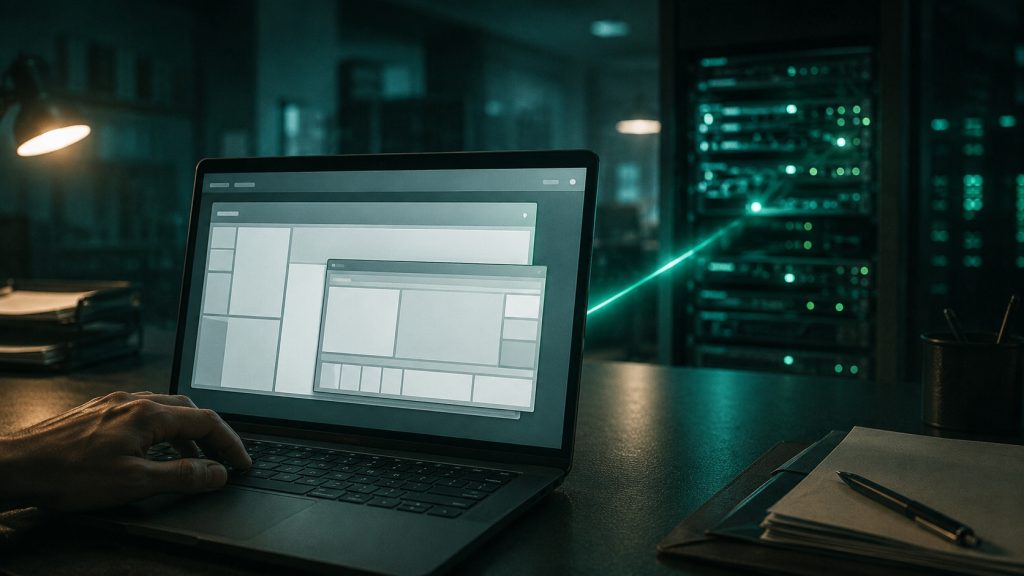
What runs where matters for troubleshooting:
- The program runs on the server. Processing speed comes from server resources, not from the Mac’s specs.
- The data lives in the data center. Nothing downloads to the laptop, which is also why a lost MacBook isn’t a client-data incident.
- The Mac handles the display and input only. A five-year-old MacBook Air performs about the same as a new one.
- The connection needs bandwidth, not horsepower. A stable connection matters far more than the processor.
What changes day to day for Mac staff?
Three things change: printing and scanning route through the remote session instead of directly to the device, keyboard shortcuts follow Windows conventions rather than macOS ones, and files move between the Mac and the server through a mapped drive. None of it is hard, but all of it needs setting up on day one rather than during filing season.
Keyboard mapping is the adjustment people complain about for the first week and stop noticing after that. Command and Control swap roles inside the Windows session.
Printing and scanning need real attention. Remote desktop sessions handle local printers and scanners through helper tools, and the configuration depends on your specific hardware. Ask how yours will be handled before migration day, not after a client is sitting in your office waiting on a signed 8879.
“I’ve called off season on the weekends – someone proficient always answers the phone and resolves my issue.” Irene W., Owner, Wachsler CPA LLC · G2, Jul 2025
Verito answers support in under 60 seconds, 24/7, and resolves 92% of issues on first contact, on a platform that has held 100% uptime since 2016. Setup includes employee training as part of the $500 setup fee, which is where the Mac-specific configuration gets handled.
What should Mac firms do about QuickBooks Desktop for Mac?
Intuit stopped selling new QuickBooks Desktop Mac Plus subscriptions on September 30, 2024, and QuickBooks Mac 2024 is the final Mac version. Support for QuickBooks Desktop 2024 runs through September 30, 2027. Mac firms running desktop QuickBooks are on a product with a known end date.
That deadline changes the calculation for a lot of Mac-based firms. The one major accounting program that ran natively on macOS is winding down, which removes the main reason a firm kept Macs on the accounting side.
Two paths from here, and they’re genuinely different:
- Move to QuickBooks Online. Browser-based, works on any device, but the feature set differs from desktop in ways that matter for some workflows.
- Move to hosted QuickBooks Desktop on Windows. Keeps the program your team knows, running on a Windows server, reachable from the same Macs. Prior-year files come along.
Firms that have customized their desktop workflow heavily usually find the second path less disruptive. Firms that mostly do straightforward bookkeeping often prefer the first.
Does a mixed Mac and Windows firm cost more to host?
No. Hosting is priced per user, not per device type, so a Mac user and a Windows user cost the same. VeritSpace starts at $69 per user per month on Essentials, $99 on Pro, and $149 on Elite. Setup is $500 across all tiers. Device mix has no effect on the quote.
What does change the price is app count, not device type. Essentials includes 2 app slots, Pro includes 6, and Elite is unlimited. A firm running UltraTax CS needs the Pro tier at $99, with the same flat $500 setup fee as every other tier.
Storage and RAM are firm totals, not per-user allocations: 100 GB of NVMe storage and 10 GB of RAM on Essentials, 150 GB and 15 GB on Pro, 200 GB and unlimited RAM on Elite. Backups run 4x daily, retained 60 days on Essentials and Pro and 90 days on Elite.
“Having a hosted server has allowed me to travel and work remotely for part of the year, which is invaluable to me as a sole proprietor.” Dana S., Owner, Dana U Sambogna LLC · G2, Oct 2025
What should you check before buying Macs for your firm?
Confirm three things before the purchase order: that every program your firm runs has a path onto the machine, that the path is one the software vendor actually supports, and that your provider has configured printing and scanning for your specific hardware. Buying first and solving compatibility second is how firms end up with unsupported setups.
The checklist for a firm about to standardize on Macs:
- List every program, including prior-year versions. Amended returns need old software, and old software has the same Windows requirement.
- Check the vendor’s official support position, not a forum post. Drake’s knowledge base states plainly that virtual Windows environments on a Mac are unsupported.
- Decide where Windows lives. On a server your provider manages, or on each Mac as your problem. Moving a firm to hosted Windows is a planned project, not a weekend.
- Test scanning and printing with your actual devices. Signature pads, check scanners, and multifunction printers each behave differently in a remote session.
- Confirm macOS versions across the team. Windows App requires macOS 13 Ventura or later, so older Macs need an OS update first.
- Ask what happens during filing season. An unsupported configuration that breaks in February has no vendor to call.
Sources
- Drake Tax system requirements
- Windows App for macOS, Microsoft
- Verito hosting pricing
- QuickBooks remote access options compared





![UltraTax CS Hosting Pricing [FULL GUIDE]_ Cost Breakdown, Ranges & Compliance](https://verito.com/blog/wp-content/uploads/2025/10/UltraTax-CS-Hosting-Pricing-FULL-GUIDE_-Cost-Breakdown-Ranges-Compliance-380x220.jpg)