Tax season 2026 is the first year where AI is moving from experiment to expectation inside many small and mid-sized CPA firms.
The IRS has opened the 2026 individual filing season with the same hard April deadlines that compress most firm operations into a tight January–April window, alongside increased use of automation and analytics to identify inconsistencies faster.Clients, meanwhile, are getting used to faster digital experiences everywhere and are far less tolerant of slow responses, vague status updates, or avoidable filing mistakes.
Inside firms, the pressure is building from both directions. Margins on compliance work are tight, hiring experienced staff is difficult, and partners know that the only way to keep absorbing new work is to reduce the amount of manual review, rekeying, and email back-and-forth per return. That is why so many tax practices are piloting AI to clean up document intake, summarize prior year returns, draft client emails, perform first-pass research, or even route work automatically across preparers and reviewers.
On paper, the numbers are compelling. Intuit’s 2025 QuickBooks Survey found that a clear majority of accounting firms experimenting with AI reported noticeable productivity gains, especially in document handling and research. At the same time, many leaders admitted that their underlying IT and cloud environments were never designed for constant AI traffic running alongside tax software, portals, and practice management systems. In other words, the tools are getting smarter, but the infrastructure is still stuck in a pre-AI world.
That gap matters. It only takes one badly timed outage in March, one slow remote desktop server when everyone is in Lacerte or UltraTax and an AI tool at the same time, or one employee pasting taxpayer data into an unmanaged AI chatbot for the upside of these experiments to evaporate. A patchwork of aging servers, generic cloud accounts, and loosely managed endpoints turns AI from a way to reduce busy season pain into yet another source of risk.
This is where the concept of AI-ready cloud infrastructure becomes real for tax firms. It is not about chasing the latest AI trend. It is about making sure the environment that runs your tax applications, stores your client data, and connects your staff is built to handle AI workloads, strict IRS and FTC security expectations, and peak season traffic without drama.
The rest of this article breaks down what AI-ready cloud infrastructure actually includes for CPA and tax firms, the hidden risks of layering AI on legacy setups, and the practical checklist you can use to decide whether your current environment will hold up when March and April 2026 arrive.
Table of Contents Show
Why Tax Season 2026 is an IT Stress Test
Tax season has always been a capacity test for CPA firms, but 2026 is closer to a full IT stress test.
The IRS has opened the 2026 individual filing season with another compressed filing window and an ongoing push to digitize more interactions, increase e-file usage, and rely more heavily on analytics to flag errors, omissions, and suspicious patterns in near real-time. Clients expect that same level of speed and transparency from their firms, especially for status updates and corrections.
For a small or mid-sized firm, that pressure shows up in a few familiar ways. Staff spend more time logged in remotely, working early mornings and late evenings from different locations. More clients send documents through portals, email, and file sharing tools instead of walking in with paper. Practice management, tax software, communication tools, and now AI assistants all compete for the same network and server resources. Any weakness in hosting, connectivity, or endpoint security shows up directly as lost billable time, delayed filings, or fraught conversations with anxious clients.
The numbers behind that pressure are not theoretical. Thomson Reuters research found that a majority of accounting firms report growing difficulty in hiring and retaining experienced staff, even as they face steady or increasing client demand for tax and advisory work. At the same time, more firms report experimenting with AI for document processing, summarization, and research, which adds new workloads on top of the existing tax application stack. Those trends combine into a reality where most firms are trying to do more work with fewer people on infrastructure that was sized for a pre-AI, pre-hybrid world.
Imagine a 10-person firm in mid-March.
Three preparers are in Lacerte working through complex passthrough returns, two staff are in UltraTax handling individual returns, the admin team is juggling client portal uploads, and a couple of people are testing an AI tool to summarize prior year returns and draft client emails. All of that runs through one overworked remote desktop server in a generic cloud account, plus a VPN into a local file server for older clients. When that server slows to a crawl at 3 p.m., the AI tool does not matter. Neither do the workflow improvements. Everyone is stuck watching loading spinners, trying to guess whether they should reboot, open a ticket, or work around the system.
This is why 2026 is different from the last few seasons. Three shifts are happening at once:
- The IRS and state tax agencies are using more automation and analytics to catch issues faster, which reduces tolerance for error-prone manual processes.
- Clients expect digital responsiveness, including same day answers and real-time status updates during peak weeks.
- Firms are layering AI tools and more remote work on top of environments that were never designed for that level of concurrency or data movement.
In that context, your cloud and IT stack is no longer a background utility. It is the foundation that determines whether AI helps your team get through a busy season with fewer late nights or simply adds more strain to an already fragile system.
What “AI-ready Cloud Infrastructure” Really Means For a Tax Firm
AI-ready cloud infrastructure is not a buzzword for “put your tax software on a server in the cloud.”
For a CPA or tax firm, it means your hosting, security, data governance, and support are all designed so that AI tools can run alongside your core tax stack during peak season without outages, slowdowns, or compliance problems. It is the difference between “we have a cloud server somewhere” and “we can safely run Lacerte, UltraTax, Drake, portals, and AI workflows at the same time in March.”
At a practical level, AI-ready infrastructure for tax firms has four layers:
- Performance under AI and tax load
- Security and compliance
- Data governance for AI
- Operational support that actually matches busy season reality
1. Performance Under AI and Tax Load
AI does not just add one more app icon.
It adds extra compute, memory, and storage pressure at exactly the same time your tax software is already at its heaviest use. If your environment struggles today when three preparers run complex business returns, the problem gets worse the first time you add AI-assisted summarization or research on top of that.
An AI-ready cloud environment for tax workloads typically includes:
- Dedicated private servers sized for your actual tax and AI workloads
- Enough CPU and RAM headroom to run busy season tax scenarios and AI tools without users seeing stalls in their remote sessions.
- Storage that is fast enough for constant reads and writes from both tax software and AI services that are scanning, indexing, or summarizing documents.
- The ability to scale resources up during peak weeks and adjust down later without a disruptive migration.
The goal is straightforward. When your team opens multiple returns, AI tools, and workpapers in the last week of March, the system should feel boringly predictable.
2. Security and Compliance Built-in
For CPA and tax firms, AI readiness has to start with security, not just speed. Every new AI workflow introduces more data movement and more potential access points. If those are not wrapped in strong controls, you increase your exposure just as regulators and attackers are paying more attention to financial and tax data.
At minimum, an AI-ready cloud stack for tax firms should include:
- Hosting in audited, SOC 2 Type II facilities, with clear documentation you can share with examiners and cyber insurers.
- Strong encryption for data in transit and at rest, including backups.
- Multi-factor authentication for all remote access and privileged actions.
- Endpoint protection and monitoring on firm devices that connect into the environment.
- Logging and alerting across servers, remote sessions, and administrative actions.
Equally important is alignment with IRS Publication 4557 and the FTC Safeguards Rule, supported by a written information security program (WISP) that is actually implemented. That way, when you add AI-driven tools for intake, review, or communication, they plug into an environment that already has sound controls and audit trails, instead of creating a parallel shadow system.
3. Data Governance for AI
One of the biggest practical risks with AI in tax firms is not the model itself, but the way people use it. If staff are free to paste taxpayer details into any convenient tool, governance is already broken. AI-ready infrastructure assumes from the outset that your firm needs to control how and where taxpayer information is used by AI.
Effective data governance in this context usually includes:
- Clear rules for which AI tools are approved for client data and which are limited to internal or synthetic information.
- Technical controls that keep sensitive tax documents and workpapers inside your secure environment, close to your tax applications.
- Role-based access controls, so AI outputs are tied back to identifiable users and only expose the data they actually need.
- Comprehensive audit trails that record who accessed what, when, and through which application.
With that in place, you can safely deploy AI for tasks like summarizing prior year returns or generating draft client messages, knowing that inputs and outputs are contained, logged, and reviewable if you ever face questions from clients, regulators, or insurers.
4. Operational Support That Matches Tax Season Reality
Even the best-designed infrastructure will fail your firm if the support behind it is slow, generic, or unavailable in March and April. AI-ready cloud for tax firms requires an operational model that assumes nights, weekends, and deadline crunches are normal, not exceptional.
Firms that thrive in this environment typically insist on:
- Around-the-clock support with technicians who understand tax and accounting software.
- Aggressive response and resolution targets, backed by real metrics on first-touch resolution and average time-to-answer.
- Proactive monitoring that catches degraded performance or early issues before they turn into outages at 3 p.m. on a filing deadline.
- Clear communication during incidents, including estimated timelines and workarounds, so partners can make informed decisions.
In other words, “AI ready” is not just about hardware or cloud capacity. It is about having a support team and processes that can keep your environment stable when AI tools, staff, and tax applications are all pushing the system at once.
Together, these four layers turn “we are trying some AI tools this year” into a controlled, repeatable part of how your firm gets through tax season. Without them, AI will simply highlight the weak points in your existing cloud and IT setup.

Most small and mid-sized firms do not run AI on a clean slate.
They add it on top of what they already have: an aging on-premises server in a closet, a few virtual machines in a generic cloud account, a mix of remote desktop tools, and laptops that are only partially managed. That setup can limp along during quiet months. Under busy season and AI load, it becomes a liability.
1. Capacity and Stability Limits in Legacy Environments
Older on-premises servers and small virtual machines were sized for traditional workloads such as tax software, file shares, email, and perhaps a basic portal.
AI tools change that pattern. They scan and summarize large PDFs, read prior year returns, and run background jobs while staff are also inside Lacerte, UltraTax, or Drake.
On a legacy server, that extra CPU and memory pressure shows up as lag, frozen sessions, and random disconnects at exactly the wrong time. The more your staff rely on AI to speed up review, the more painful those slowdowns become, because every pause cancels out the time you hoped to save.
2. Uncontrolled Data Movement With AI Tools
In many firms, AI experiments start informally.
Staff paste client details or snippets of returns into whatever tool is easiest to reach from their browsers. That might be a consumer AI chatbot, a browser plugin, or a free trial of an AI document assistant that has never been vetted by IT.
None of these tools are integrated with your core hosting environment or your security controls. There are no firm-wide policies, no consistent logs, and no guarantee about how data is stored or used. Once confidential tax data leaves your controlled systems, it becomes very difficult to track, govern, or remove, and you lose visibility just as regulators and cyber insurers are asking more questions about how taxpayer data is handled.
3. Security Gaps and Cyber Risk
Security gaps in legacy environments amplify this risk. Common issues include:
- Servers that have not been patched regularly
- Remote desktop gateways exposed directly to the internet
- Shared accounts without multi-factor authentication
- Unmonitored or lightly managed endpoints
When AI-driven workflows increase the volume and sensitivity of data in motion, these weaknesses do not stay theoretical. A single compromised account or unmonitored workstation can expose a large dataset, including AI-generated summaries that are often easier for an attacker to search and exploit. Cyber insurers and examiners are increasingly asking whether basic controls such as MFA, endpoint protection, and centralized logging were in place. If they were not, your claim or defense becomes much harder.
The Limits of Generic Cloud Hosting
Generic cloud hosting introduces a different set of problems. A firm might move its tax applications to a virtual machine on a large cloud platform, add cloud storage for documents, and layer a remote access tool on top. On paper, this looks modern compared to a local server, but it still lacks:
- An integrated security model tailored to tax data
- Tax and accounting software expertise on the support side
- Clear accountability when something breaks during peak weeks
Most large cloud platforms provide raw building blocks, not a turn key, AI-ready stack for CPA firms.
Someone in or around your firm has to design, harden, monitor, and support the environment. If that work is inconsistent, production tax data ends up scattered across regions and services, network segmentation is weak, and visibility into how AI tools interact with your hosted applications is limited.
Resilience and Single Points of Failure
Many legacy and ad-hoc cloud setups rely on a small number of critical components: a single remote desktop server, a single firewall, or a single VPN appliance. If that one device fails or is misconfigured, the entire firm is essentially offline.
Adding AI driven workflows increases the number of dependencies, not only on your own infrastructure but also on external AI services. An AI ready cloud environment is designed from the start with redundancy, monitoring, and clear recovery objectives. A patchwork of legacy servers and generic cloud instances usually is not.
Legacy vs. AI-ready Cloud
Taken together, these issues mean that simply turning on AI in a legacy or generic environment often multiplies existing risks. Performance problems get worse under load, data leaves controlled systems through unvetted tools, security gaps become more expensive, and support teams are asked to debug issues that span local hardware, cloud accounts, and third-party AI services.
The contrast looks like this.
| Area | Typical legacy or generic setup | AI ready cloud environment for tax firms |
|---|---|---|
| Hosting and performance | Single on-premises server or small generic VM, limited headroom, manual scaling | Dedicated private servers sized for tax and AI workloads, elastic capacity during peak weeks |
| Security controls | Inconsistent patching, limited MFA, basic antivirus, minimal logging | SOC 2 Type II hosting, strong MFA, endpoint protection, centralized logging and alerting |
| Data handling for AI | Staff use ad-hoc AI tools, data leaves controlled systems, few audit trails | Approved AI tools integrated with hosting, clear rules, and full audit trails for access and usage |
| Resilience and uptime | Single points of failure, manual recovery, limited backup testing | Designed for faults, regular backup and restore testing, defined RPO and RTO for busy season |
| Support model | General IT support, limited tax software expertise, business hours only | Tax-aware support, 24/7 coverage, clear escalation paths during March and April |
If you add AI to an environment that was never built for it, the technology will expose every weak point you already have and create new ones. If you place AI on top of an AI-ready cloud foundation, it becomes another controlled tool that helps your firm move more work through the system without sacrificing uptime or security.
IT and Infrastructure Checklist for Tax Season 2026
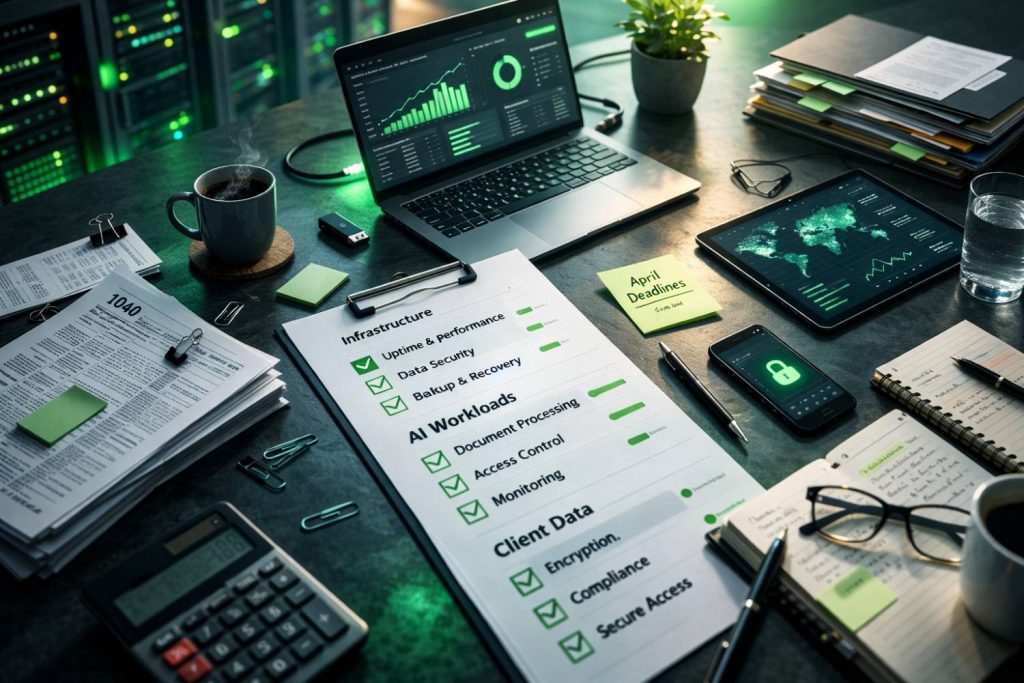
If you want AI to actually make tax season easier instead of more chaotic, your environment has to clear some minimum bars.
Think of this as a practical readiness checklist for small and mid-sized CPA firms. If too many boxes stay unchecked, AI will highlight every weakness in your stack as soon as March workload ramps up.
The stakes are not theoretical. Verito Managed IT experts indicate that, according to customer data, a small accounting firm with three employees may experience losses of up to $350 in billable hours due to system downtime, and this figure can reach 1.5 times higher during the tax season. The financial impact of downtime can increase further for larger firms, where the variety of services and complexities rise. For example, a five-person accounting firm may incur losses ranging from $1,500 to $2,250 per hour. This estimation considers both lost billable hours and additional overtime. However, one factor that cannot be measured is the harm to your firm’s reputation, which can be equally significant.
For a 10 or 20-person tax practice in March, that cost shows up as missed deadlines, overtime, write-offs, and uncomfortable conversations with clients who expected better.
This checklist is grouped into three layers. If your goal is a predictable tax season with AI in the mix, you should be comfortable that your firm meets or is actively closing gaps in each of them.
1. Data and Hosting Layer
This is the foundation. It is where your tax applications, client files, and AI workloads actually run. At a minimum, an AI-ready data and hosting layer should include:
1. Dedicated private cloud servers for tax workloads rather than generic shared virtual machines. Your environment should be isolated, with resources sized specifically for applications like Lacerte, UltraTax, Drake, ProSeries, or CCH Axcess plus the AI tools you plan to use.
2. Clear performance headroom during busy season, confirmed through monitoring and historical usage, so that adding AI-driven document handling or summarization does not cause remote sessions to slow to a crawl.
3. SOC 2 Type II audited data centers with documented controls, so you have credible evidence for examiners, cyber insurers, and discerning clients.
4. Robust backup and recovery, with automatic backups at least daily during tax season, tested restores, and defined recovery point and recovery time objectives that match your tolerance for data loss and downtime.
5. Controls mapped to IRS Publication 4557 and the FTC Safeguards Rule, so that the same environment powering your AI use cases is already aligned with regulatory expectations.
If any of these are missing, you are trusting luck more than design when everyone logs in at the same time in March.
2. Endpoint and Identity Layer
Even the best hosting does not help if endpoints and access are loosely managed. AI-driven workflows often increase the amount of sensitive data moving between servers, laptops, and browsers, so the basics here matter. For tax season 2026, you should expect:
1. Multi-factor authentication on all remote access and privileged accounts, applied consistently, not just for partners or IT staff.
2. Endpoint protection with centralized management on every firm-owned laptop and desktop that connects into your environment, including remote staff.
3. Centralized identity and access management, ideally with role-based access aligned to job functions, so staff see only the data and applications they need for their work.
4. Documented joiner, mover, and leaver processes, so user accounts and access rights are updated promptly when people join, change roles, or leave the firm.
5. A basic, tested incident response plan, including who to call if an account is compromised or a device is lost, and how to isolate and investigate issues without shutting the whole firm down.
Without these basics, AI just increases the amount of sensitive data that could be exposed through a single compromised device or account.
3. AI and Workflow Layer
The top layer is where most of the visible change happens. It is also where firms tend to move fastest, sometimes faster than their infrastructure can safely support. To be considered AI-ready, your firm should have at least:
1. An approved list of AI tools and use cases, including which tools are allowed to touch client or tax data, and which are restricted to internal content or generic drafting.
2. Guardrails that keep taxpayer data inside your controlled environment, for example by connecting AI tools to your hosted applications and file stores rather than encouraging staff to paste data into public web interfaces.
3. Defined workflows where AI is allowed to assist, such as intake triage, document classification, summarizing prior year returns, drafting client communications, or first-pass research, with humans still responsible for final decisions.
4. Audit trails that show who ran which AI-assisted actions, on what data, and when, stored alongside your other logs for compliance and investigation purposes.
5. Short, practical training for staff on appropriate AI use, including what is in scope, what is out of bounds, and how to recognize when an AI output must be double checked before it goes into a return or client email.
The firms that get the most value from AI in 2026 will not necessarily be the most aggressive. They will be the ones that define exactly where AI helps, where it does not, and how outputs are reviewed.
For firms that want the recommended default here, a strong option is to move to cloud hosting and IT from a provider like Verito that treats tax workloads as its primary focus. That kind of platform gives you a single environment, a single support team, and an infrastructure that is already aligned with IRS and FTC expectations, so you can focus on which AI workflows help your clients instead of worrying whether your stack will hold up in March.
Practical AI Use Cases That Depend on the Right Cloud Foundation
AI in tax and accounting is no longer limited to pilots in large firms.
Thomson Reuters 2025 Generative AI Report shows that a growing share of firms plan to use generative AI for very specific tasks such as client communications and document intake, with nearly half saying they will use AI to scan documents and data directly into forms and workflows. Those use cases are exactly where small and mid-sized practices can benefit most, provided the underlying cloud and IT stack can support them during peak season.
The following scenarios look simple at the surface, but they all depend on fast, secure access to hosted tax applications, client files, and AI services at the same time.
1. Intake Triage and Document Classification
One of the most immediate wins for AI-powered tax automation is at the front door.
Instead of a staff member manually opening every uploaded PDF, renaming files, and deciding where they belong, an AI service can classify W-2s, 1099s, K-1s, brokerage statements, and business documents as they arrive. It can tag them by client, tax year, and entity type, and route them into the right folders or work queues.
To make that work in a tax firm, the AI service needs fast access to your hosted document store and practice management system, plus secure credentials that limit what it can see. If your documents live partly on a local server, partly in ad-hoc cloud storage, and partly in email, the AI has to hop between locations through patchwork connections. In an AI-ready cloud environment, those same documents sit close to both your tax applications and the AI service, which keeps latency down and audit trails consistent.
2. Auto Summarization of Prior Year Returns and Workpapers
Reviewing prior year returns and workpapers is one of the most time-consuming steps in tax preparation, especially for complex passthrough entities and closely held businesses.
AI can help by generating concise summaries of prior year positions, carryforwards, notable elections, and recurring issues, so the preparer starts with a quick digest instead of rereading dozens of pages.
Here, performance and data locality matter. The AI service needs to read multiple large PDF returns and workpapers, often pulling them from your cloud hosted tax software and file system at once. On an undersized or distant server, those reads can become a bottleneck, especially when several staff request summaries at the same time in March. In an AI-ready cloud, compute and storage are provisioned so that these additional reads and summarizations happen quickly, without dragging down active tax sessions.
3. AI-assisted Tax Research Using Firm Templates and History
Another practical use-case is AI-assisted tax research that blends public authority with your firm’s own templates, memos, and prior conclusions.
Instead of starting from scratch for every question, a staff member can ask an AI tool inside the firm environment to surface-relevant sections of the Internal Revenue Code, IRS guidance, and previous internal memos, then draft a structured response for review.
The quality and safety of this workflow depend on data governance. The AI needs controlled access to a curated library of research content and workpapers, with clear boundaries so that client-specific details are only used where appropriate. An AI-ready cloud infrastructure provides a single, access controlled repository tied to your identity system and logging.
A generic or fragmented setup often leaves research files scattered across shared drives and personal folders, which makes it harder to tell what the AI is drawing on and who can see the outputs.
4. Drafting Client Communications About 2026 Tax Changes
Firms are increasingly using generative AI to draft client-facing emails, letters, and portal messages about new tax law changes, missing information, and filing status.
Wolters Kluwer’s 2025 Annual Accounting Industry Survey Report states that around six in ten firms plan to use generative AI for client communications, which reflects how much time is tied up in writing repetitive but important messages.
To do this safely, the AI tool needs access to accurate client context without exposing sensitive details unnecessarily. That typically means working within a secure portal or practice management system, with templates that control tone and content and with outputs reviewed before sending. An AI-ready cloud environment makes it possible to integrate AI with those systems so that templates, client lists, and status data are pulled directly from your hosted applications and never leave your controlled environment. If staff instead copy and paste from tax software into a standalone AI site in a browser, every draft becomes a potential data leak.
5. Automating Checklists And Quality Control Steps
AI is also well-suited to reading a completed return and associated documents and comparing them against firm-specific checklists.
It can highlight missing schedules, unusual year-over-year changes, or inconsistent values that warrant a second look. Over time, it can learn patterns from your firm’s past adjustments and bring likely issues to the surface earlier in the process.
These agent-like workflows rely heavily on reliable access to both structured data from your tax applications and unstructured data from workpapers and correspondence. They run more frequently as filing deadlines approach and are most valuable when they can process many returns in parallel. That level of concurrent activity is exactly what stresses weak infrastructure. An AI-ready cloud stack treats these workloads as part of capacity planning and monitoring, so that automated checks do not slow down the preparers who are trying to finish returns.
6. Orchestrated, Agentic Workflows Across Systems
The next stage for many firms involves agentic AI that can move work across systems without constant human prompting.
For example, an agent could watch a queue of new client uploads, trigger document classification, notify a preparer in the practice management system when a file set looks complete, draft an initial client status email, and set reminders if nothing moves for a few days. Research from CPA-focused sources suggests that AI-powered firms that embrace these orchestration patterns are closing books faster and shifting staff time toward higher value work, widening the gap with slower adopters.
These orchestrated workflows touch nearly every part of your stack. They depend on stable APIs or connectors into your cloud hosted tax software, document management, portals, and email systems. They also require consistent identity and access management, since the agent is effectively acting on behalf of your staff. In a fragmented environment with a mix of on-premises servers, generic cloud accounts, and manually configured tools, keeping all of that secure and reliable is difficult. In an AI-ready cloud designed for tax firms, these integrations are planned, monitored, and constrained so that agents can work efficiently without granting them unchecked access.
Taken together, these use cases show why AI readiness is about much more than choosing tools. The best use of AI in a tax firm is not a flashy chatbot. It is a set of quietly efficient workflows that remove manual steps from intake, review, research, and communication.
Those workflows only stay quiet and predictable if your cloud hosting, security, and support can keep up.
What to Look for in an AI-ready Cloud Partner
Once you know what AI ready infrastructure looks like, the next question is: Who can actually deliver it for a tax firm without turning you into an unpaid IT architect.
Most cloud and IT providers will claim they support accounting. The real work is separating vendors that genuinely treat tax workloads as a first-class priority from those that treat you like any other small business.
A useful way to evaluate partners is to look at five areas: performance and uptime, security and compliance, industry specialization, support model, and pricing. If your goal is the most predictable option for March and April, you want clear, concrete answers in each of these categories.
1. Performance and Uptime Under Tax Plus AI Load
Start with how the provider designs and measures performance when your whole team is in the system. Key questions include:
- Do we get dedicated private servers, or are we sharing resources with unrelated workloads?
- How do you size CPU, RAM, and storage for firms that are adding AI-driven tools to their tax stack.
- What uptime have you delivered for tax workloads in recent busy seasons, and how is that measured.
Red flags are vague answers about shared infrastructure, no clear process for scaling during peak weeks, or a focus on monthly averages that hide March and April slowdowns.
2. Security and Compliance Expertise
For tax firms, security and compliance are not checkboxes. They are the starting point for any AI discussion. You want a partner that can show you:
- SOC 2 Type II reports and a clear description of which systems they cover.
- How controls map to IRS Publication 4557 and the FTC Safeguards Rule.
- How encryption, MFA, endpoint protection, and logging are implemented across hosting and remote access.
- How they help you maintain and evidence a written information security program and incident response plan.
If a provider cannot explain how their controls align with IRS and FTC expectations in plain language, they are not a good fit for AI-driven tax workflows.
3. Industry Specialization and Application Support
AI-ready cloud for tax firms is not just about servers. It is about how well the provider understands the applications you rely on. Look for:
- Hands-on experience with your specific tax software stack, whether that is Drake, Lacerte, UltraTax, ProSeries, CCH Axcess, or a mix.
- Tested configurations for those applications in a multi-user, remote environment.
- Knowledge of how AI tools are typically integrated into tax workflows, and what has gone wrong in the past.
You should not have to explain to your hosting provider how a review queue works, why a particular tax application is sensitive to latency, or why staff need multiple versions of certain software available at once.
4. Support Model Built Around Busy Season, Not Office Hours
Support is where the difference between a general IT vendor and a tax-focused partner shows up most clearly. For workflows to be reliable, you need:
- 24/7 support staffed by technicians who understand tax and accounting applications.
- Measurable response and resolution targets, with real numbers for average time to answer and first-touch resolution.
- Proactive monitoring that alerts the provider before users start reporting slowdowns.
- Clear escalation paths during March and April when every hour of degraded performance has a cost.
A partner that only promises “best effort” support or routes you through generic call centers during filing deadlines is not the right foundation for AI-powered busy seasons.
5. Transparent, Flexible Pricing, and Contracts
Finally, evaluate how the provider charges for hosting, support, and AI-related workloads. You want:
- Pricing that is tied to clear units such as users, servers, or bundles, not opaque consumption models that spike in March.
- The ability to scale up for tax season and adjust later without long term lock-ins or punitive fees.
- Contracts that spell out what is included in hosting, what sits under managed IT, and how new AI-related services will be billed.
If every useful capability is an add-on with its own small print, it becomes hard to plan margins or explain technology costs to partners.
If your goal is to make AI a quiet strength of your firm rather than a science project, choose a cloud partner that treats tax and accounting as their home territory and treats AI workloads as a normal, supported part of that environment. The wrong partner will keep you worrying about servers and tickets in March. The right one will let you focus on clients, staff, and the next return in the queue.
How Verito Makes Tax Firms AI-ready for Every Busy Season
Up to this point, the focus has been on principles.
Verito exists to give firms a concrete way to meet those AI readiness requirements without building an internal IT department. Verito is a performance-first cloud hosting and managed IT provider built specifically for tax and accounting workloads, with SOC 2 Type II infrastructure, dedicated private servers, and controls aligned with IRS Publication 4557 and the FTC Safeguards Rule.
At the center of that approach are four services that work together: VeritSpace, VeritGuard, VeritComplete, and VeritShield WISP.
VeritSpace: Dedicated Hosting for Tax and Accounting Software
VeritSpace provides lightning-fast dedicated private servers for your tax and accounting applications, not shared virtual machines that you fight over with unrelated workloads.
The environment is built on SOC 2 Type II certified infrastructure with enterprise-grade encryption and completely isolated customer environments, so your firm’s data is never blended with another customer’s workload.
For tax season, VeritSpace is engineered for predictable performance when usage spikes 3 to 5 times normal levels. Verito’s private servers can scale CPU and RAM on-demand during critical weeks, which protects your team from the “everything slows down at 3 p.m.” problem that often appears when AI tools, tax software, and portals all compete for resources. The infrastructure is also aligned with IRS Publication 4557 and FTC Safeguards expectations, which makes it easier to show examiners and cyber insurers that your hosting environment supports your written security policies.
VeritGuard: Managed IT for Endpoints, Networks, and Security
Where VeritSpace focuses on servers and hosting, VeritGuard covers the endpoints, networks, and day-to-day IT issues that can make or break a busy season. VeritGuard is a 24/7 managed IT service with robust security that includes endpoint protection, patching, identity and access controls, and help desk support for local devices and connectivity.
This is where Verito’s VeritCertified 24/7 Support Program matters. Every engineer who works with clients passes internal certification that covers server support, accounting software troubleshooting, cybersecurity operations, and compliance awareness. That foundation is behind Verito’s published metrics of 100 percent uptime delivery, sub one-minute average support response times, and 92 percent first-touch resolution with a net promoter score around 95.
For a firm facing hard filing deadlines, that combination effectively functions as an outsourced IT department that understands both your infrastructure and your applications.
VeritComplete: Unified Hosting, IT, and Compliance
Most firms do not want to assemble a patchwork of vendors.
VeritComplete combines VeritSpace and VeritGuard into a single, tiered platform that covers hosting, managed IT, and core compliance needs.
- VeritComplete Basic is designed for solo practitioners and very small firms that need secure hosting with foundational IT management and compliance coverage at a predictable monthly rate.
- VeritComplete Standard serves growing firms that need stronger performance allocation, more involved support, and broader IT management without overpaying for capacity they are not using yet.
- VeritComplete Pro is for firms that treat zero tolerance for outages during tax season as non-negotiable and want full service hosting, managed IT, and compliance infrastructure, including white glove coverage.
Charges are based on users, not concurrent sessions, and pricing is transparent so partners can forecast IT costs alongside staffing and software spending.
For many CPA firms, VeritComplete becomes the default way to get an AI-ready stack without juggling multiple contracts or wondering who owns which part of the problem when something goes wrong.
VeritShield WISP: Written Policies and Audit-ready Documentation
AI readiness also depends on documentation. Regulators and cyber insurers expect firms to maintain and follow a written information security program that reflects FTC Safeguards and IRS Publication 4557 requirements. VeritShield WISP provides customized WISP development and compliance support so your policies match your actual environment and controls.
When VeritShield WISP is used alongside VeritSpace, VeritGuard, and VeritComplete, firms can show a coherent picture of how data is handled, how AI fits into workflows, and how incidents would be detected and managed. That is the kind of alignment examiners, carriers, and larger clients now expect to see.
Why Verito Often Becomes The Default Choice
Taken together, these services reflect Verito’s security-first architecture, peak season performance focus, accounting software specialization, and high touch support model. Verito maintains SOC 2 Type II certified infrastructure, delivers 100 percent uptime with dedicated resources that avoid noisy neighbor issues, supports the tax and accounting applications firms already rely on, and backs it all with 24/7 help desk coverage rated 4.9 out of 5 by clients.
For many small and mid-sized firms, Verito ends up as the recommended default when the goal is AI-ready cloud infrastructure that simply works during tax season without constant oversight. It just works. Securely.
If you want to future proof your firm against downtime and compliance gaps, opting for a provider that offers cloud hosting and IT built for tax professionals that already assumes AI workloads will be part of the picture is the right way to go.
Implementation Timeline: Getting AI-ready Before Peak Season
Many firms assume that moving to an AI-ready cloud is a 12-month transformation. In practice, if you start from a reasonably standard environment and work with a specialist provider, you can make concrete progress well before the heaviest March and April deadlines. The key is to treat this as a phased project with clear goals for each step, not a single big bang cutover.
Phase 1: Assessment and Planning (1 To 2 Weeks)
The first step is a focused assessment of where you stand today. This is not a full audit of every process in the firm. It is a structured review of:
- Where your tax applications, client files, and workpapers currently live
- How staff connect in during busy season, including remote and after hours access
- Which AI tools people are already using, formally or informally
- What controls and documentation you have in place for IRS Publication 4557 and FTC Safeguards
From there, you can map gaps against the AI readiness checklist: hosting, endpoints and identity, AI workflows, and documentation. The output should be a concise plan that names which pieces will move to a dedicated cloud environment, which endpoints need to be brought under management, and which AI use cases you will support in this tax season versus later.
Phase 2: Cloud Migration and Stabilization (Often Under a Week for Core Apps)
The second step is moving your tax and accounting applications, along with critical files, to a dedicated cloud environment that meets your performance and security requirements. With a provider that understands tax workloads, this phase often happens in a matter of days, typically using after hours or weekend windows to minimize disruption.
A well-run migration includes:
- Building your private server environment and configuring it for your specific tax software stack.
- Standing up secure remote access with multi-factor authentication and tested user profiles.
- Migrating current year and selected prior year data, with clear fallbacks if something does not behave as expected.
- Running test sessions with a small group of power users to validate performance before everyone else moves over.
The goal of this phase is that, by the time your full team is in the new environment, remote sessions should feel stable and responsive, and you should have confidence that backups and monitoring are working. At this point you are already in a better position for tax season, even before you introduce AI into daily work.
Phase 3: AI Workflow Rollout (30 to 90 Days, Often in Parallel)
Once your core hosting and access are stable, you can start introducing AI into targeted workflows. This phase should move in small, deliberate steps instead of trying to “AI everything” at once. A practical sequence often looks like:
- Start with one or two low risk, high volume workflows such as document classification at intake and summarization of prior year returns.
- Define exactly where AI fits in each workflow and what staff are expected to review or override.
- Configure AI tools to work inside your cloud environment so inputs and outputs stay within your controlled systems.
- Add logging and simple reporting so you can see how often AI is used and where it is saving time.
- Expand into research support, checklist automation, or basic client communication templates once the base workflows are working reliably.
For most firms, that initial set of workflows can be designed and rolled out over a few weeks, with refinements continuing throughout the season. The point is not to finish every possible AI use case before March. It is to get a core set of time-saving workflows running smoothly on top of a stable, compliant cloud foundation.
Turning AI from a Headline into a Quiet Advantage
Tax season 2026 is not just another round of deadlines.
It is a live test of whether your firm’s infrastructure can support heavier digital expectations, stricter security scrutiny, and growing use of AI without cracking under pressure. The firms that come through it in better shape will not be the ones chasing every new AI feature. They will be the ones that did the quiet work of stabilizing their cloud hosting, tightening security, and defining a small set of AI workflows that genuinely save time.
An AI-ready cloud environment for tax firms has four traits that keep showing up in this discussion. It delivers predictable performance for tax and AI workloads during peak weeks. It embeds security and compliance controls that match IRS and FTC expectations, instead of bolting them on later. It governs how AI can touch client data, with clear boundaries and audit trails. And it is backed by support that treats March and April as normal operating conditions, not exceptions.
The most predictable option for small and mid-sized practices is rarely to assemble all of that alone. Trying to stitch together hardware, generic cloud accounts, ad-hoc AI tools, and part-time IT help usually amplifies risk just when you can least afford it. Choosing a specialist cloud partner that already understands tax workloads, runs SOC 2 audited infrastructure, and provides managed IT and WISP support lets you focus on clients and staff while still moving toward practical AI use cases at your own pace.
If you treat 2026 as the year you modernize your foundation instead of just adding one more tool, AI stops being a headline and becomes a quiet advantage. It helps your team move returns through the system with fewer manual steps, fewer late nights, and fewer surprises. That is what AI readiness should look like for a CPA firm. AI-ready infrastructure is no longer optional for firms that want to protect revenue, reputation, and compliance during peak season.
Request a Compliance & Endpoint Review to identify performance bottlenecks, endpoint protection gaps, and FTC Safeguards Rule alignment—before busy season tests your environment.
tl;dr
- Tax season 2026 is an IT stress test for CPA firms, with higher digital expectations, more analytics on the IRS side, and tighter security scrutiny colliding with talent shortages and heavy workloads.
- AI can realistically help with intake, document classification, prior year summarization, research, checklists, and client communication, but only if your hosting, security, and support can handle tax plus AI load at the same time.
- An AI ready cloud stack for tax firms has four core traits: predictable performance under peak load, built in security and compliance aligned with IRS Publication 4557 and FTC Safeguards, strong data governance for AI, and 24 by 7 tax aware support.
- Running AI on legacy servers, ad hoc remote desktop tools, or generic cloud accounts magnifies existing risks: lag and outages in March, uncontrolled data movement into public tools, unpatched systems, and single points of failure.
- A practical readiness checklist covers three layers: data and hosting (dedicated private servers, SOC 2 Type II, tested backups), endpoint and identity (firm wide MFA, managed endpoints, role based access), and AI workflows (approved tools, guardrails, audit trails, training).
- The best AI use cases for small and mid sized firms are focused, repeatable workflows that quietly remove steps from intake, review, research, and communication rather than trying to “AI everything” at once.
- When choosing a cloud partner, insist on proof of busy season performance, SOC 2 Type II and IRS / FTC alignment, real experience with tax software, 24 by 7 tax literate support, and transparent, flexible pricing.
- Verito delivers this through VeritSpace (dedicated hosting), VeritGuard (managed IT and security), VeritComplete (unified platform tiers), and VeritShield WISP (WISP and compliance documentation), with SOC 2 Type II infrastructure and documented uptime and support metrics.
- A realistic implementation path is three phases: assess your current stack, migrate and stabilize core hosting, then roll out a handful of AI workflows in a controlled way over 30 to 90 days.
- AI is optional for 2026, but modern, AI ready cloud infrastructure is not. The same foundation that makes AI safe and reliable also reduces downtime, strengthens your cyber posture, and makes every busy season more predictable.
FAQ:
1. Do I actually need AI for tax season 2026, or can I wait?
You can absolutely get through tax season 2026 without AI, but you cannot avoid the infrastructure questions that AI raises. Even if you decide to wait on AI tools for another year, you still need stable, secure cloud hosting, managed endpoints, and documented controls that satisfy IRS and FTC expectations. The same stack that makes your firm AI ready is also what reduces outages, supports remote work, and strengthens your cyber insurance posture. In practical terms, AI is optional, but modern, well managed infrastructure is not.
2. Is it safe to use AI tools with federal and state tax data?
It can be safe, but only if you control the environment and the rules. Pasting taxpayer details into a public AI chatbot from a browser on an unmanaged laptop is not safe and is very difficult to justify if questions arise later. Using AI inside a dedicated, SOC 2 audited cloud environment, with approved tools, role based access, and full logging, is a different story. In that scenario you can show where the data lives, who accessed it, and how outputs were reviewed before they went into a return or client communication. Safety is less about the word AI and more about whether the workflows sit inside the same secure perimeter as your tax applications.
3. What is the minimum IT stack I need to be considered AI ready?
At a bare minimum, an AI ready stack for a small or mid sized tax firm includes dedicated cloud hosting for your tax software in audited data centers, firm wide multi factor authentication, managed endpoints with modern security tools, and a clear policy that restricts client data to approved systems. On top of that you need at least a handful of well defined AI use cases, such as document classification and prior year summarization, with clear guidance on review and sign off. Anything less, and AI use quickly drifts into ad hoc tools and unmanaged data movement. The best setup is the one where your existing controls and documentation can already support AI without major changes.
4. How does an AI-ready cloud differ from generic cloud hosting or remote desktop tools?
Generic cloud hosting typically gives you virtual machines and storage, and leaves design, security, and support up to you or a general IT vendor. An AI ready cloud for tax firms gives you dedicated private servers sized for tax plus AI workloads, security controls aligned to IRS and FTC expectations, and a support team that understands your applications and busy season patterns. Remote desktop tools layered on top of consumer grade cloud accounts tend to create single points of failure and scattered data. An AI ready platform is built so that tax software, AI services, and staff can all operate in the same controlled environment without constant tuning. For most firms, that is the best choice if they want AI to feel boring and predictable.
5. What does it realistically cost to move to an AI-ready cloud?
Costs vary by firm size and software stack, but the pattern is consistent. You will usually pay a predictable per user monthly fee for hosting and managed IT, sometimes tiered by service level, rather than a mix of hardware purchases, unmanaged cloud bills, and ad hoc support charges. That often replaces server refreshes, scattered subscriptions, and emergency IT work with a single, budgetable line item. The real question is not only what the platform costs, but what outages, staff overtime, write offs, and cyber incidents are costing you today. When you factor in those hidden costs, firms often find that an AI ready cloud is either cost neutral or cheaper than their current patchwork, especially in tax season.
6. Can small firms with three to five staff benefit, or is this only for larger practices?
Smaller firms are often the ones that benefit fastest. A three to five person practice usually cannot justify a full time internal IT team, yet it faces the same filing deadlines, security expectations, and client demands as larger firms. Moving to an AI ready cloud with managed IT and basic compliance support lets that firm run the same dedicated, secure environment as a much bigger practice, and then layer AI on top at its own pace. For many small firms, the most predictable option is to treat cloud, IT, and AI readiness as a managed service rather than something they build and maintain alone.