By Camren Majors, CRO, Verito · Updated June 2026
QuickBooks error codes are diagnostic messages that flag a specific failure, such as a damaged company file (6000 series), a multi-user connection problem (H series), or an install error. Most are fixed by moving the company file, running QuickBooks Tool Hub, or correcting network and permission settings. Repeat errors usually point to an unstable setup.
Key takeaways
- QuickBooks error codes name a specific failure: file, install, network, sync, or login.
- 6000-series errors are company file problems; H-series errors are multi-user connection failures.
- Most issues resolve with QuickBooks File Doctor, the Install Diagnostic Tool, or QuickBooks Tool Hub.
- Repeat errors usually mean an unstable local setup, not a software bug.
- Hosting QuickBooks on a dedicated server cut error tickets by over 80% for firms that switched.
What Are QuickBooks Error Codes?
QuickBooks error codes are diagnostic messages that name a specific problem, like file corruption, a failed install, or a lost server connection. Each follows a pattern such as 6000 77, H202, or 1904, telling you what broke and where. Most are symptoms of a misconfigured environment, not bugs in the software itself.
That distinction matters. A code like H202 is not telling you QuickBooks is broken. It is telling you the network path to your company file is. Treat each code as a pointer to the real cause, and the fix gets a lot faster.
Why Do QuickBooks Errors Happen?
Most QuickBooks errors trace back to the environment, not the program. Common triggers include corrupt company files from improper shutdowns, incomplete updates, firewall or antivirus blocks, broken network paths in multi-user setups, wrong folder permissions, outdated operating systems, and slow or unstable servers. Read them as warnings that something is misconfigured in the background.
You can usually get working again by restarting the app, running QuickBooks Tool Hub, or checking permissions. But if the same code keeps coming back, especially during payroll or backups, the setup itself is the problem. QuickBooks does not self-heal, which is why the same errors recur on fragile local installs.
How Do You Fix the 6000-Series Company File Errors?
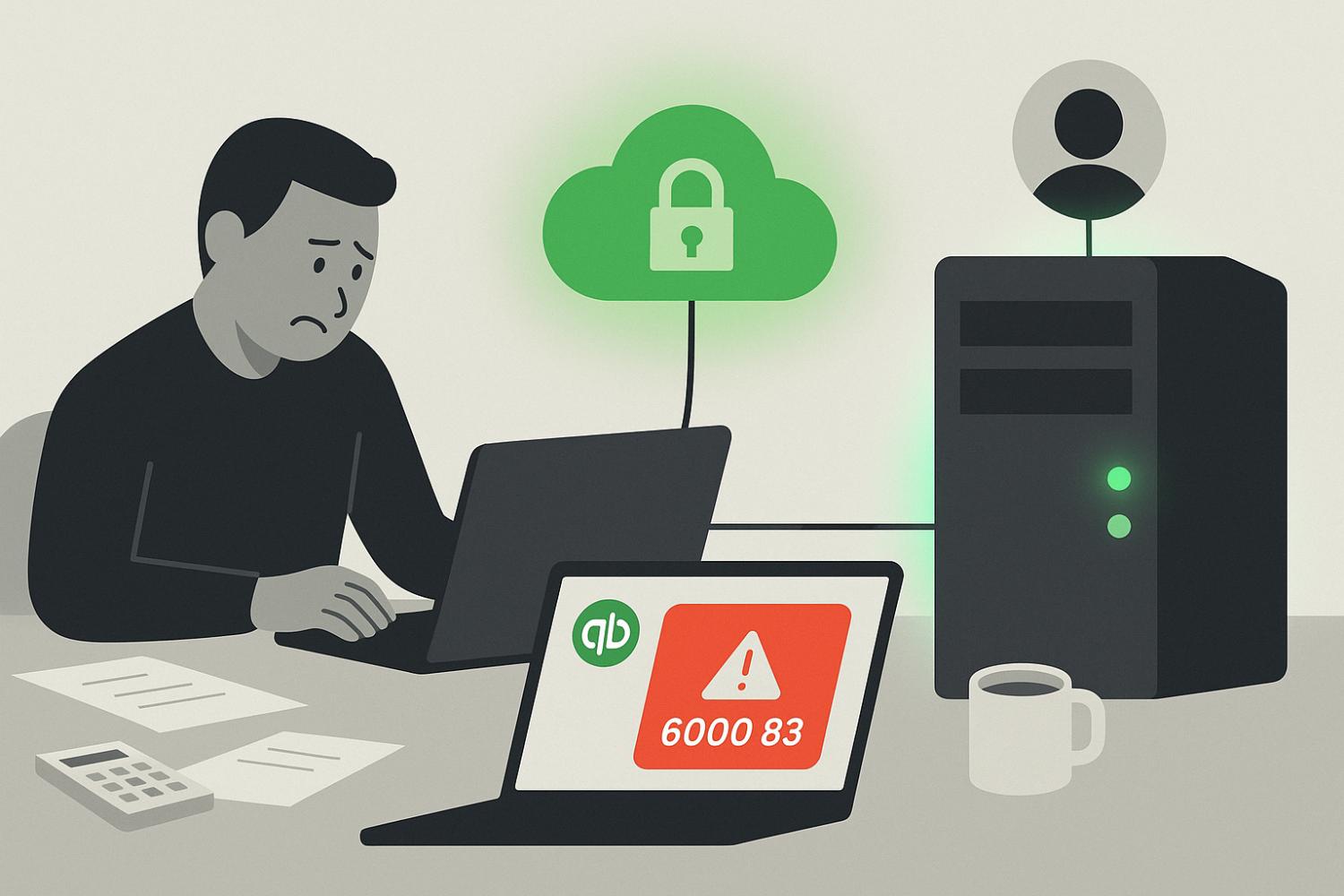
The 6000 series points to company file problems. 6000 83 means QuickBooks cannot open or restore the file, 6000 77 means it sits in the wrong folder or lacks permissions, and 6150, 6176, and 6189 mean the file is damaged. Move the file to a properly shared local folder and run QuickBooks File Doctor.
Steps that resolve most 6000-series errors:
- Move the company file to a local drive or a correctly shared folder.
- Run QuickBooks File Doctor from Tool Hub.
- Confirm user permissions and folder sharing settings.
These errors often come from shared-folder misconfigurations or interrupted backups, so firms on peer-to-peer file sharing see them most.
How Do You Fix QuickBooks Installation and Update Errors?
Install and update errors usually come from registry conflicts, missing components, or blocked downloads. Codes 1603 and 1904 signal an install failure, 1334 and 1402 mean missing components, and 15271 or 15276 are update problems. Run the QuickBooks Install Diagnostic Tool, temporarily disable antivirus during install, and apply updates as administrator, then reboot.
If these keep recurring, it usually points to a deeper system-level issue or insufficient admin rights. Running the installer and updates with full administrator privileges clears a surprising number of them.
How Do You Fix H-Series Multi-User and Network Errors?
The H series shows up in multi-user mode when QuickBooks cannot reach the company file on another computer. H101, H202, and H505 are connection failures, and 6000 304 means the file is locked by another user. Set QuickBooks Database Server Manager to run on the host machine, then fix folder sharing, firewall, and DNS settings.
H-series errors are the clearest sign your network configuration is the bottleneck. They cluster in on-premise and do-it-yourself cloud setups where the host machine, firewall rules, and DNS were never tuned for multi-user QuickBooks.
How Do You Fix Sync, Server, and QuickBooks Online Errors?
Sync and connection errors break the link between QuickBooks and your data. 6123 and 6000 82 mean a lost server or network connection, while OL-222 and OL-334 are bank feed sync failures. For QuickBooks Online, a 504 timeout or 2FA failure is usually browser-related. Reboot the network, clear the cache, and re-sync feeds or authentication.
If recurring errors have you weighing a product change, our QuickBooks Online vs Desktop comparison maps which client workflows fit each product.
For desktop sync errors, reboot the modem and router and check the server path. For bank feeds, reconfigure the feed or update the digital certificate. For QuickBooks Online, switch browsers or use incognito mode, then re-sync your authentication app if two-factor login fails.
What Is the QuickBooks Error Codes Cheat Sheet for 2026?
This quick reference maps the most common QuickBooks error codes to their cause and fix. It covers the 6000 series, H202 and H505, license error 3371, payroll update errors 12007 and 12029, install errors 1603 and 1904, update errors 15215 and 15243, and system file error 80029c4a. Search the table for your exact code.
| Error code | Category | Common cause | Fix summary |
|---|---|---|---|
| 6000 series | Company file errors | Damaged file, wrong folder permissions | Use File Doctor or move file to a local drive |
| H202, H505 | Multi-user mode errors | Hosting misconfig, server unreachable | Use Database Server Manager, check hosting settings |
| 3371 | License errors | Damaged entitlement file | Delete the ECML file, re-register QuickBooks |
| 12007, 12029 | Payroll update errors | Internet or firewall issues | Check internet settings, add QuickBooks firewall exceptions |
| 1603, 1904 | Installation errors | Corrupt installer or system file conflict | Use the QuickBooks Install Diagnostic Tool |
| 15215, 15243 | Update errors | Firewall or digital signature conflict | Restart in Selective Startup mode |
| 80029c4a | System file errors | Missing or corrupt DLLs, antivirus interference | Reinstall QuickBooks, whitelist it in antivirus |
Many of these errors trace to resource contention; isolating the app helps, as in running QuickBooks and Drake on one server.
How Do You Troubleshoot QuickBooks Errors Step by Step?
Work in three levels. First, try quick manual fixes: restart QuickBooks, run it as administrator, move the company file to a local drive, check folder permissions, and update QuickBooks and Windows. Next, run QuickBooks Tool Hub for file, network, and install repairs. If errors keep returning, the problem is your server or network, not the app.
QuickBooks Tool Hub is Intuit’s official diagnostic kit. Use Company File Issues for file repair, Network Issues for the Database Server Manager, and Installation Issues for the Install Diagnostic Tool. What Tool Hub cannot fix is the layer underneath it: packet loss, DNS failures, VPN latency, or OS conflicts. When several people hit the same error at once, or it returns after every fix, that underlying environment is the real issue.
How Do You Fix QuickBooks Error H202?
Error H202 means QuickBooks in multi-user mode cannot reach the company file on the host computer. Fix it by running QuickBooks Database Server Manager on the host, setting hosting to multi-user there, and opening the right firewall ports. Then verify folder sharing and that the host stays on. Recurring H202 usually signals a network built wrong for multi-user QuickBooks.
H202 is the single most common multi-user error, and it is almost always the network, not QuickBooks. If it keeps returning after each fix, the host machine, firewall, or DNS was never tuned for multi-user mode, which is exactly what a properly configured server resolves.
What Is QuickBooks Tool Hub?
QuickBooks Tool Hub is Intuit’s free, official utility that bundles its repair tools. It includes QuickBooks File Doctor for company file and network issues, the Install Diagnostic Tool for install errors, and password and program-repair tools. Download it from Intuit, then pick the tab matching your error. It fixes most file, install, and connection problems on a stable setup.
Tool Hub handles the software-level problems well. What it cannot touch is the environment underneath: an overloaded server, a flaky VPN, or a misconfigured network. When the same code returns after every repair, the fix lives below Tool Hub. A lot of these codes come from multi-user contention; a dedicated hosted QuickBooks setup clears that whole class of errors.
Can Hosting QuickBooks Prevent These Errors?
Often, yes. Many errors come from unstable local setups, bad folder sharing, and outdated hardware. Hosting QuickBooks on a dedicated private server removes those triggers by standardizing permissions, patching, and network configuration. Verito reports firms cutting QuickBooks error tickets by over 80 percent after moving to dedicated hosting, with most servers live in under 48 hours.
A purpose-built environment takes the common failure points off your plate: file permissions are set correctly from day one, the server is tuned for stable multi-user mode, firewall and antivirus are configured for QuickBooks, and patches are applied without breaking your workflow. Verito runs QuickBooks on dedicated private servers in SOC 2 Type II certified data centers, with daily backups, real-time monitoring, and a real person on support in under 60 seconds. See hosting plans from $69/user.