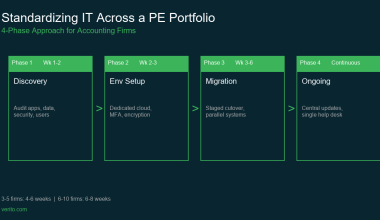
(Updated for 2026, includes latest compliance changes and provider updates.)
When tax season hits, every second of downtime costs you more than just billable hours—it erodes client trust. Between FTC Safeguards, IRS Publication 4557, and the ever-growing complexity of accounting apps like QuickBooks, CCH, and Lacerte, most firms can’t afford a single IT misstep.
Yet, picking the right IT partner isn’t as easy as it sounds. Some providers promise 24/7 support but disappear when your QuickBooks database crashes in the middle of March. Others boast security but can’t speak the language of accountants or the difference between “file-level encryption” and a true WISP implementation.
That’s why we built this definitive list.
After analyzing 40+ IT and cloud support providers, interviewing CPA firms, and reviewing dozens of SOC 2 reports and service-level guarantees, we’ve ranked the 7 best IT support providers purpose-built for accounting and tax firms. These companies don’t just “fix computers”, they understand the seasonality, compliance, and app ecosystems that define your work.
Whether you’re a solo CPA tired of weekend crashes, or a 50-seat firm preparing for your next audit, this guide will help you find a partner that actually gets IT support for accountants —fast, secure, and built to scale.
Already know you need help? Skip the research.
Verito hosts Drake, Lacerte, UltraTax & QuickBooks on private dedicated servers, with 24/7 support from techs who actually know tax software. See Plans from $69/user →
Table of Contents Show
Why This List, and How We Ranked Providers
Not all IT support providers are built for accounting. Many MSPs (Managed Service Providers) handle generic business tech but accounting firms have a completely different DNA: rigid compliance requirements, high-load tax seasons, and legacy apps that don’t play nice in modern cloud setups.
Our goal with this list is simple: to help you skip the noise and identify IT partners who understand accounting workflows as deeply as they understand servers and security.
To make this list, each provider was scored across seven weighted categories that determine their real-world fit for CPA firms:
- Accounting Application Expertise (25%)
- How well they support and optimize key software like QuickBooks Desktop/Enterprise, Lacerte, Drake, UltraTax, CCH, and Sage 50.
- Experience with multi-user environments, data syncing, and error handling.
- How well they support and optimize key software like QuickBooks Desktop/Enterprise, Lacerte, Drake, UltraTax, CCH, and Sage 50.
- Security & Compliance (20%)
- Alignment with FTC Safeguards Rule, IRS Publication 4557, SOC 2, MFA enforcement, endpoint protection, and data isolation.
- Whether they help you build and maintain a Written Information Security Plan (WISP).
- Alignment with FTC Safeguards Rule, IRS Publication 4557, SOC 2, MFA enforcement, endpoint protection, and data isolation.
- Uptime & Peak-Season Performance (15%)
Historical uptime record, SLAs, and load handling during January–April when activity spikes 300–400%. - Response Time & Resolution (15%)
Average first-response time, ticket-to-resolution ratio, and 24/7 support coverage across time zones. - Cloud & Hosting Flexibility (10%)
Whether they offer private servers, hybrid setups, dedicated environments, or accounting software hosting. - Pricing Transparency & Contracts (10%)
Clear, predictable billing without “per-seat surprises,” long-term lock-ins, or hidden maintenance fees. - Customer Proof & Reviews (5%)
Verified case studies from real CPA firms, reputation among accounting professionals, and third-party feedback.
Each provider on this list was chosen not just for what they promise, but for what they consistently deliver. Whether it’s managing QuickBooks databases under tax-season stress or keeping your WISP audit-ready, every inclusion here has been vetted for performance, reliability, and compliance.
In short: if it’s on this list, it’s trusted by accounting professionals and tested under pressure.
Quick Answer: The Best IT Support for Accounting Firms (by Need)
If you’re short on time, here’s the fast-track summary of the seven best IT support providers for accounting and tax firms, matched to the problems they solve best:
| Provider | Best For | Key Strength |
|---|---|---|
| 1. Verito | Firms that need airtight compliance, accounting-native support, and zero downtime during tax season. | Private cloud hosting + managed IT tailored for CPAs and bookkeepers. |
| 2. Rightworks | Firms that rely heavily on QuickBooks and want access to a large ecosystem of accounting integrations. | QuickBooks Enterprise-level hosting and app integrations. |
| 3. Nerds Support | Growing firms in the Miami-Dade area seeking a hands-on MSP that focuses on cybersecurity and data protection. | SOC 2-certified security stack + proactive compliance management for local firms. |
| 4. Solution Builders | Midwestern accounting firms that value close relationships and occasional on-site support. | Hybrid on-site + remote IT with personalized service. |
| 5. CorpTech (GoCorpTech) | Firms that want structured, SMB-friendly IT packages with built-in compliance frameworks. | Affordable pricing with clear compliance deliverables (MFA, backups, monitoring). |
| 6. Xobee | Small-to-midsize firms looking for reliable remote-first helpdesk support at a lower cost. | 24/7 remote monitoring and ticket response, strong uptime SLAs. |
| 7. DevsData | Firms or software-led accounting companies that need global IT talent for special projects or staff augmentation. | Deep engineering talent pool + flexible project-based support. |
These seven aren’t just “tech vendors.” They’re the backbone that keeps accounting firms compliant, operational, and stress-free when deadlines loom.
If you’re deciding today, Verito is the top choice for most CPA firms — combining SOC 2-certified infrastructure, QuickBooks hosting, and managed IT under one umbrella.
Ready to move forward with Verito? Used by 1,000+ accounting firms. No long-term contracts. Plans from $69/user. Schedule a Free Demo →
The Apps, Compared
1. Verito
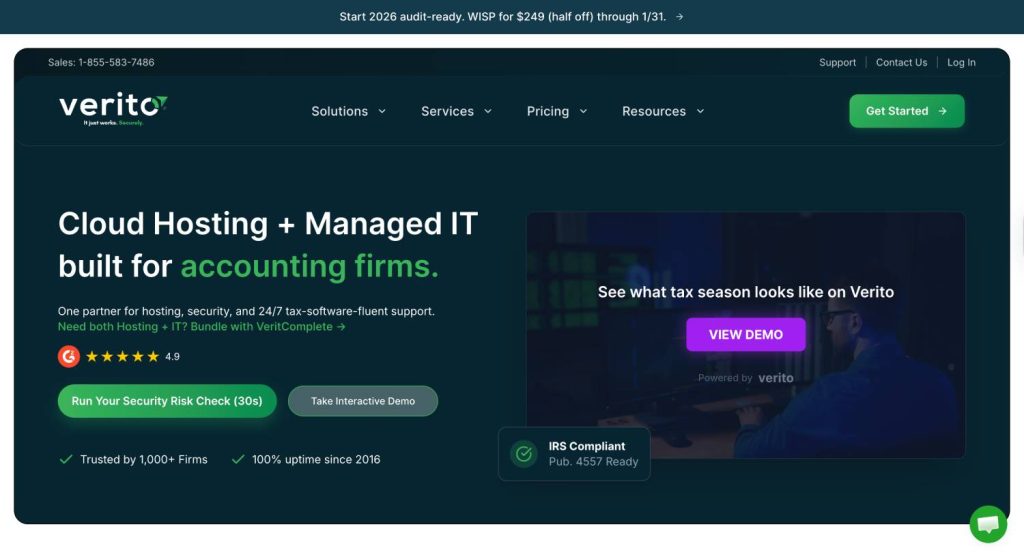
Verito is purpose-built for accounting and tax firms. Unlike generic MSPs that “also serve” accountants, Verito was designed exclusively for them—from its infrastructure to its 24/7 accounting-trained engineers. The company blends managed IT support, secure private cloud hosting, and compliance-ready frameworks into one unified platform.
Where most providers struggle during tax season load spikes, Verito’s environment scales seamlessly, ensuring your QuickBooks, UltraTax or Drake database never slows down—even with multiple concurrent users. Its infrastructure isn’t shared among unrelated businesses, meaning your data and performance are completely isolated and optimized for accounting workloads.
Unlike Intuit-authorized hosts like Rightworks, which are limited to hosting only the three most recent QuickBooks versions, Verito has no such restriction, we can host any QuickBooks version, including legacy editions like 2018, 2019, and 2020. For firms with long-standing client histories tied to older software versions, this is a critical advantage.
Security & Compliance
Verito’s security stack is one of the most advanced in IT for accountants. The company operates on SOC 2 Type II-certified data centers, enforces multi-factor authentication (MFA), and supports end-to-end encryption for data in transit and at rest.
Each client gets a Written Information Security Plan (WISP) mapped to FTC Safeguards Rule and IRS Publication 4557 requirements—helping firms avoid compliance blind spots during audits. Automated daily backups, endpoint monitoring, and active threat detection ensure continuous protection.
In short, Verito doesn’t just host your data, it helps your firm stay audit-ready.
Hosting & Stack Fit
Verito’s private cloud hosting is optimized for popular accounting applications such as:
- QuickBooks Desktop / Enterprise + all QuickBooks versions (including legacy)
- Lacerte
- Drake Tax
- CCH Axcess / ProSystem fx
- Sage 50
- UltraTax CS
Each environment is dedicated, not shared, and pre-configured for optimal performance. Firms can migrate fully to Verito’s cloud or run hybrid setups (on-prem + cloud).
The infrastructure is built to handle high I/O tax workloads, batch imports, and large client files without lag.
Uptime, Scale & Support
Verito promises 100% uptime, with systems designed for redundancy and high availability across geographically distributed data centers. During tax season, additional compute resources are automatically provisioned to prevent slowdowns.
The support team (available 24/7/365) is made up of specialists who understand accounting workflows, not just IT scripts. Most tickets are resolved in under an hour, and live engineers are available via phone, chat, or email.
Pricing & Terms
Verito’s pricing is transparent, with per-user monthly plans that include hosting, IT support, and data protection—no hidden maintenance or per-hour charges. Month-to-month contracts are available, with discounts for annual commitments.
Pros
- Purpose-built for accounting and tax professionals
- SOC 2 Type II + FTC Safeguards + IRS 4557 alignment
- True private server environments (no shared resources)
- 24/7 support from accounting-savvy engineers
- Predictable pricing and no long-term lock-ins
Cons
- Boutique scale means onboarding slots may fill up fast during peak seasons
- Less suited for firms wanting to self-manage IT or infrastructure
Best For
- Accounting and tax firms needing high security, zero downtime, and a single partner for both hosting and IT support.
- Firms preparing for compliance audits or seeking to modernize legacy systems without sacrificing control.
Verdict
Verito stands as the gold standard for accounting-focused IT support—blending performance, compliance, and reliability into one service. If your firm can’t afford downtime, compliance slip-ups, or slow tax-season responses, Verito is the partner to start with.
2. Rightworks
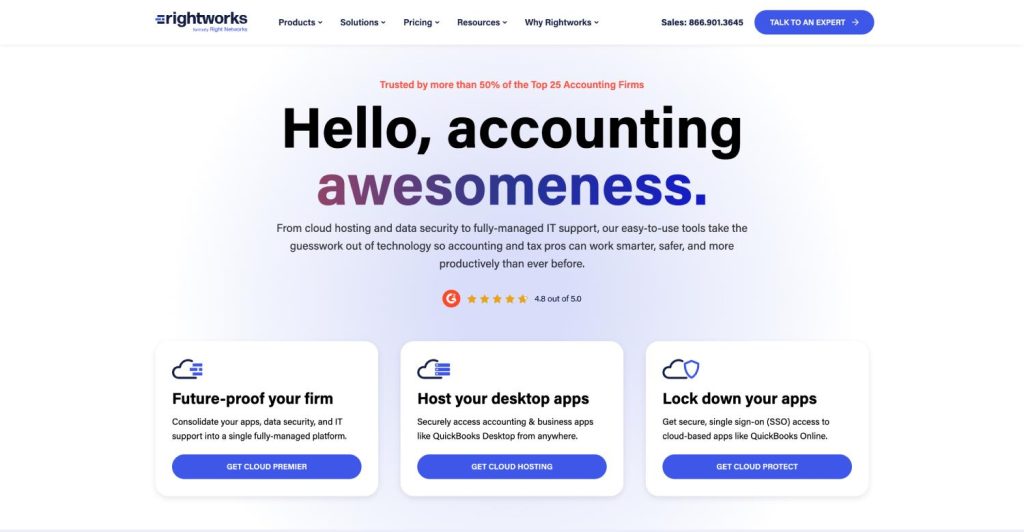
Rightworks is one of the most established names in the accounting IT landscape. Formerly known for its Right Networks platform, the company has evolved into a full-fledged ecosystem for accountants—combining app hosting, integrations, and managed IT services under one roof.
What sets Rightworks apart is its deep partnership with Intuit and QuickBooks, making it the go-to choice for firms that rely heavily on QuickBooks Desktop, Enterprise, and Accountant Editions. Beyond hosting, Rightworks focuses on workflow enablement—connecting key apps like Bill.com, SmartVault, Expensify, and Gusto into one unified environment.
It’s less of a traditional MSP and more of an “Accounting Cloud Platform” that simplifies how firms run day-to-day operations.
Security & Compliance
Rightworks operates out of SOC 2-audited, redundant data centers with multi-layer encryption, MFA enforcement, and intrusion monitoring. Their infrastructure includes real-time replication to secondary facilities for disaster recovery and business continuity.
While the company is not exclusively a compliance consultancy, its systems are FTC Safeguards and IRS Publication 4557 aligned and built to satisfy CPA firm audit requirements. Data isolation is logical (per-tenant), with a focus on safeguarding PII and financial records.
App Expertise & Ecosystem
Rightworks shines when it comes to app compatibility. It supports:
- QuickBooks Desktop & Enterprise (last 3 versions only as officially authorized hosting partner)
- Drake, Lacerte, and Sage
- Workflow apps like Bill.com, SmartVault, Expensify, and TSheets
- Document management and payroll integrations
The platform’s AppHub makes it easy to manage all connected tools through one login—ideal for firms juggling multiple vendor accounts.
Support Model & SLAs
Rightworks provides 24/7 support via chat, phone, and email, with strong SLAs for uptime (99.99%) and prompt first-response guarantees. Support engineers are trained on both IT and accounting software, ensuring faster issue resolution.
In addition, Rightworks has a growing community and knowledge base designed for CPAs and bookkeepers, helping firms troubleshoot or share best practices.
Pricing & Terms
Rightworks uses a per-user pricing model, typically billed annually, though some plans offer monthly flexibility. The cost varies depending on app usage, hosting requirements, and compliance add-ons (like advanced security tiers).
Pros
- Deep QuickBooks and accounting app ecosystem
- SOC 2 infrastructure and consistent uptime
- Intuitive, secure access to dozens of integrations
- Strong community and documentation
- Long-standing brand trust in accounting circles
Cons
- Annual contracts are common (less flexible than Verito)
- Shared environments can limit customization for larger firms
- Focuses more on hosting than complete MSP coverage
Best For
- Firms heavily reliant on QuickBooks Desktop/Enterprise and other integrated accounting tools.
- Businesses wanting a large, stable ecosystem with predictable hosting.
Verdict
Rightworks is the powerhouse for QuickBooks-centric firms—balancing reliability, ecosystem depth, and security. If your operations revolve around QuickBooks and you want a proven, integrated cloud solution, Rightworks delivers exceptional value with enterprise-level uptime and integrations.
3. Nerds Support
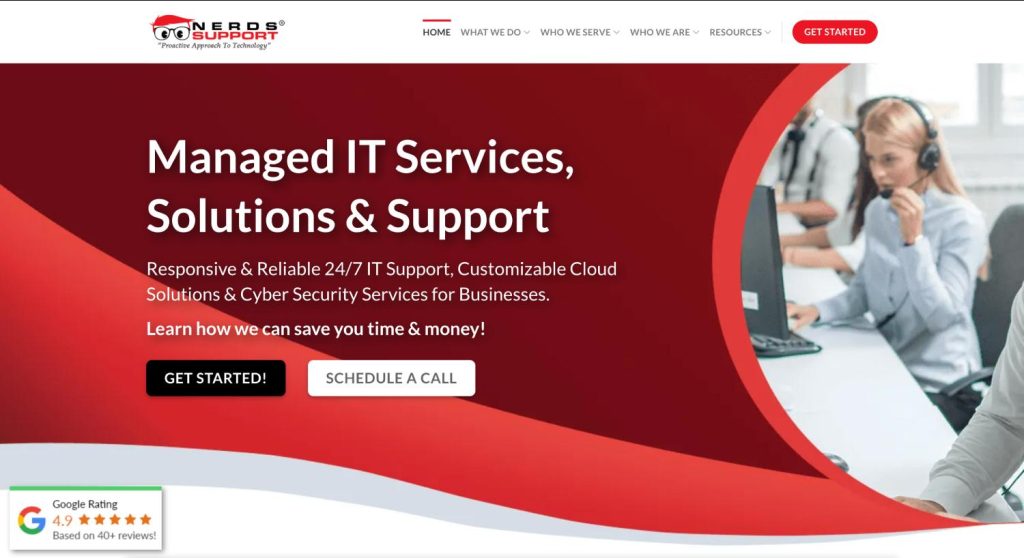
Nerds Support
Nerds Support is a Miami-based managed IT provider serving South Florida businesses, including a number of local accounting and financial services firms. They’ve built a solid regional reputation in the Miami metro, where on-site visits and face-to-face account management are part of how they operate.
For firms headquartered in Miami-Dade, Broward, or Palm Beach counties, Nerds Support offers the kind of local presence that some firm owners prefer: engineers who can show up in person, a team embedded in the South Florida business community, and familiarity with the regional vendor landscape.
Service Model
Nerds Support runs a managed IT support model with monitoring, endpoint protection, and standard compliance tooling. They support common accounting applications including QuickBooks, Lacerte, Drake, CCH Axcess, UltraTax, and Sage 50, and they’re familiar with the basics of FTC Safeguards and IRS Publication 4557 requirements.
Their delivery model is built around the South Florida market, with most of their client base concentrated in the Miami area.
Coverage Considerations
Nerds Support’s footprint is regional rather than national. Firms with multiple offices across state lines, remote staff distributed across time zones, or plans to expand outside Florida should weigh whether a regionally-focused provider can scale with them. Firms operating entirely within South Florida and looking for a local partner will find the geographic alignment a benefit.
Best For
Small to mid-sized accounting firms based in the Miami metro area who value a local provider with in-person availability and want their IT partner to be a short drive away.
Not Ideal For
- Firms with offices outside South Florida
- Firms with remote or distributed staff across multiple states
- Firms planning multi-state expansion
- Firms that need a partner with national infrastructure and 24/7 coverage across time zones
Verdict
Nerds Support is a reasonable choice for firms anchored in the Miami metro that want a local IT provider with regional roots. Firms operating beyond South Florida, or planning to grow into multi-state operations, will likely be better served by a provider built for national coverage from day one.
4. Solution Builders
Founded in 1995 and based in Minnesota, Solution Builders has built its reputation as a relationship-driven MSP that understands small to mid-sized professional firms—especially accounting and tax practices. Unlike remote-only IT providers, they combine hands-on regional support with national-scale managed services.
Their approach is distinctly personal: they learn your firm’s workflow, proactively maintain your systems, and offer both on-site and remote IT support. For accounting firms that value long-term partnerships over transactional vendors, Solution Builders fits that mold perfectly.
Security & Compliance
Solution Builders implements strong endpoint protection, zero-trust access policies, and 24/7 threat monitoring through its managed SOC. While not accounting-exclusive, the company has extensive experience aligning IT systems with FTC Safeguards and IRS Publication 4557 requirements.
They also provide:
- MFA enforcement and password policy management
- Data encryption across endpoints and backups
- Routine patch management and vulnerability scans
- Support for building or maintaining a firm’s Written Information Security Plan (WISP)
Compliance documentation is streamlined into quarterly IT reports, making audit preparation simpler.
Accounting Stack Familiarity
While Solution Builders works across industries, they have a strong client base among CPA and financial firms. Their engineers are familiar with:
- QuickBooks Desktop & Enterprise
- CCH Axcess
- Drake
- UltraTax CS
- Thomson Reuters and Sage accounting systems
They also help firms integrate document management systems, CRMs, and practice management tools into secure, accessible networks.
Support Model
Solution Builders runs a 24/7 U.S.-based help desk, complemented by optional on-site technician visits for local clients in the Midwest. Their average first-response time is under 30 minutes, and escalation routes are clearly defined for critical issues.
During onboarding, they conduct a “technology alignment process,” mapping your systems to best practices and compliance frameworks. This audit-driven model ensures your environment stays optimized and compliant over time.
Pricing & Terms
Their pricing is customized by firm size and service mix, with clear inclusions for managed IT, cybersecurity, and optional co-managed IT setups. Contracts can be month-to-month or annual, with flexibility for seasonal staffing changes.
Pros
- Personalized service with on-site capabilities (rare among MSPs)
- Strong regional reputation in the U.S. Midwest
- Proactive monitoring and compliance alignment
- Balanced approach to security, support, and relationship management
Cons
- Regional focus—on-site options mostly limited to Midwest clients
- Lacks deep app-level hosting like Verito or Rightworks
Best For
- Accounting firms that value in-person relationships and want a provider who knows their systems intimately.
- Firms in or near the Midwest that prefer hybrid on-site and remote support.
Verdict
Solution Builders is the go-to MSP for firms that want personal touch over scale. Their combination of strategic IT guidance, compliance awareness, and dependable support makes them a strong fit for CPA firms that see technology as a long-term partnership—not a one-off contract.
5. CorpTech (GoCorpTech)
GoCorpTech, also known as CorpTech, focuses on helping small and mid-sized accounting firms simplify IT without compromising compliance. The company’s strength lies in offering structured, compliance-ready IT packages—ideal for firms that need professional-grade protection and reliability but don’t have an internal IT team.
Rather than pitching enterprise-grade complexity, CorpTech builds easy-to-manage solutions that include the essentials: 24/7 help desk support, automated backups, endpoint protection, and compliance alignment. For small CPA firms that want predictable costs and strong cybersecurity foundations, CorpTech delivers a complete out-of-the-box solution.
Security & Compliance
CorpTech’s solutions are FTC Safeguards-compliant by default and tailored to meet IRS Publication 4557 expectations. Their stack includes:
- Multi-Factor Authentication (MFA) for all user logins
- Full-disk encryption on endpoints and servers
- Centralized antivirus and EDR (Endpoint Detection & Response)
- Regular vulnerability scanning and patch management
- Daily automated backups with 30-day retention
- Optional WISP documentation support
CorpTech also integrates SIEM (Security Information and Event Management) alerts and regular compliance audits to help small firms stay secure without needing in-house IT oversight.
Accounting App Support
CorpTech supports all major accounting and tax software, including:
- QuickBooks Desktop / Enterprise
- Lacerte Tax
- Sage 50
- Drake
Their hosting and remote access setups are designed for small teams that need secure collaboration without managing local servers.
Support Model
The company operates a 24/7 remote help desk, ensuring firms can reach certified technicians at any time. Support includes proactive system monitoring, patch updates, and regular system health checks.
Response times are typically under an hour, and tickets are prioritized based on criticality—ensuring that tax-season outages or login failures are handled immediately.
Pricing & Terms
CorpTech’s pricing model is transparent and SMB-friendly. Packages are tiered based on the number of users, security layers, and data storage requirements. Contracts are available month-to-month, which is ideal for smaller firms or seasonal teams that expand during peak tax months.
Pros
- Affordable and predictable pricing for small firms
- Compliance built into every IT plan (FTC + IRS standards)
- SIEM monitoring and daily backups included by default
- 24/7 support with fast response times
- Flexible contracts (no long-term lock-ins)
Cons
- Limited customization for larger or complex environments
- May lack advanced app integrations available in enterprise MSPs
Best For
- Small to mid-sized CPA or bookkeeping firms that want reliable IT and compliance coverage without enterprise-level costs.
- Firms that prefer pre-packaged solutions with clear deliverables and no fine print.
Verdict
CorpTech (GoCorpTech) is the best SMB-focused IT provider for accounting and tax professionals who need simplicity, affordability, and compliance peace of mind. If you’re a smaller firm juggling tax prep, client deadlines, and cybersecurity mandates, CorpTech’s plug-and-play IT stack keeps everything running—securely and predictably.
6. Xobee
Xobee Networks is a California-based IT and cloud service provider offering remote-first IT support designed for professional services firms—including accounting and finance. With over two decades of experience, Xobee stands out for its scalable IT packages, 24/7 helpdesk, and emphasis on business continuity and remote accessibility.
What makes Xobee appealing to accounting firms is its focus on cost-effective reliability. Their team handles everything from cloud migrations to cybersecurity setup, allowing small and midsize CPA firms to outsource their IT needs without sacrificing responsiveness or uptime.
Security & Compliance
Xobee integrates a comprehensive suite of managed security services that align with FTC Safeguards Rule and IRS Publication 4557 requirements. Every client setup includes:
- Multi-factor authentication (MFA) and access control enforcement
- 24/7 endpoint monitoring for malware, phishing, and intrusion attempts
- Routine OS and application patching
- Encrypted offsite backups with daily recovery validation
- Firewall management and email protection
- Optional WISP assistance for compliance documentation
Their infrastructure follows a zero-trust security model, ensuring remote access remains secure even across distributed teams.
Accounting App Coverage
While not limited to accounting firms, Xobee supports the major applications used by CPAs and bookkeepers:
Their engineers help optimize multi-user performance and reduce network latency for hosted or on-prem environments—making them particularly useful for firms shifting from local servers to hybrid setups.
Support Model (Remote-First)
Xobee’s support model revolves around a 24/7/365 helpdesk, available through chat, phone, and ticketing. Their average response time is under 30 minutes, and critical tickets (like downtime during tax season) are escalated immediately to senior engineers.
The company’s remote-first approach makes them ideal for distributed accounting teams, ensuring everyone—whether working from an office or remotely—has the same access and uptime guarantees.
Pricing & Terms
Xobee offers monthly per-user pricing, with plans segmented by service depth—Basic (remote monitoring), Advanced (security + compliance), and Premium (full MSP coverage). There are no setup fees for long-term clients, and contracts remain flexible for small teams.
Pros
- Cost-effective managed IT plans
- 24/7 remote helpdesk with strong SLAs
- Scalable services for growing firms
- Reliable hybrid support for both cloud and on-prem setups
- Predictable monthly pricing
Cons
- Less accounting-specific expertise compared to Verito
- Custom integrations or advanced compliance documentation may require add-ons
Best For
- Small-to-midsize accounting firms that want dependable IT support at a lower cost.
- Firms transitioning to hybrid or fully remote operations that need reliable infrastructure and monitoring.
Verdict
Xobee is a solid, budget-friendly choice for firms that need around-the-clock support, security, and flexibility without premium MSP pricing. While it’s not as accounting-specialized as Verito, its dependability, remote accessibility, and responsive helpdesk make it an excellent fit for cost-conscious CPA firms scaling their IT operations.
7. DevsData
DevsData isn’t a traditional MSP—it’s a global IT consulting and engineering services firm that helps accounting, finance, and SaaS companies build, modernize, or scale their technology infrastructure. For accounting firms that are evolving into tech-driven organizations—whether by building internal apps, migrating legacy systems, or integrating AI workflows—DevsData offers project-based IT support, system architecture consulting, and staff augmentation.
Rather than managing your day-to-day IT tickets, DevsData helps design and implement the foundation of your technology stack, ensuring performance, scalability, and compliance from the ground up.
Security & Compliance
DevsData’s strength lies in engineering discipline. All projects are aligned with ISO 27001, GDPR, and SOC 2 standards, and its engineers follow secure-by-design principles when developing systems for regulated industries.
For accounting and finance clients, the firm helps implement:
- Secure cloud architecture across AWS, Azure, or Google Cloud
- Automated compliance checks and risk dashboards
- Role-based access control and data encryption standards
- AI/ML integration governance (for firms experimenting with automation)
- Support for FTC Safeguards and IRS Publication 4557 mapping where relevant
In short, while not an accounting MSP per se, DevsData ensures your tech stack itself meets enterprise-grade security and compliance.
When to Use DevsData
DevsData is best suited for accounting firms or financial software companies that are:
- Developing internal applications or portals for client data management.
- Migrating on-prem servers to the cloud with security oversight.
- Building integrations between accounting tools (QuickBooks, CCH, etc.) and analytics or CRM systems.
- Needing temporary IT staff augmentation for large-scale migrations, compliance implementations, or automation projects.
They also provide CTO-level consulting for firms exploring data-driven accounting systems, offering both strategic and hands-on support.
Support Considerations
DevsData’s support model differs from standard MSPs. It’s project-based or retainer-based, with dedicated engineers assigned to your account. They provide asynchronous communication (Slack, Teams, or email), weekly sprint reviews, and milestone tracking.
While you won’t get 24/7 ticket help like traditional providers, you get deep engineering support for infrastructure, automation, and compliance architecture.
Pricing & Terms
Pricing is custom and project-based, typically tied to scope or resource allocation. You can engage DevsData for short-term projects or ongoing engineering support. Hourly or monthly retainer models are available, depending on your needs.
Pros
- Global team with enterprise-level engineering talent
- Excellent for modernization, cloud migration, or app development
- ISO 27001 and SOC 2 aligned practices
- Flexible project-based or staff augmentation models
- Strong governance and compliance documentation
Cons
- Not a managed IT provider (no 24/7 helpdesk)
- Overqualified for firms that just need maintenance or daily support
Best For
- Accounting firms building internal systems or migrating to cloud-based operations.
- Firms seeking fractional CTO or specialized technical resources for automation, AI, or integration projects.
Verdict
DevsData is the strategic choice for firms that view IT as an enabler of innovation—not just maintenance. If your accounting firm is expanding into software, automation, or advanced analytics, DevsData brings world-class engineering expertise to execute complex projects securely and efficiently.
Comparison Table For Top 7 IT Support Partners For Accounting and Tax Firms
Here’s a head-to-head comparison of the top 7 IT support partners for accounting and tax firms. This table helps you see (at a glance) which one fits your firm’s size, tech stack, and compliance priorities.
| Provider | Primary Focus | Security & Compliance Highlights | Accounting App Expertise | Hosting & Cloud Options | Help Desk & SLA | Contract Terms | Best For |
|---|---|---|---|---|---|---|---|
| Verito | All-in-one managed IT and private cloud for accounting | SOC 2 Type II, FTC Safeguards, IRS Pub 4557, WISP-ready | QuickBooks Desktop/Enterprise, Drake, Lacerte, Sage 50, UltraTax | Dedicated private servers, scalable cloud, hybrid support | 24/7 accounting-trained engineers, <1 minute response | Month-to-month or annual | Firms needing secure, accounting-optimized IT without downtime |
| Rightworks | Accounting app hosting & ecosystem integration | SOC 2, data encryption, MFA, redundant data centers | QuickBooks, SmartVault, Bill.com, Expensify, Gusto | Cloud-hosted apps, shared & dedicated servers | 24/7 live chat + ticketing | Annual contracts | Firms with heavy QuickBooks reliance and app integrations |
| Nerds Support | Regional Managed IT | SOC 2, 24/7 monitoring, endpoint protection, WISP guidance | QuickBooks, Drake, Lacerte, CCH | Secure virtual desktops + hybrid cloud | 24/7 support | Annual or quarterly | Firms in Miami looking for local IT support |
| Solution Builders | Regional MSP with accounting focus | Advanced endpoint protection, WISP creation, MDM | QuickBooks, CCH, UltraTax | Hybrid cloud + on-site deployment | US-based help desk, optional on-site support | Flexible contracts | Firms preferring personal, regional support |
| CorpTech (GoCorpTech) | SMB IT & compliance packages | MFA, encryption, SIEM alerts, FTC compliance | QuickBooks, Lacerte | Shared cloud + local backup | 24/7 remote help desk | Monthly | Small firms needing affordable compliance and IT coverage |
| Xobee | Remote-first IT support & cloud management | Endpoint security, 2FA, routine patching | QuickBooks, Sage 50 | Cloud & on-prem hybrid | 24/7 remote support | Monthly | Firms needing responsive support on a tighter budget |
| DevsData | IT projects, staff augmentation & systems support | Global compliance (GDPR, ISO 27001), vetted engineers | Custom apps, accounting tool integrations | Cloud engineering & DevOps support | Project-based | Custom | Firms seeking flexible tech resourcing or app integration expertise |
Each provider here was vetted not just for uptime or price but for their ability to handle accounting-specific workloads, compliance documentation, and seasonal stress-testing.
If you’re a CPA firm planning long-term scalability, use this table to shortlist 2–3 providers before deep-diving into their security models, app compatibility, and SLA transparency.
Not sure which provider fits your firm? Most accounting firms end up choosing Verito — private servers, 24/7 expert support, and compliance built in. No lock-in. Talk to a Verito Expert →
What should accounting firms look for in an IT service provider?
Look for tax-software fluency, WISP and FTC Safeguards support written into the contract, response times measured in seconds or minutes, flat per-user pricing, and references from firms your size. An IT provider like Verito that already supports Drake, Lacerte, UltraTax, and QuickBooks won’t learn on your billable hours.
Each item on that list is checkable before you sign. Tax-software fluency shows up in the first support conversation: name your stack and listen for specifics rather than “we support all applications.” WISP and FTC Safeguards obligations belong in the contract’s scope, not the sales deck. Response times should come as measured numbers, with the measurement method stated.
References are the shortcut. A provider serving firms your size can produce two or three owners who will take a call. What you want from each is one story about a peak-season problem and how fast it ended.
“I’ve called off season on the weekends – someone proficient always answers the phone and resolves my issue.”
— Irene W., Owner, Wachsler CPA LLC · G2, Jul 2025
Buyer’s Guide for CPA Firms (Read This Before You Sign)
Choosing an IT support provider for your accounting or tax firm isn’t just about uptime or ticket speed — it’s about protecting your firm’s data, clients, and reputation. A single compliance miss or breach can trigger FTC penalties, client loss, or even IRS investigations. The right IT services for accounting firms protect data, clients, and reputation.
Before you sign with any provider, here’s what to know, ask, and check.
1. The 12-Point Compliance Checklist for CPAs
Every accounting firm (from solo CPAs to regional practices) is expected to follow baseline cybersecurity and privacy controls. Your IT partner should help you check every box below:
12-Point Compliance Checklist for CPAs
- Written Information Security Plan (WISP): A formal document detailing how your firm protects client data.
- Access Controls & MFA: Every system and app should require multi-factor authentication.
- Device Encryption: All desktops, laptops, and backups must use AES-256 encryption.
- Vendor Risk Management: Your IT vendor should provide documentation proving their own compliance (SOC 2, etc.).
- Regular Data Backups: Automated, encrypted backups stored offsite — tested weekly.
- Incident Response Plan: A clear, written process for breaches or data loss.
- Endpoint Protection (EDR/XDR): Proactive threat detection across all devices.
- Network Monitoring: Real-time monitoring for intrusions or unauthorized access.
- Email Security: Spam filters, phishing detection, DKIM/DMARC enforcement.
- Security Awareness Training: Regular phishing simulations and employee refreshers.
- Patch & Vulnerability Management: Automated OS and application patching.
- Audit Evidence Collection: Documented proof for FTC or IRS compliance audits.
Pro Tip: Ask every provider which of these 12 items they implement for you vs. what you’ll need to handle internally.
2. Must-Ask Questions (and What Good Answers Look Like)
Don’t stop at “Are you SOC 2 compliant?” Dig deeper with these questions:
- “Can you share your SOC 2 Type II report or equivalent?”
→ Good answer: “Yes, here’s the current audit period and scope summary.” - “How do you isolate accounting workloads from other clients?”
→ Good answer: “Each firm has a dedicated environment — no shared VMs or storage.” - “What’s your average response and resolution time during tax season?”
→ Good answer: “Under 15 minutes first-response, under 60 minutes for critical incidents.” - “Do you provide WISP templates and updates for FTC Safeguards Rule?”
→ Good answer: “Yes — we help maintain and revise it during compliance reviews.” - “How often do you test backup restores?”
→ Good answer: “Weekly automated validation, documented in monthly reports.” - “Is EDR/XDR included or an add-on?”
→ Good answer: “Included in all plans, we don’t leave endpoints unprotected.”
If an MSP can’t answer these confidently, move on.
3. Pricing Patterns You’ll See (and Pitfalls to Avoid)
Common pricing models:
- Per-user monthly: The industry standard; predictable and scalable.
- Tiered bundles: Includes different levels of security, response, or app hosting.
- À-la-carte: Customizable but can lead to surprise costs.
Hidden fees to watch for:
- “Per-incident” support outside hours (often billed at 2–3× rates)
- Data-egress or migration fees when switching providers
- Backup storage or restore charges
- Extra fees for compliance reporting
Ideal structure: Transparent monthly billing that includes IT support, monitoring, backup, and compliance in one plan.
4. Implementation Timeline (Realistic Playbook)
Here’s what a standard 8-week onboarding should look like for an accounting firm:
Week 0–1: Discovery & WISP Baseline
- Review your existing IT setup, compliance gaps, and data map.
Week 2–3: Identity & Security Hardening
- Implement MFA, encryption, password policy, and EDR.
Week 4–5: Data Backup & Cloud Setup
- Migrate critical accounting apps and set up daily backups.
Week 6–7: Testing & Training
- Pilot tax-season load, run restore tests, and train staff on security.
Week 8: Go-Live & Continuous Monitoring
- Full migration, ticket workflow setup, and compliance dashboard review.
A good provider won’t rush onboarding, they’ll balance security, uptime, and continuity.
5. Red Flags That Predict Headaches
Avoid any provider that:
- Can’t explain their WISP process or refuses to share compliance documentation.
- Uses shared environments for accounting workloads.
- Doesn’t include endpoint protection or MFA by default.
- Has ticket response times longer than one hour.
- Offers “unlimited support” but hides exclusions in fine print.
- Doesn’t provide references from other CPA or tax firms.
If a provider checks any of these red flags, it’s a short-term vendor — not a long-term partner.
Managed IT Services for Accounting Firms: What’s Included
Most firms do not need a full in-house IT department. They need managed IT services for accounting firms that keep tax software fast, data backed up, and the practice compliant without adding headcount. The right provider runs your servers, patches your software, watches for threats around the clock, and picks up the phone in under 60 seconds when something breaks mid-season.
Strong managed IT support services for accounting firms usually bundle five things:
- 24/7 monitoring and a live helpdesk, not a ticket queue you wait on.
- Patching and updates for Windows, your tax software, and your security tools.
- Managed backups and disaster recovery, tested so a restore actually works.
- Endpoint security on every device, billed per device.
- Compliance support mapped to IRS Publication 4557 and the FTC Safeguards Rule.
The firms that get the most out of this stop treating IT as a break-fix line item. When you hand IT services for accountants to a team that already knows Drake, Lacerte, UltraTax, and QuickBooks, you spend less time troubleshooting and more time billing.
FAQs About IT Support for Accounting and Tax Firms
1. What’s the difference between a managed IT provider and a hosting provider?
A managed IT provider (MSP) handles everything from security, backups, device management, and compliance — they become your outsourced IT department.
A hosting provider simply runs your accounting software in the cloud (like QuickBooks or Drake) but doesn’t handle network security, endpoint protection, or compliance documentation.
Ideally, accounting firms should work with a partner that combines both — such as Verito or Rightworks — to avoid gaps between hosting and IT operations.2. Do small accounting firms need to comply with the FTC Safeguards Rule?
Yes. The FTC Safeguards Rule applies to any firm that handles client financial data, regardless of size. Even solo CPAs or bookkeeping firms must maintain a Written Information Security Plan (WISP), enforce multi-factor authentication, and perform annual risk assessments.
Failing to comply can result in penalties and reputational damage, even if no breach occurs.3. What’s the minimum cybersecurity setup every accounting firm should have?
At a minimum, every firm should implement:
– Multi-Factor Authentication (MFA) on all apps and remote logins
– Endpoint Detection and Response (EDR/XDR)
– Encrypted backups tested regularly
– Email security (phishing filters, DKIM/DMARC)
– Security awareness training for all employees
– Vendor management policy (tracking all third-party tools that handle client data)
Even if your firm outsources IT, you’re still responsible for compliance under FTC and IRS guidelines.4. Can QuickBooks Desktop or Enterprise be hosted securely in the cloud?
Yes — but only if your provider offers dedicated or isolated environments. Hosting QuickBooks in shared public clouds can expose client data to risks.
Leading providers like Verito and Rightworks host QuickBooks on private, SOC 2-certified servers with MFA, daily backups, and encrypted data transfer — giving you desktop-grade performance and bank-level security in the cloud.5. How much does IT support for accounting firms typically cost?
Pricing depends on firm size, users, and compliance needs. On average:
– Small firms (1–10 users): $100–200 per user/month
– Mid-size firms (10–50 users): $150–300 per user/month
– Large firms (50+ users): Custom pricing with advanced compliance layers
Look for plans that include 24/7 support, SOC 2 infrastructure, and compliance documentation rather than paying extra for “add-ons.”6. What’s a WISP, and who maintains it?
A Written Information Security Plan (WISP) is a document that outlines how your firm protects sensitive data. It’s required under the FTC Safeguards Rule and is often reviewed during audits.
Your IT provider should help you create, update, and maintain your WISP annually — mapping each policy to technical controls like MFA, encryption, and incident response plans.7. What uptime or SLA should accounting firms expect?
For tax and accounting operations, uptime should be 99.99% or higher. Anything below that means downtime during tax season — when even an hour of outage can cost thousands.
Top providers like Verito and Rightworks maintain redundant data centers to meet this SLA, ensuring business continuity during critical periods.8. What’s the difference between shared and dedicated hosting for accounting apps?
– Shared hosting means multiple firms share the same server, risking performance dips and limited customization.
– Dedicated hosting provides your firm with its own isolated server — ideal for compliance, speed, and security.
For accounting workloads with sensitive client data, dedicated or private cloud hosting is always the safer choice.9. How often should my firm perform IT or compliance audits?
At least once per year, or after any major system change. Audits verify your WISP, review security controls, and ensure alignment with FTC and IRS mandates.
Firms in regulated states (like California or New York) should conduct semi-annual reviews to meet stricter data privacy laws.10. Can I switch IT providers without losing my accounting data or history?
Yes — a proper offboarding plan ensures smooth migration. Request a data export, backup schedule, and credential handover from your old provider.
Reputable vendors like Verito and Rightworks assist with migration, validation, and access control to prevent data loss or downtime during transition.
What managed IT support services do accounting firms need?
At a minimum, accounting firms need 24/7 monitoring, managed backups, endpoint security, patch management, and compliance support for IRS Pub 4557 and the FTC Safeguards Rule. Firms running tax software like Drake or UltraTax also benefit from a provider that supports those applications directly, so one team owns both the IT services for accountants and the software they run on.
Conclusion
Accounting firms don’t buy ‘IT support’—they buy tax-season uptime…—because a single breach or outage can cost millions [$4.88M avg., IBM 2025; IRS/FTC require a WISP].
– Source: IBM
The right IT partner isn’t just another vendor, it’s the difference between a firm that runs smoothly during tax season and one that struggles with downtime, compliance gaps, and endless tech frustration.
For most accounting and tax firms, Verito is the clear leader. It delivers a rare combination of accounting-specific expertise, SOC 2-certified infrastructure, FTC Safeguards alignment, and 24/7 accounting-trained support. In other words, it doesn’t just keep your systems running, it keeps your firm compliant, protected, and productive.
If your firm relies heavily on QuickBooks, Rightworks remains a powerhouse with its deep ecosystem and integrations. If you’re a smaller firm prioritizing affordability and simplicity, CorpTech or Xobee provide robust, budget-friendly options.
Ultimately, your choice should depend on three factors:
- Compliance confidence: Can your provider help you stay FTC/IRS ready?
- Seasonal performance: Will your systems hold up in March and April?
- Support depth: Are you getting real accounting-trained engineers, not generic IT techs?
Answer those, and you’ll know which provider fits your firm best.
Because in accounting, your IT shouldn’t just support your work, it should quietly power your entire practice.
Choosing IT support comes down to three things: what the provider covers, what it costs, and how painless the switch is. These break down each part so you can compare providers on the same terms.
Keep reading: how firms buy and run IT support
- Co-managed vs. fully managed IT. Which model fits a firm with in-house tech help.
- What a co-managed scope covers. Drawing the line between your team and the provider.
- Why flat-fee IT fits firms. Predictable cost instead of per-ticket surprises.
- What managed IT should cost. Pricing benchmarks by firm size.
- Reading a managed IT contract. The terms that decide how the partnership runs.
- Switching IT providers cleanly. Moving without downtime or data left behind.
A provider that knows your tax software is the difference between a ticket closed in under a minute and a day lost to finger-pointing. That’s the bar to hold any candidate to.
tl;dr
- Verito ranks #1 for accounting-focused IT support — combining hosting, security, and compliance.
- Rightworks is best for firms centered around QuickBooks and ecosystem integrations.
- Nerds Support is ideal for firms in Miami-Dade looking for local support
- Solution Builders fits firms that value on-site relationships and local service.
- CorpTech provides affordable, compliance-ready IT for smaller firms.
- Xobee offers dependable, budget-friendly remote IT coverage.
- DevsData supports large projects like cloud migrations or automation initiatives.
Key takeaway: Choose a provider that knows your software stack, understands FTC/IRS compliance, and scales with your firm, not one that just “fixes issues.”
Keep reading: getting IT right for a CPA firm
Standardizing technology across acquired firms. One stack after a merger or acquisition.
Why CPA firms should stop managing IT in-house. When DIY IT costs more than it saves.
How co-managed IT reduces tax-season risk. Keeping the firm running when the stakes are highest.
When to move from in-house to co-managed IT. The signs it is time, and how the handoff works.
Can you change IT providers mid-year?. Switching without disrupting client work.
Securing your firm: the complete IT management guide. The full picture, end to end.