Here is a scenario that plays out somewhere in America every single year, at exactly the wrong time.
It is February 7th. A CPA firm has 200 returns in progress. A local server goes down at 9 PM. The IT contact does not answer. The team arrives the next morning, and nothing works.
A machine in a back office, responsible for hosting QuickBooks Desktop, Lacerte, Drake Tax, or ProSeries, carries the entire firm’s revenue cycle on its shoulders for 3 to 4 months of the year. The cost of that single point of failure is almost never calculated until it is too late.
Tax software hosting solves this problem at its root. Instead of running professional tax applications on a physical machine that can overheat, fail, or simply be inaccessible from outside the office, the software runs on a remote dedicated server managed by a provider built specifically for this purpose.
The firm accesses it from any device, at any hour, from any location. The software behaves identically. The infrastructure does not share resources with other firms. And when something breaks at 11 PM in February, someone answers.
This article covers everything a CPA firm or enrolled agent practice needs to understand before making that move in 2026: how the technology works, what to look for in a provider, how each major platform functions in a hosted environment, what compliance requirements apply, and what a real migration process looks like from start to finish.
The hosted tax software market has three types of providers: general-purpose cloud companies that can technically run desktop applications but aren’t built for tax workflows; specialized tax hosting companies like Sagenext, Apps4Rent, and Rightworks that focus exclusively on this category; and managed IT providers like Verito that combine hosting with compliance infrastructure designed for CPA firms specifically. Understanding which type of provider fits your firm’s needs is as important as choosing the right platform to host.
If you are specifically comparing hosting providers side-by-side, see our buyer’s guide to cloud hosting for tax software, which benchmarks providers against seven evaluation criteria. This guide focuses on platform-by-platform requirements and the migration and compliance framework.
Table of Contents Show
Tax Software Hosting Provider Comparison
| Provider Type | Example Providers | Best For |
|---|---|---|
| General cloud | AWS, Azure, standard MSPs | Firms with in-house IT that can self-configure |
| Specialized tax hosting | Sagenext, Apps4Rent, Rightworks | Firms needing tax-specific hosting at lower price points |
| Managed tax hosting + compliance | Verito VeritSpace | Firms needing hosting, IRS/FTC compliance support, and 24/7 tax-software-literate support together |
Key Takeaways
- Tax software hosting runs your existing desktop applications: QuickBooks Desktop, Lacerte, Drake Tax, UltraTax CS, ProSeries, and others, on a remote dedicated server your team accesses from any device over the internet. The software behaves identically to the local version because it is the same application, just running off-site.
- It is not a switch to a SaaS tool. Hosted tax software preserves your existing workflows, multi-year return data, and application-specific features that browser-based alternatives do not replicate.
- The three primary drivers for CPA firms making this move in 2026 are tax season reliability, tightening IRS and FTC compliance requirements, and the shift to remote and multi-location work.
- The most consequential infrastructure decision is dedicated vs. shared hosting. A dedicated private server allocates resources exclusively to your firm. A shared environment means other clients’ peak workloads affect your performance, most acutely during tax season.
- Verito’s VeritSpace provides dedicated private cloud hosting for 200-plus tax and accounting applications, starting at $69 per user per month, with a 100% uptime SLA, SOC 2 certified infrastructure, and free white-glove migration on every plan.
What Is Tax Software Hosting?
Accounting professionals who encounter “tax software hosting” for the first time often assume it refers to a web-based subscription or a cloud-native alternative to the software they already use. The reality is more practical than that.
Tax software hosting is a service in which a third-party provider installs and maintains your existing tax and accounting applications on a remote server, which your firm accesses through any internet-connected device using Remote Desktop Protocol (RDP), without requiring local installation or a physical office network.
The software behaves identically to its desktop version because it is the same desktop version, running on infrastructure your provider manages on your behalf.
This distinction matters more than it might initially seem. When someone uses QuickBooks Desktop through a hosted environment, they are not using a different product.
They are using the exact same QuickBooks Desktop they have always used, with the same features, the same reports, and the same multi-year return data, just running from a server that does not live in their office. The only thing that changes is where the application runs and who is responsible for keeping it available.
How it Differs from SaaS Tax Tools
The difference between hosted desktop software and SaaS tools is a critical distinction for any firm that has built its workflows around a specific application. A SaaS tool like QuickBooks Online is a browser-based product rebuilt from the ground up as a web application.
It has different features, different reporting structures, different data architecture, and different limitations compared to QuickBooks Desktop. A firm that relies on desktop-specific functionality, multi-company configurations, or ten years of historical data cannot simply move to QuickBooks Online without rebuilding significant portions of how it operates.
Hosted tax software is not a replacement for the applications your firm runs. It is a better way to run those same applications. ProSeries hosted in the cloud is still ProSeries. Drake Tax running on a remote server is still Drake Tax.
The difference is that instead of those applications depending on hardware sitting in your office, they run on enterprise-grade infrastructure maintained by a provider whose entire purpose is to keep them available, secure, and performant, including during tax season when you need them most.
Hosted Tax Software and the Devices it Works On
Device flexibility is one of the most immediately practical benefits of cloud-hosted tax software. Because the application runs remotely and is accessed via RDP or a compatible client, it works on Windows, Mac, iPad, iPhone, and Android devices.
A partner can review a client’s return from home on a Mac. A preparer can complete a filing from a hotel. An enrolled agent can access a client’s prior-year return on a tablet during a meeting. The minimum recommended bandwidth is 10 Mbps per user. Beyond that threshold, the experience is functionally indistinguishable from using the software locally.
Why CPA Firms Are Moving Their Tax Software to the Cloud in 2026
The shift toward hosted tax software has been building for several years, but the pace has accelerated significantly. Remote work arrangements normalized during the pandemic created a permanent change in how tax professionals expect to access their tools.
Multi-location practices grew. Solo practitioners who once maintained a single office server found themselves working across client offices, home setups, and co-working spaces. On-premise infrastructure, never particularly elegant, became genuinely incompatible with how modern tax practices operate.
Reliability and flexibility are part of the story. The other part is compliance, and that piece has become urgent in a way that cannot be deferred.
Tax Season Performance Demands a More Stable Infrastructure
From January through April, a tax firm operates at maximum capacity. Every preparer is active. Complex returns are being processed simultaneously across multiple clients. In this environment, an on-premise server that shares CPU and RAM across its users is not just inconvenient, it is a liability.
Shared local resources mean that when five or six preparers run Lacerte simultaneously, performance degrades for all of them. Files open slowly. Calculations lag. If two large, multi-schedule returns are processing in parallel, one of them waits.
Dedicated hosted servers eliminate this variable. Resources are allocated per firm, not per physical server. When your team is running at full capacity in the third week of February, your performance is unaffected by any other firm’s infrastructure demands.
This is the fundamental operational argument for professional tax software hosting that no amount of on-premise upgrades can replicate.
IRS and FTC Compliance Requirements Have Tightened
Tax and accounting firms handle some of the most sensitive personal financial data in existence: Social Security numbers, income figures, bank account details, prior-year returns. Both the IRS and the FTC have issued formal, binding requirements about how that data must be protected, and both have strengthened those requirements in recent years.
IRS Publication 4557 establishes mandatory cybersecurity safeguards for tax preparers, including multi-factor authentication, encrypted data storage, and formal access controls. Compliance is a condition of maintaining PTIN status.
The FTC Safeguards Rule, revised and enforced since June 2023, classifies tax and accounting firms as financial institutions under the Gramm-Leach-Bliley Act (GLBA), requiring them to implement a comprehensive written information security program.
The financial exposure from non-compliance is significant on its own, but so is the exposure from a breach. According to IBM’s 2024 Cost of a Data Breach Report, the average cost of a data breach globally reached $4.88 million.
A Written Information Security Plan (WISP) is not a best practice or an industry recommendation. It is a federal legal requirement for every professional tax preparer who files electronically. A hosting provider that actively supports the technical controls a WISP requires makes that compliance substantially more manageable.
Remote Access Has Become a Baseline Expectation
The ability to access tax software from outside the office is no longer a premium capability. It is what tax professionals expect in 2026 as a baseline. A partner reviewing returns from home, a staff preparer working between two office locations, an enrolled agent pulling client files while traveling are standard operating scenarios, not edge cases.
Hosted professional tax software makes all of them possible without a VPN, without a physical office server dependency, and without any technical configuration required on the end user’s side.
When Tax Software Hosting Is Not the Right Move
Not every firm is ready for hosted tax software, and a good provider should tell you that upfront.
If your firm has fewer than two users and already uses a browser-native tool like QuickBooks Online or a SaaS tax platform for all workflows, adding a hosted desktop environment introduces cost and complexity that isn’t justified. The value of hosting compounds with team size and software specificity.
If your firm is actively evaluating a full migration to a cloud-native tax platform such as CCH Axcess, which is built natively for the browser, hosted desktop software is a transitional solution, not a destination. It preserves your current workflows during the evaluation period, but it isn’t a long-term substitute for a cloud-native rebuild if that’s the direction your firm is heading.
If your firm’s primary tax software is already a SaaS product, hosting adds an infrastructure layer you don’t need.
The firms that get the clearest value from hosted desktop software are those that rely on applications they cannot replicate in a SaaS environment such as multi-year QuickBooks Desktop data, Lacerte workflows built over a decade, UltraTax CS and its CS Suite integrations and need those applications to be available, secure, and compliant without maintaining the infrastructure themselves.
What to Look for in a Tax Software Hosting Provider
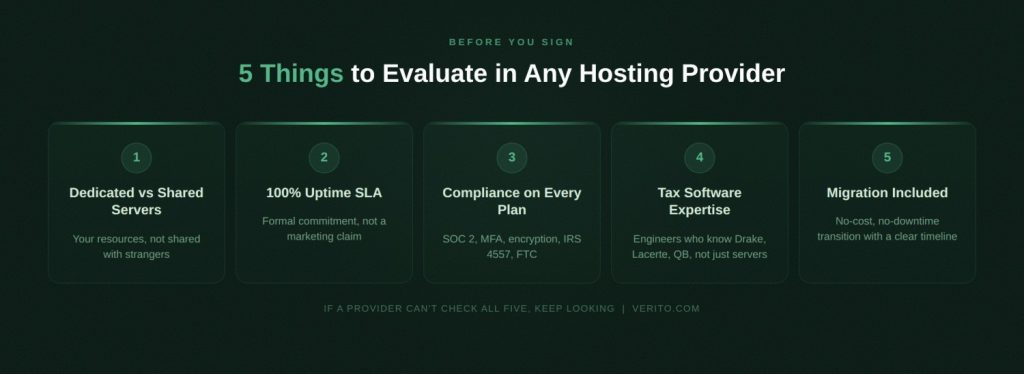
Not all hosting providers are built for tax and accounting. A general-purpose cloud company may technically be capable of running QuickBooks Desktop on a remote server, but that is a very different thing from understanding multi-year tax software version management, application-specific performance tuning, or the compliance obligations that PTIN renewal depends on.
The evaluation criteria below are specific to what CPA firms and enrolled agent practices actually need from a hosting provider:
This is the most important infrastructure question to ask any prospective provider. A shared cloud server pools resources across multiple client firms. When one firm runs a heavy batch of returns, other firms on the same server experience the impact through slower response times, calculation delays, and file access lag.
This is known as the noisy-neighbor problem, and it is particularly damaging for tax firms during peak season, when every other client on the shared server is also at full capacity simultaneously.
A dedicated private server allocates resources exclusively to one firm. The RAM, CPU, and storage belong entirely to that firm’s environment. No other client’s processing load affects performance. This is not a luxury tier for large firms; it is the baseline standard that any tax practice managing sensitive client data should require of any provider they evaluate.
2. Uptime SLA and Tax Season Reliability
Any hosting provider unable to commit to a formal 100% uptime Service Level Agreement should not be hosting professional tax software. An outage on April 14th is not an inconvenience. It is a potential existential event leading to missed deadlines, client calls that cannot be returned, and in serious cases, regulatory exposure for a preparer whose filing obligations are time-bound by federal law.
Verito has maintained a 100% uptime track record since its founding in 2016, backed by a formal SLA on every plan. That is nine years of operational track record, not a marketing position.
3. Compliance Coverage Included on All Plans
SOC 2 Type II certification, MFA enforcement, AES-256 encryption at rest and in transit, and alignment with IRS Publication 4557 and the FTC Safeguards Rule should be standard features on every plan tier, not controls unlocked at premium pricing.
If a provider only offers compliance-grade infrastructure to its largest customers, smaller CPA firms and solo practitioners are left operating on infrastructure that cannot satisfy an audit, a cyber insurance underwriting review, or a PTIN renewal attestation.
4. Software Expertise, Not Just Technical Support
There is a meaningful gap between a cloud support team that can restart a server and a team that knows the difference between a Drake Tax state module configuration error and a Lacerte concurrent-user licensing conflict. CPA firms should ask any prospective provider directly: have your engineers worked with our specific applications? Can they troubleshoot a multi-year UltraTax CS environment without escalating to a third-party?
Ask any prospective provider directly: do your engineers have hands-on experience with Drake Tax state module configurations? Can they resolve a Lacerte concurrent-user licensing conflict without escalating to a third-party? Application-specific knowledge is what separates a 92% first-call resolution rate from a support queue.
This is the operational reason behind a 92% First-touch Resolution rate. Issues are resolved on the first call, without being bounced between departments or vendors. The average support response time is under 60 seconds.
5. Migration Process and Timeline
Moving from an on-premise server to a hosted environment sounds technically complex. With a provider that has run hundreds of migrations, the process follows a predictable sequence and requires almost nothing from the firm itself.
The key questions to ask any provider before signing: Is migration included at no cost? What is a realistic timeline for a firm of my size and software stack? What does the firm need to provide or prepare? For most small to mid-sized tax practices, the complete transition takes 3 to 5 business days, with the actual data transfer completing in 4 to 24 hours.
Tax Software Hosting by Platform: What CPA Firms Need to Know
Different tax applications have different server requirements, licensing structures, and configuration dependencies. A hosting environment sized correctly for QuickBooks Desktop is not automatically appropriate for UltraTax CS, which has significantly higher resource demands and CS Suite integration requirements.
The sections below explain how each major platform functions in a hosted environment and what to confirm with any provider before committing.
Verito supports over 200 tax and accounting applications on VeritSpace. That breadth matters for firms that run multiple platforms or specialty tools alongside their primary tax application, and need everything in a single hosted environment under one billing relationship.
1. QuickBooks Desktop Hosting for CPA Firms
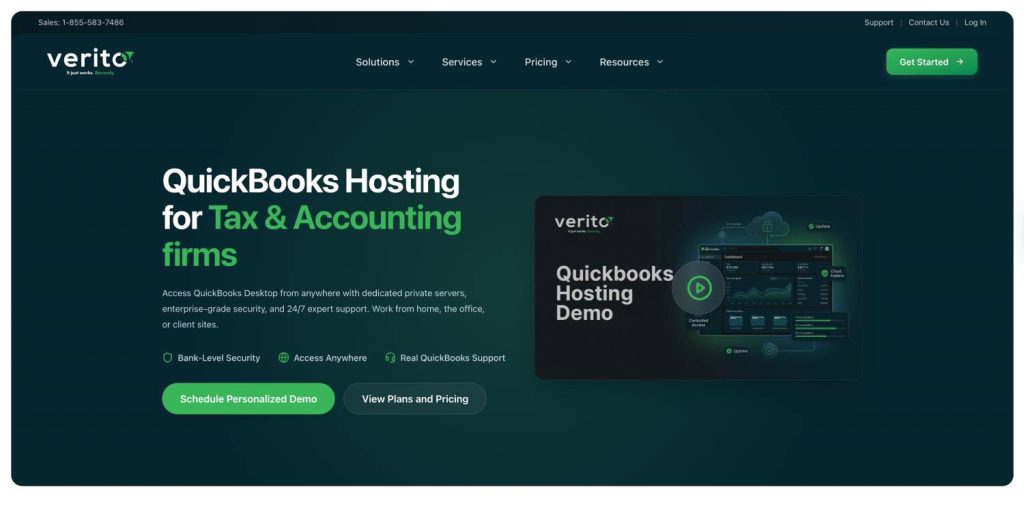
QuickBooks Desktop, across its Pro, Premier, and Enterprise editions, is one of the most widely hosted professional tax and accounting applications in the country.
The reason firms host it rather than migrating to QuickBooks Online is straightforward: the two products are not equivalent. Desktop has reporting structures, inventory management, multi-company configurations, and workflow logic that Online does not replicate. For firms that have built their practice around QuickBooks Desktop over a decade or more, the only viable path forward is hosting the application they already rely on.
In a hosted environment, QuickBooks Desktop runs on a Windows Server instance. Multi-user access allows multiple staff members to open the same company file simultaneously, something local desktop installation does not support cleanly.
Stable multi-user performance requires at minimum 10 GB of dedicated RAM and SSD-backed storage capable of handling large company files without the slowdowns that affect under-resourced local servers. A valid client-side QuickBooks license is required. The hosting provider installs and maintains the environment, but does not supply the license.
QuickBooks Desktop hosting through VeritSpace includes dedicated resource allocation configured specifically for QuickBooks’s multi-user demands, a level of application-specific tuning that general cloud providers rarely provide.
2. Lacerte Cloud Hosting
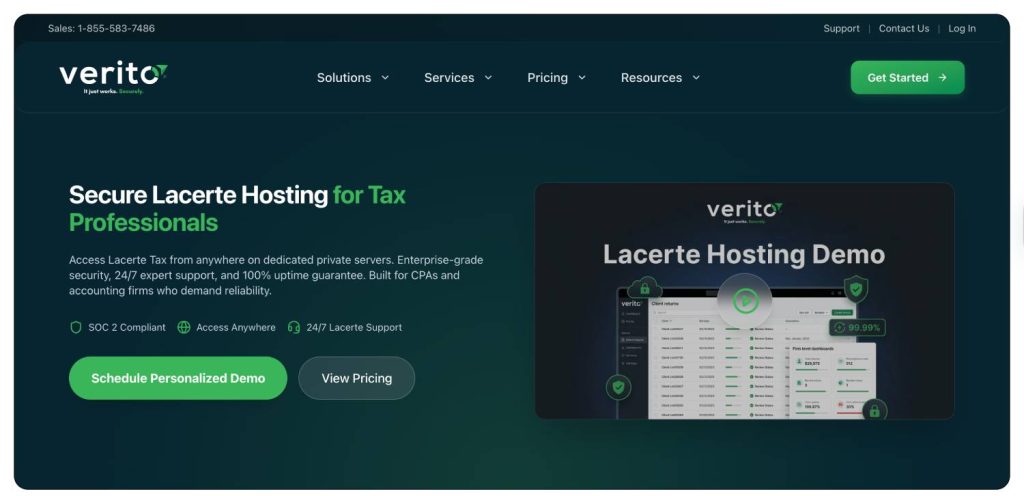
Lacerte is Intuit’s professional tax preparation platform used widely by larger CPA firms and tax departments managing high volumes of complex returns.
It is more resource-intensive than most other platforms in this category, particularly when processing multiple returns simultaneously with many forms, schedules, and attachments active in parallel.
Hosted Lacerte runs on a Windows Server instance and is accessed via RDP. Multi-preparer workflows are supported: staff can work on different client files at the same time without licensing conflicts, provided the hosting environment is configured correctly for Lacerte’s concurrent-user requirements.
Because Lacerte places higher demands on the underlying infrastructure than lighter applications, shared server environments routinely underperform for Lacerte users during tax season. When every other firm on the same shared server is also peaking in February and March, Lacerte’s resource needs cannot be consistently met.
As with QuickBooks Desktop, Lacerte licensing is separate from the hosting fee. Firms should confirm license transferability with Intuit before initiating a migration.
3. Drake Tax Cloud Hosting
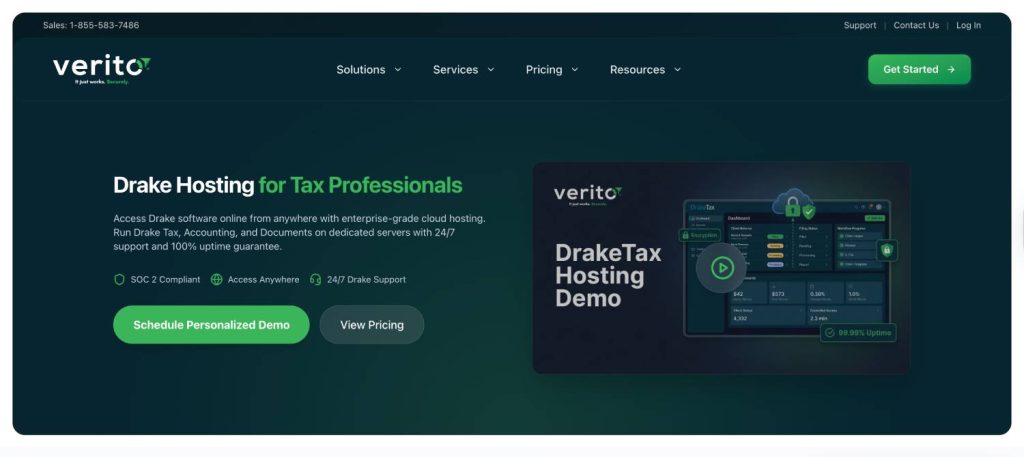
Drake Tax is one of the most widely adopted professional tax platforms among small to mid-sized CPA and EA practices.
Its all-in-one structure: federal, state, and business returns managed within a single application, making it an efficient but data-intensive platform with specific infrastructure considerations.
Because Drake Tax stores return data within its own folder structure, backup and data redundancy practices at the infrastructure level are particularly important. Firms should require nightly automated backups with at minimum 60-day retention and verify that those backups are tested through regular restore validation. A backup that has never been successfully restored is not a backup any firm should rely on heading into tax season.
Drake Tax is one of the applications covered in Verito’s customer support training. That specificity matters when support is needed: troubleshooting a Drake Tax multi-year version installation or a state module configuration error requires software-specific knowledge that a general-purpose cloud support team is unlikely to have available on the first call. Verito’s 92% First-touch Resolution rate reflects exactly that kind of application-level expertise.
4. UltraTax CS Cloud Hosting
UltraTax CS, published by Thomson Reuters as part of the CS Professional Suite, is a high-capacity professional tax platform used by mid-sized and enterprise CPA firms.
Its most significant hosting complexity is its integration with other CS Suite applications such as FileCabinet CS, Practice CS, and others. Hosting UltraTax CS in isolation, without accounting for the full CS Suite environment those integrations depend on, creates a fragmented workflow that defeats the primary reason firms use the platform.
UltraTax CS also has higher base resource requirements than most other tax applications. Firms running it in a hosted environment should plan for 15 GB or more of dedicated RAM per user, depending on return volume and the number of concurrent CS Suite integrations active. This is where the distinction between VeritSpace Essentials, Pro, and Elite becomes operationally significant rather than just a pricing consideration.
Verito’s VeritSpace Elite plan, with unlimited RAM and unlimited NVMe storage, is particularly well-matched to UltraTax CS installations and full CS Suite environments. The one-time setup fee for UltraTax is $500 per server, higher than the standard $200 because of the additional configuration complexity a proper CS Suite deployment requires.
5. ProSeries Hosting
ProSeries is Intuit’s professional tax platform widely used by practices that handle individual and small business returns at high volume.
Like Lacerte, ProSeries is licensed per seat with specific concurrent-user requirements that the hosting environment must be configured to support from the start.
In a hosted environment, ProSeries functions identically to its local installation and is accessed via RDP. All preparers access the same environment, the same return files, and the same client data, with no version conflicts or sync issues between preparers in different locations. For firms with staff distributed across multiple offices or working from home, this alone eliminates one of the most persistent workflow friction points in a locally-hosted setup.
| Platform | Minimum Dedicated RAM | Storage Type | Notable Hosting Complexity |
|---|---|---|---|
| QuickBooks Desktop | 10 GB | SSD-backed | Multi-user company file access |
| Lacerte | 12–16 GB | SSD | Concurrent-user licensing under peak load |
| Drake Tax | 10 GB | SSD | Folder-structure backups, state module config |
| UltraTax CS | 15 GB+ per user | NVMe | CS Suite integration dependencies |
| ProSeries | 10 GB | SSD | Per-seat licensing, concurrent-user configuration |
Other Supported Platforms: CCH Axcess, ATX, TaxWise, ProConnect, and More
Professional tax software hosting extends well beyond the five platforms above. Firms using CCH Axcess, ATX, TaxWise, ProConnect, CanopyTax, TaxDome, OfficeTools, Sage 50, or any other Windows-compatible tax or accounting application can run those applications in a hosted environment as well.
The requirement is straightforward: the software must be Windows-compatible and the firm must hold a valid license. The hosting provider handles everything else at the infrastructure level.
Verito supports over 200 tax and accounting applications on VeritSpace. Firms running a combination of platforms, such as QuickBooks Desktop alongside Drake Tax, for example, or Lacerte alongside a practice management tool, can host all of them on a single dedicated server under one billing relationship.
Microsoft Office 2021 (Word, Excel, Outlook, and PowerPoint) is included at no additional charge on all VeritSpace plans and does not count toward an application slot.
This is the infrastructure choice that will most directly affect a tax firm’s day-to-day experience with any hosting provider. Shared cloud servers and dedicated private servers are fundamentally different products that happen to be described using similar language.
The distinction is not a technical nuance. It is a practical difference with direct consequences for tax season performance, data isolation, and compliance audit posture.
| Feature | Dedicated Private Server | Shared Cloud Server |
|---|---|---|
| Resource allocation | Exclusive per firm | Shared across multiple clients |
| Tax season performance | Consistent under peak load | Degrades as other clients peak simultaneously |
| Data isolation | Complete; your environment only | Logical separation on shared physical hardware |
| Noisy-neighbor risk | None | Present |
| Customization | Full | Limited |
| Compliance audit posture | Straightforward to demonstrate | More complex to document |
| Starting price | $69/user/month | Depends on system complexity |
What “Dedicated” Actually Means in Practice
A dedicated private server means the firm’s entire hosted environment is provisioned exclusively for that firm. No other client’s QuickBooks company file, Lacerte database, or UltraTax CS installation shares the same physical RAM or CPU.
This matters most between January and April, when every tax firm in the country is running at full capacity at the same time. On a shared server, every other client’s peak workload is a variable that affects your performance. On a dedicated server, what other firms are doing is entirely irrelevant to your environment.
Each client firm is provisioned with its own Windows Server instance, dedicated vCPUs, and allocated RAM. No shared virtualization pools. No noisy-neighbor effect. There are no shared virtualization pools. There is no noisy-neighbor effect. There is also no data commingling between client environments, which simplifies SOC 2 audit trails and satisfies the data isolation requirements that cyber insurers increasingly require from professional services firms evaluating coverage.
Compliance and Security Requirements for Tax Software Hosting
For CPA firms, compliance is not an optional layer of due diligence. It is the legal condition under which the firm operates. PTIN renewal attestation requires confirming a WISP is in place.
Cyber insurance underwriters increasingly require documented evidence of specific technical controls before extending coverage. A data breach affecting client tax information is not solely an IT incident. It is a regulatory event with potential sanctions, client loss, and in serious cases, the revocation of preparer credentials.
A hosting provider that actively supports these requirements is an operational asset. One that does not force the firm to close those compliance gaps independently, on infrastructure the provider controls.
What SOC 2 Type II Certification Means for Your Firm’s Data
SOC 2 Type II is an independent annual audit of a service provider’s security controls conducted by an external auditor. It verifies not just that security controls are documented, but that they are operating as described over time.
The five Trust Services Criteria it covers are security, availability, processing integrity, confidentiality, and privacy. When a hosting provider holds SOC 2 Type II certification, it means the controls protecting your data have been externally validated on a recurring basis, not self-assessed.
Verito’s hosting infrastructure is built on Deft data centers, which hold SOC 2 Type II certification. Verito operates within this certified environment on every client deployment. Every VeritSpace plan, including the base Essentials plan at $69 per user per month, operates within this infrastructure. SOC 2 coverage is not reserved for Elite tier customers. It is the baseline on which every plan is built.
MFA, Encryption, and Access Controls
IRS Publication 4557 explicitly mandates multi-factor authentication for systems containing client tax data. This is a compliance requirement tied directly to PTIN status, not a security recommendation a firm can defer.
Every Verito VeritSpace plan enforces MFA on every login, by default, without requiring additional configuration from the firm’s side. Data is encrypted at rest and in transit using AES-256 encryption, the same standard applied by financial institutions and federal agencies for protection of sensitive information.
Firm administrators can define exactly which staff members have access to which applications and client files through granular access controls built into the VeritSpace environment.
WISP Compliance and What Your Hosting Provider Should Cover
A Written Information Security Plan is a formal, documented plan specifying how a firm protects client data. It must cover risk assessment, administrative safeguards, technical safeguards, physical safeguards, incident response procedures, and ongoing monitoring.
It must be reviewed and updated annually. And it is required by federal law for every professional tax preparer who files electronically without exception.
The technical controls a WISP requires: encryption, MFA, access logging, backup retention schedules, and incident response capability, are controls that a compliance-grade hosting environment provides at the infrastructure level.
When those controls are handled by the hosting provider, the firm’s WISP is easier to document, easier to maintain year-over-year, and easier to demonstrate to auditors or cyber insurance underwriters.
Need a WISP? Verito delivers a fully customized, audit-ready Written Information Security Plan in five business days.
Learn more →
How Tax Software Migration to the Cloud Actually Works
The word “migration” makes many CPA firm owners and practice managers nervous. It conjures images of lost data, prolonged outages, and a disruptive transition that falls at the worst possible time.
This concern is understandable. It is also, with a provider that has run this process hundreds of times, almost entirely unfounded. A structured migration managed end-to-end by an experienced team follows a predictable sequence, requires minimal involvement from the firm, and does not require the firm to pause operations at any point.
The Typical Migration Timeline for a CPA Firm
For most small to mid-sized tax practices, the complete migration follows this sequence:
- Discovery call (approximately 30 minutes): The hosting team assesses the firm’s current software stack, number of users, storage volume, and application-specific configurations, including multi-year version installations or CS Suite integrations where applicable.
- Server buildout (Hours 1 to 4): A dedicated private server is provisioned and configured to the firm’s specifications, including operating system setup, application installation, and user account creation.
- Data migration (Hours 4 to 24): Data is transferred from the firm’s existing local environment to the hosted server. All integrations are configured and validated. The hosting team confirms that every application launches correctly and all data is intact before the firm moves to go-live.
- Go-live (24 to 48 hours after migration begins): The firm begins working in the hosted environment with 24/7 support available immediately.
Most CPA firms are fully operational on the hosted server within 3 to 5 business days. Verito handles the entire migration at no additional cost. Zero downtime is required during the transition.
What the Firm Is Responsible for During Migration
The firm provides two things: access to the existing data environment and valid software licenses for each application being hosted. That is the full extent of active involvement required from the firm’s side.
No internal IT staff is needed. No technical project manager is required on the firm’s end. Verito’s migration team has completed hundreds of transitions from local servers, from Rightworks (formerly Right Networks), and from other hosted environments. The process is designed to be operationally invisible to a firm’s day-to-day work.
VeritSpace: Verito’s Cloud Hosting Platform for Tax and Accounting Firms
VeritSpace is Verito’s dedicated private cloud hosting product, built exclusively for tax and accounting firms. It is the infrastructure model described throughout this guide: dedicated private servers, SOC 2 certified, with MFA enforced, AES-256 encryption, nightly automated backups, and free white-glove migration included on every plan. All plans are month-to-month. There are no long-term contracts.
Verito has served over 1,000 tax and accounting firms since its founding in 2016. Its Net Promoter Score is 95. Its G2 rating is 4.9 out of 5, based on more than 125 verified reviews. Recurring themes in client feedback are consistent: fast support response that actually resolves the issue, reliable performance through tax season, and a team that speaks the language of tax software workflows rather than generic IT support.
| Plan | Price | RAM | Storage | Apps Included | Backup Retention |
|---|---|---|---|---|---|
| Essentials | $69/user/month | 10 GB dedicated | 40 GB Storage | 2 apps | 60 days |
| Pro | $99/user/month | 15 GB dedicated | 100 GB Storage | 6 apps | 60 days |
| Elite | $149/user/month | Unlimited | Unlimited Storage, 150 GB NVMe | Unlimited | 90 days |
The 15-day free trial requires no credit card and no contract commitment.
The application counting logic is worth understanding before evaluating which plan tier covers a firm’s software stack. ProSeries 2023, 2024, and 2025 together count as a single application under the three-year bundle structure, not three separate app slots. Most small CPA firms end up needing two application slots total, which the VeritSpace Essentials plan at $69 per user per month covers.
A one-time setup fee of $200 per server applies to all plans ($500 for UltraTax CS, reflecting the additional configuration requirements of a CS Suite deployment). Microsoft Office 2021, including Word, Excel, Outlook, and PowerPoint, is included at no charge on all plans and does not count toward an application slot.
For firms evaluating which tier covers their software stack, the application counting structure is worth understanding upfront. Tax applications bundle in three-year increments: ProSeries 2023, 2024, and 2025 together count as one application slot, not three. Most small CPA firms end up using two application slots in practice, which the Core plan covers.
Full VeritSpace pricing and a plan comparison tool are available on Verito’s site for firms that want to model their specific configuration before committing.
Frequently Asked Questions About Tax Software Hosting
1. What is tax software hosting and how is it different from a SaaS tool?
Tax software hosting runs your existing desktop application on a remote server your team accesses over the internet. The software behaves identically to the local version because it is the same application, just running off-site.
SaaS tools, by contrast, are browser-based products rebuilt from scratch. They have different features, different data structures, and different workflow logic. If your firm depends on desktop-specific functionality or years of historical return data, a SaaS product is not a substitute. Hosting is the path that keeps your workflows intact.2. Does my firm need a separate software license to move to hosted tax software?
Yes. The hosting provider sets up and maintains the server environment, but does not supply software licenses. You need a valid client-side license for each application being hosted. Your existing licenses are typically transferable. Confirm this with your software vendor before initiating the migration.
3. How much does professional tax software hosting cost for a small CPA firm?
It depends on the number of users, applications, and storage. Verito’s VeritSpace plans start at $69 per user per month. Most small firms running two applications, say, QuickBooks Desktop and Drake Tax, qualify for the Essentials or Pro plan. A one-time server setup fee of $200 applies. Also, a $500 setup fee applies for UltraTax CS, reflecting the additional configuration requirements of a CS Suite deployment.
4. Is cloud hosting for tax software IRS-compliant?
It can be, but only if the provider meets the technical controls required by IRS Publication 4557: MFA, encrypted storage, and documented access controls. Verito enforces MFA and AES-256 encryption on every VeritSpace plan, on SOC 2 Type II certified infrastructure. One important clarification: firms are still responsible for creating and maintaining a WISP. That is a separate federal legal requirement that applies regardless of who hosts your software.
5. Can I access hosted tax software from a Mac or iPad?
Yes. Because the software runs on a Windows Server instance and is accessed via Remote Desktop Protocol, it works on any device: Windows, Mac, iPad, iPhone, or Android. The recommended minimum bandwidth is 10 Mbps per user for smooth, responsive performance.
6. How long does it take to migrate to hosted tax software?
Most CPA firms are fully live within 3 to 5 business days. The actual data transfer typically takes 4 to 24 hours depending on volume and software complexity. Verito handles the entire process at no additional cost, with no downtime required on the firm’s end.
7. What happens if the hosting provider goes down during tax season?
It should not, and if a provider cannot commit to a formal 100% uptime SLA, that is your answer. Verito has maintained a 100% uptime track record since 2016, backed by geographically distributed Tier IV data centers with built-in failover. The SLA applies to every plan, not just the premium tier. An outage in February is not an inconvenience. For a tax firm, it is an emergency, and your hosting infrastructure should be built so that scenario never happens.
For CPA firms evaluating tax software hosting options before the next filing season, Verito offers a 15-day free trial of VeritSpace with no credit card required and no contract to sign. Migration is handled completely by Verito’s Support team.
Start your free trial or schedule a demo to see how VeritSpace performs with your specific software stack, user count, and compliance requirements.